Timesheet Settings reference
Lite+Settings → HR → Timesheet Settings. Controls how the kiosk records time, when workers are auto-signed-out, how unclaimed time is handled, and how days roll up for pay. These rules apply to every employee’s timesheet.
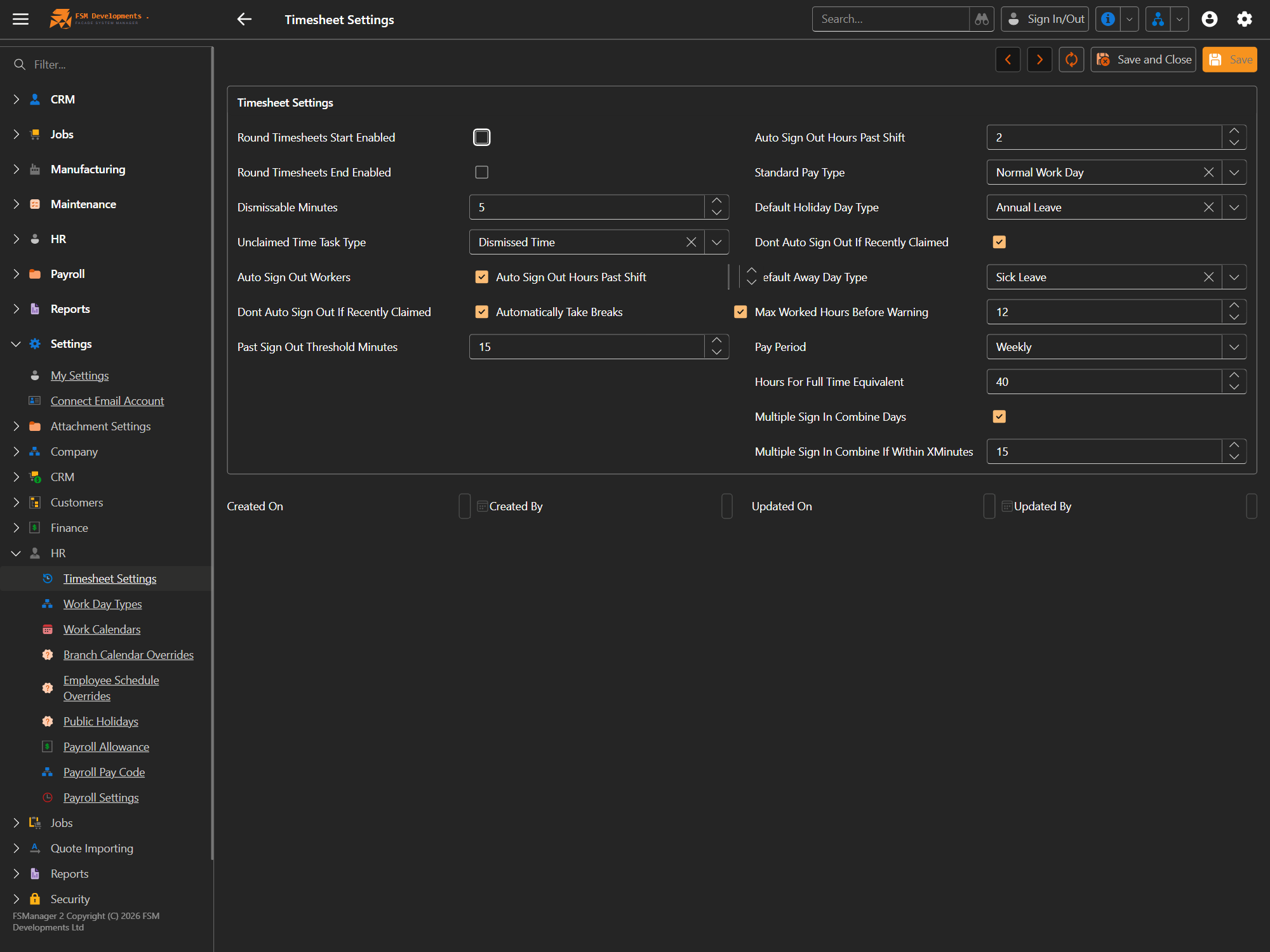
Rounding & unclaimed time
| Setting | What it does / affects |
|---|---|
| Round Timesheets Start Enabled | Rounds each day’s payroll start to your rounding rules. |
| Round Timesheets End Enabled | Rounds each day’s payroll end to your rounding rules. |
| Dismissable Minutes | A gap this small (minutes) can be dismissed rather than having to be claimed against a job. |
| Unclaimed Time Task Type | The task type that time gets logged against when it isn’t claimed to a job (e.g. Dismissed Time). |
Auto sign-out
| Setting | What it does / affects |
|---|---|
| Auto Sign Out Workers | Master switch: sign workers out automatically if they forget. |
| Auto Sign Out Hours Past Shift | How many hours past the rostered shift end before an auto sign-out fires. |
| Automatically Take Breaks | Inserts the standard unpaid breaks automatically when a day is auto-signed-out. |
| Don’t Auto Sign Out If Recently Claimed | Skips the auto sign-out if the worker has claimed time recently (they’re clearly still on the clock). |
| Past Sign Out Threshold Minutes | How long after a shift a sign-out still counts against that day. |
Pay & day types
| Setting | What it does / affects |
|---|---|
| Standard Pay Type | The default pay type for a normal worked day (e.g. Normal Work Day). |
| Default Holiday Day Type | The day type applied to a public holiday (e.g. Annual Leave). |
| Default Away Day Type | The day type applied when someone is away without a specific leave (e.g. Sick Leave). |
| Max Worked Hours Before Warning | Flags a day for review if worked hours exceed this — catches missed sign-outs. |
| Pay Period | The pay cycle length (Weekly, fortnightly, …) that pay weeks are built on. |
| Hours For Full Time Equivalent | The weekly hours that count as 1.0 FTE, used in reporting. |
Multiple sign-ins
| Setting | What it does / affects |
|---|---|
| Multiple Sign In Combine Days | Merges several sign-in/out pairs in a day into one day record. |
| Multiple Sign In Combine If Within X Minutes | Two sign-ins closer than this many minutes are treated as one continuous shift. |
The lists these settings point at live alongside under Settings → HR — Work Day Types, Work Calendars, Public Holidays, Payroll Pay Codes and Allowances.
Last updated on