Skip to Content

Set monthly targets

Lite+

An editable grid of monthly sales targets — one row per sales rep, one column per job category (Commercial, Residential New Build, Residential Renovation) — with row totals. Targets feed the pipeline-vs-target reporting.

When to use

At the start of a month (or quarter) to set or adjust each rep’s targets.

Step by step
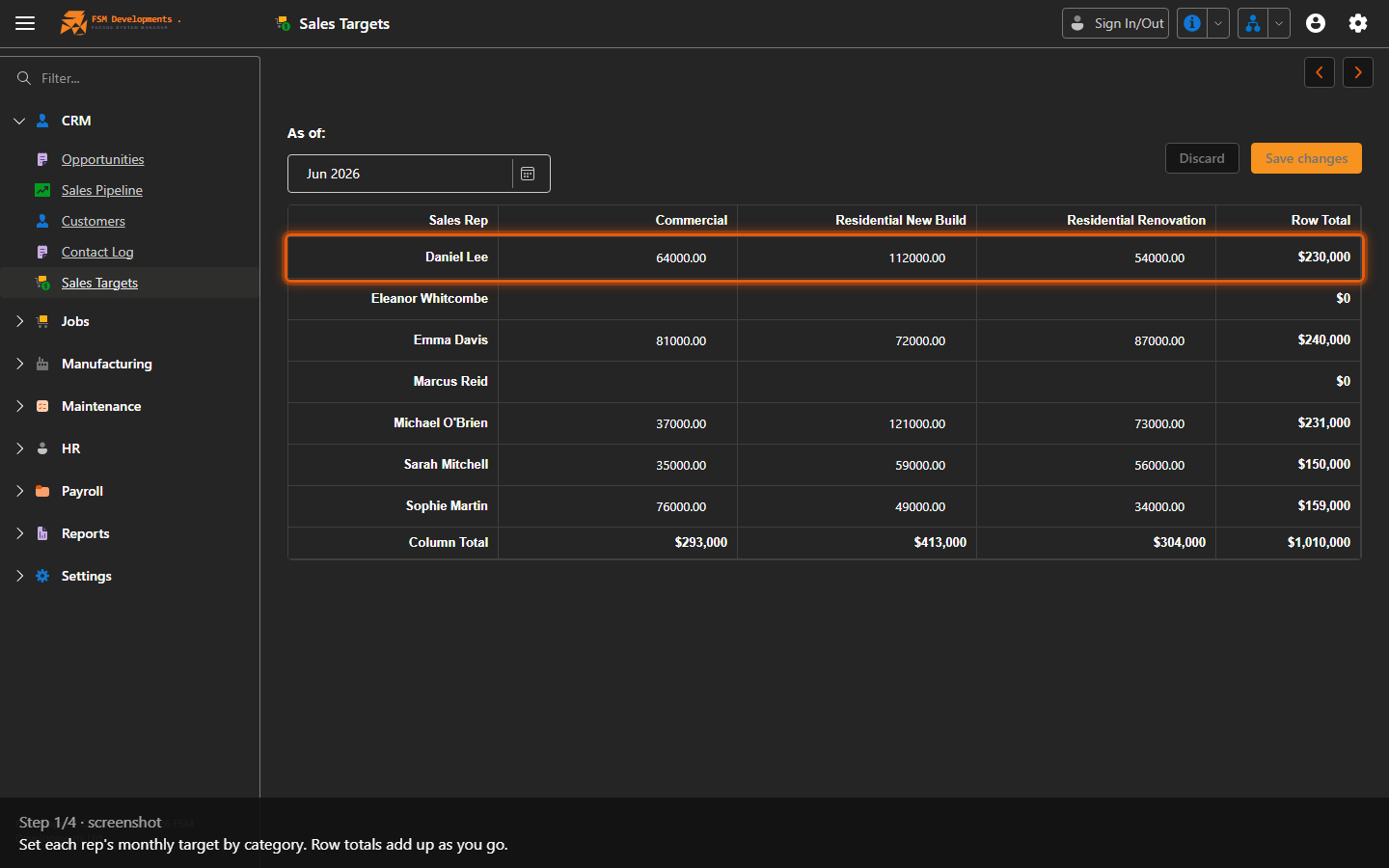
Sales targets matrix (rep rows × category columns)
1. Set each rep's monthly target by category. Row totals add up as you go.
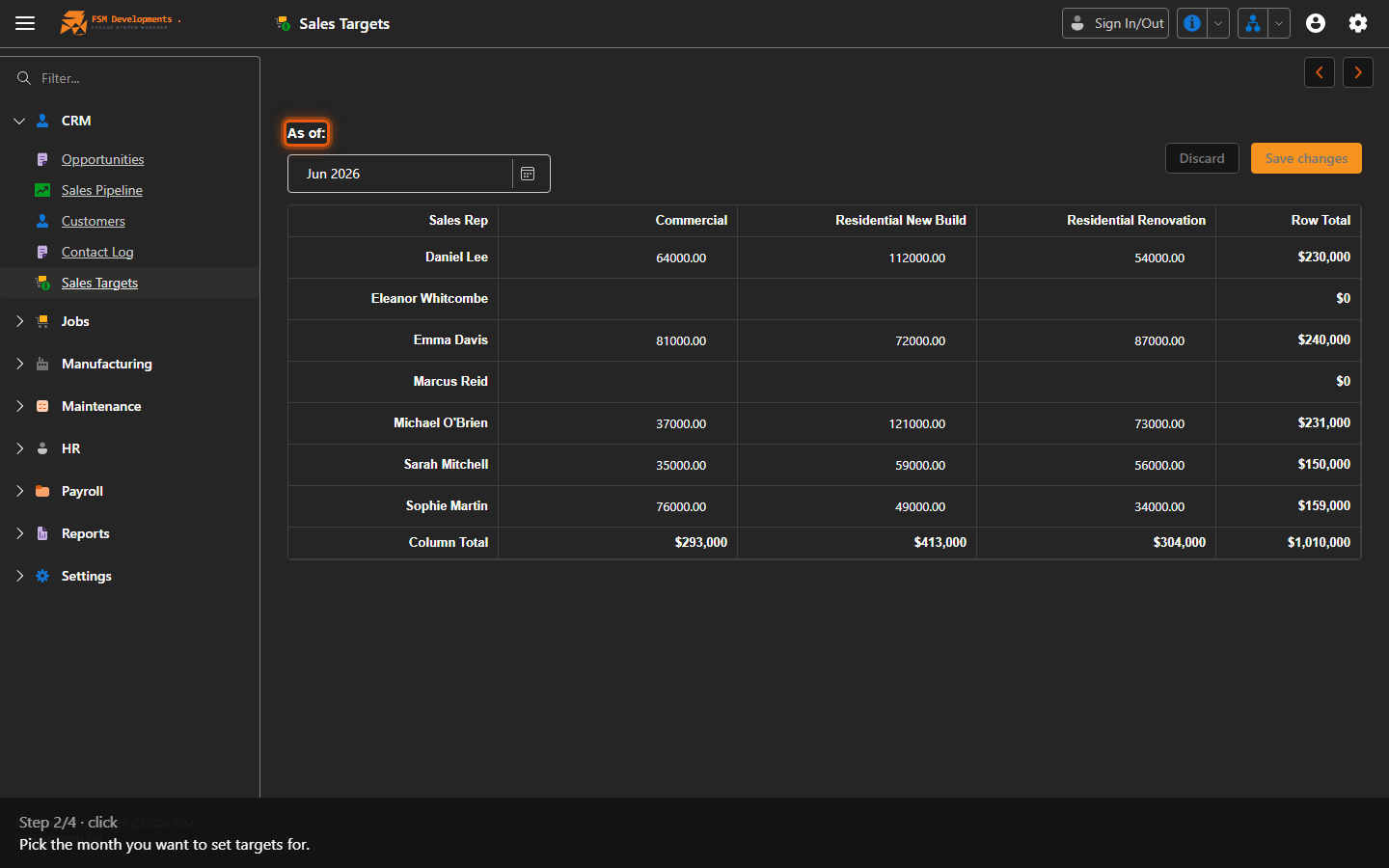
As of (month combobox)
2. Pick the month you want to set targets for.
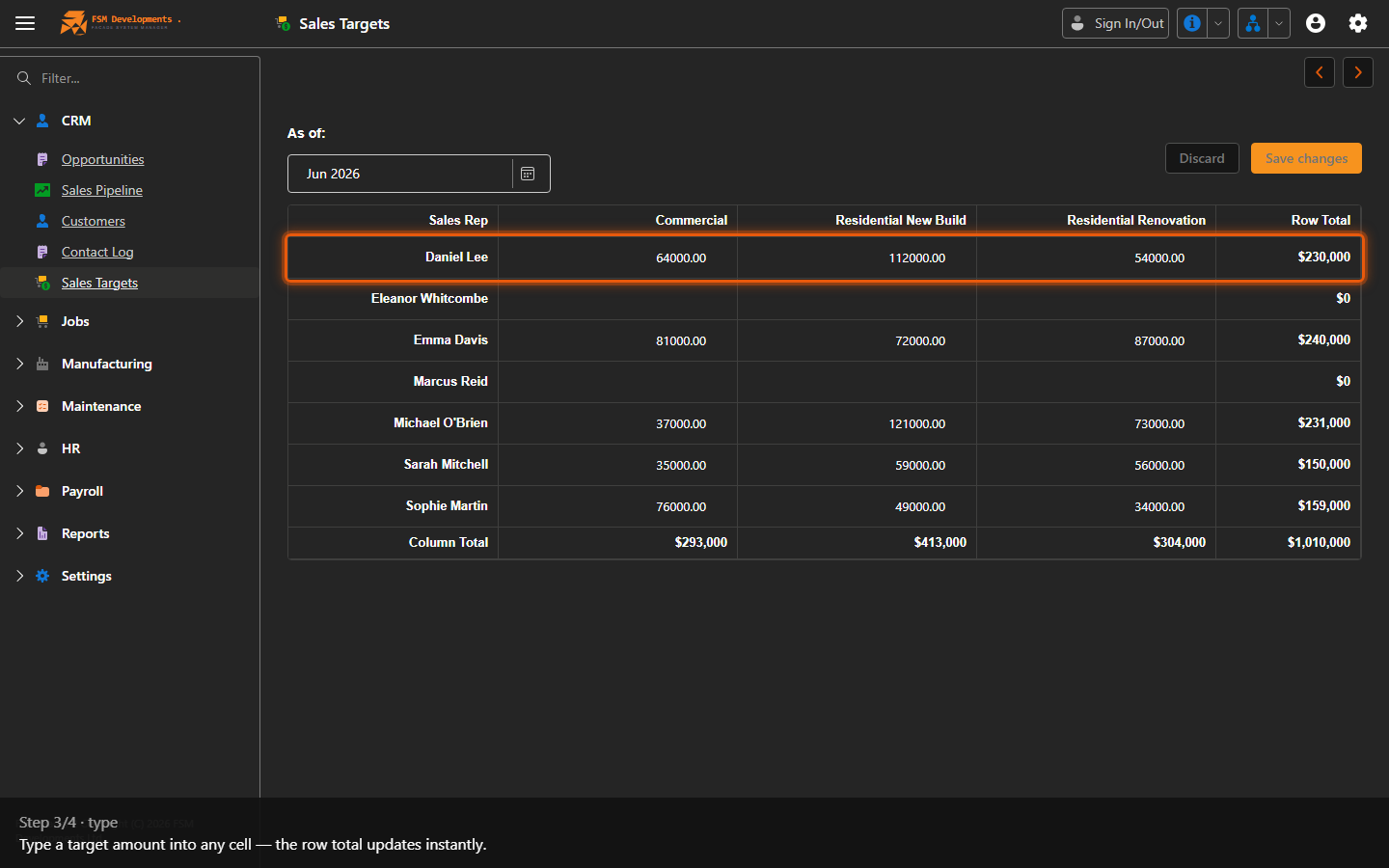
A target cell (spin button)
3. Type a target amount into any cell — the row total updates instantly.
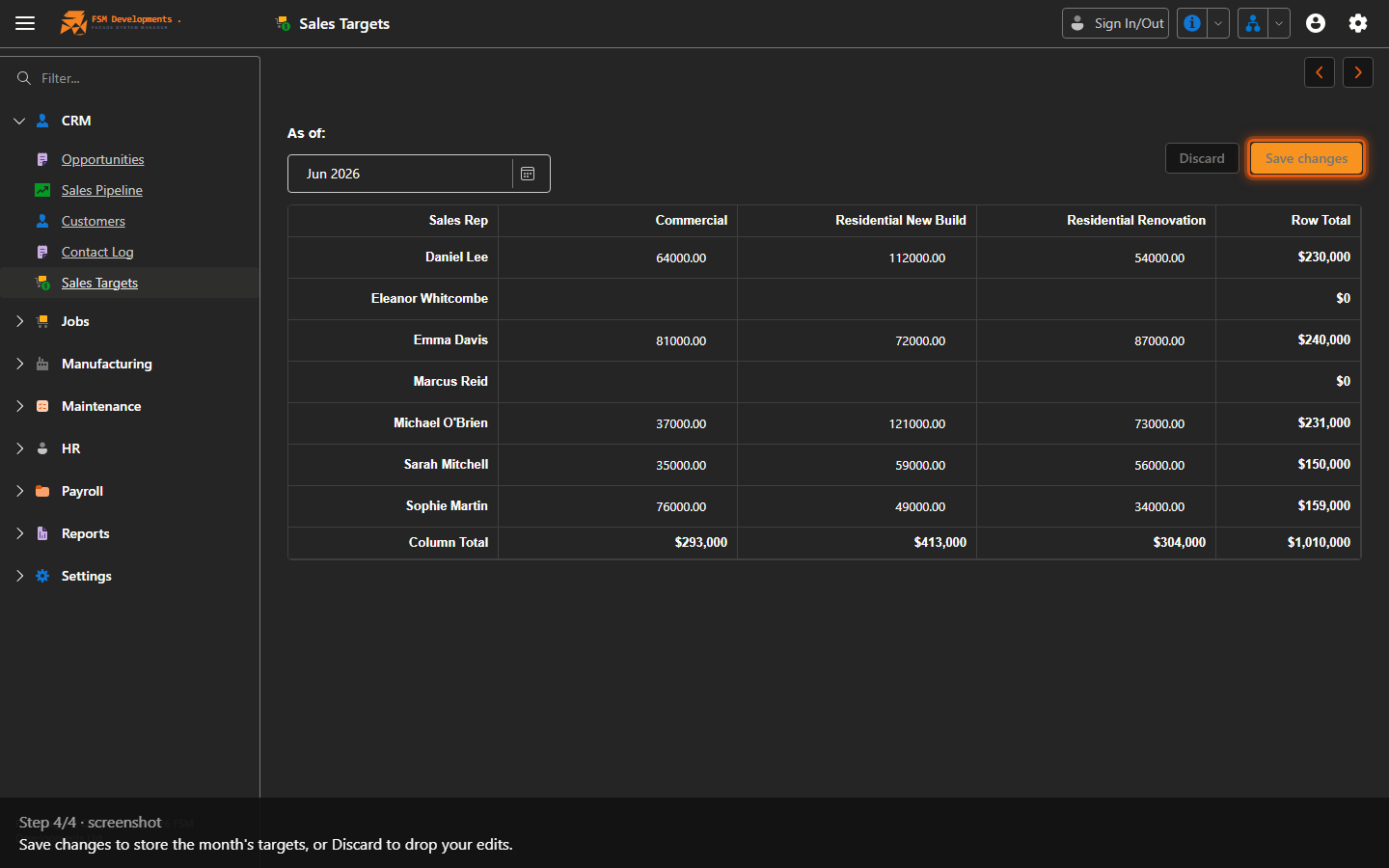
Save changes (button)
4. Save changes to store the month's targets, or Discard to drop your edits.
Last updated on