Skip to Content

Create a certification

Lite+

The compliance record for a completed part — its warranty and the building-code details that feed the PS3, Warranty/O&M and H1 documents.

When to use

When a part reaches practical completion and you need to issue its producer statement, warranty and energy-compliance paperwork.

Step by step
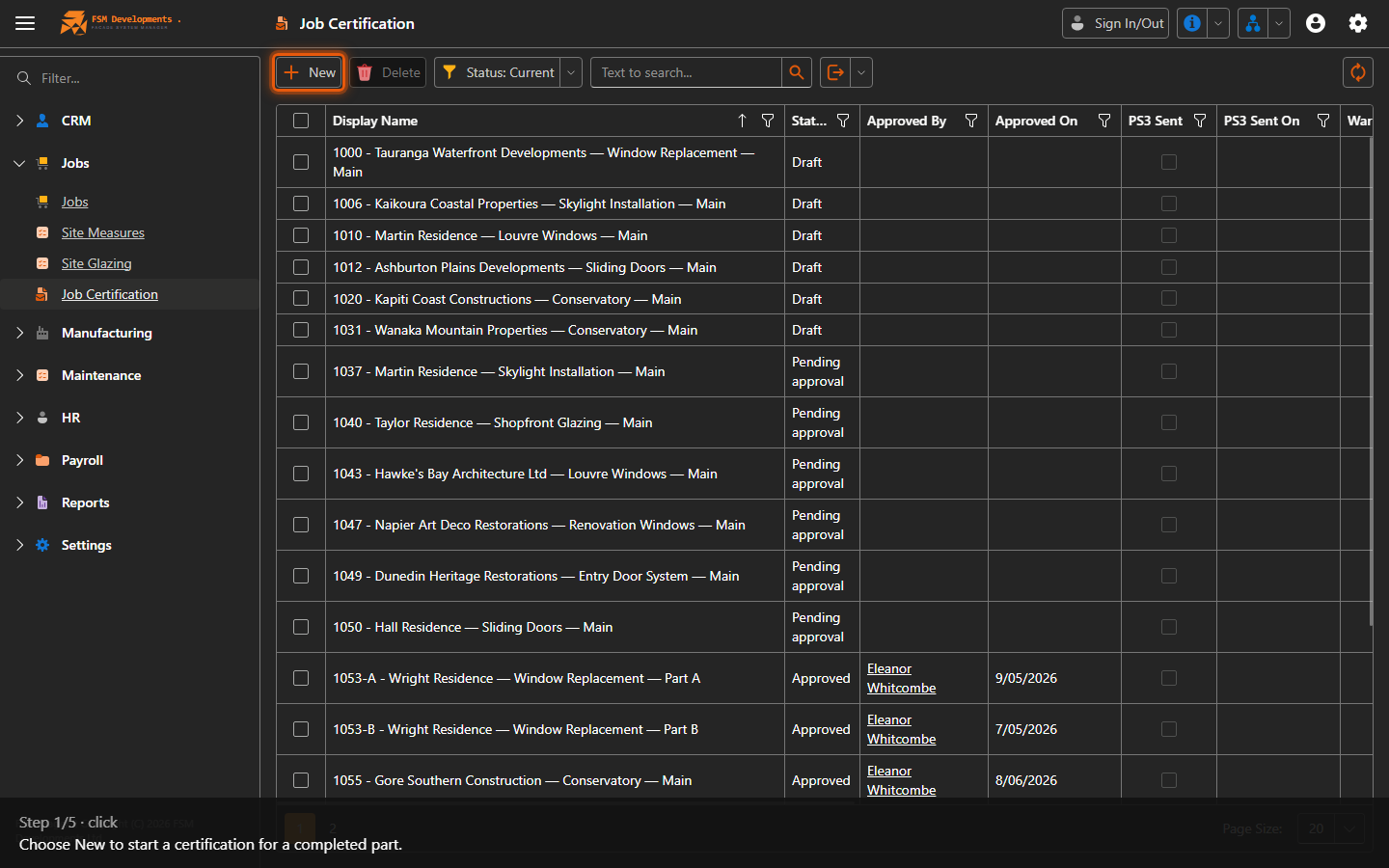
New (toolbar button)
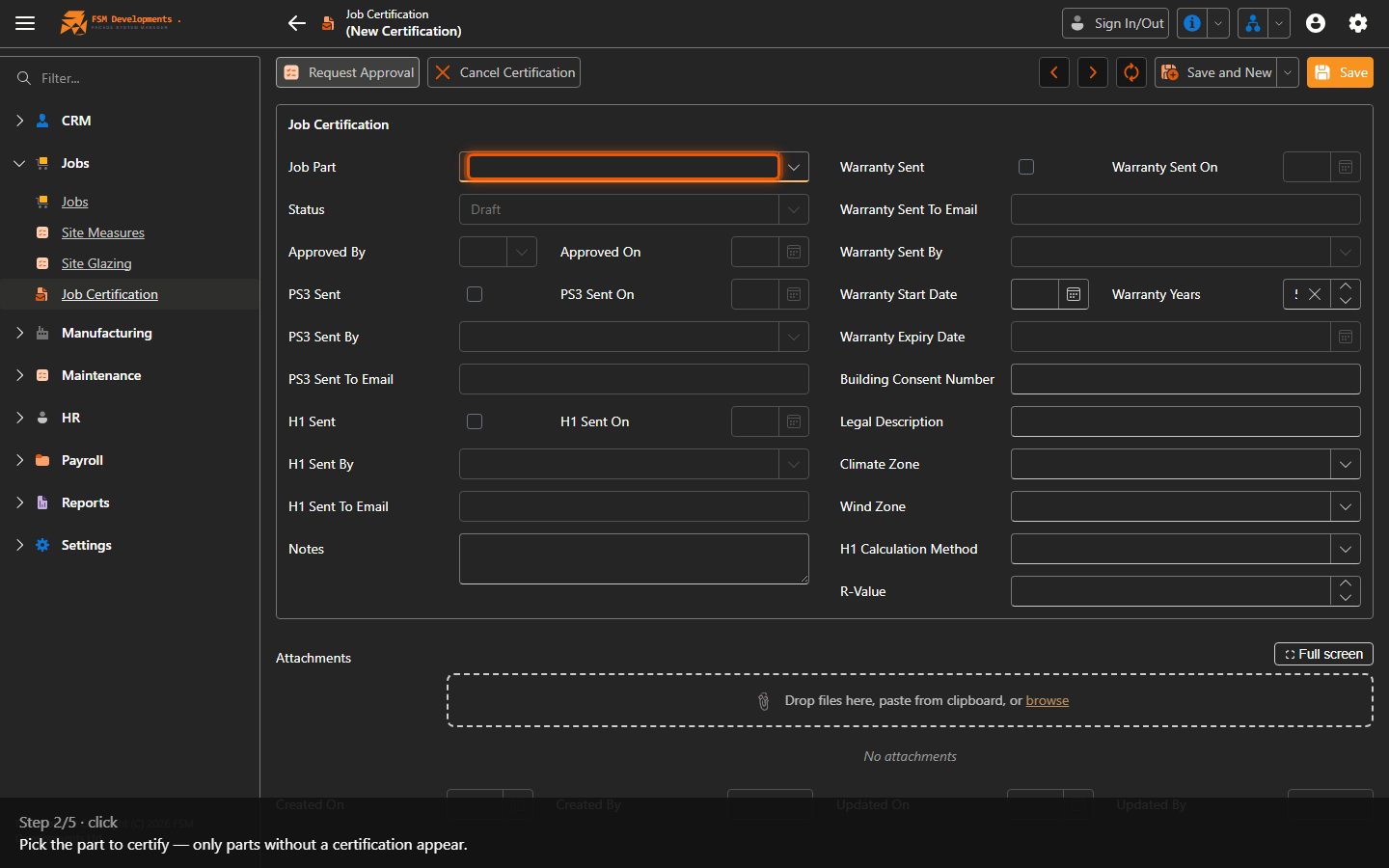
1. Choose New to start a certification for a completed part.
Job Part (picker)
2. Pick the part to certify — only parts without a certification appear.
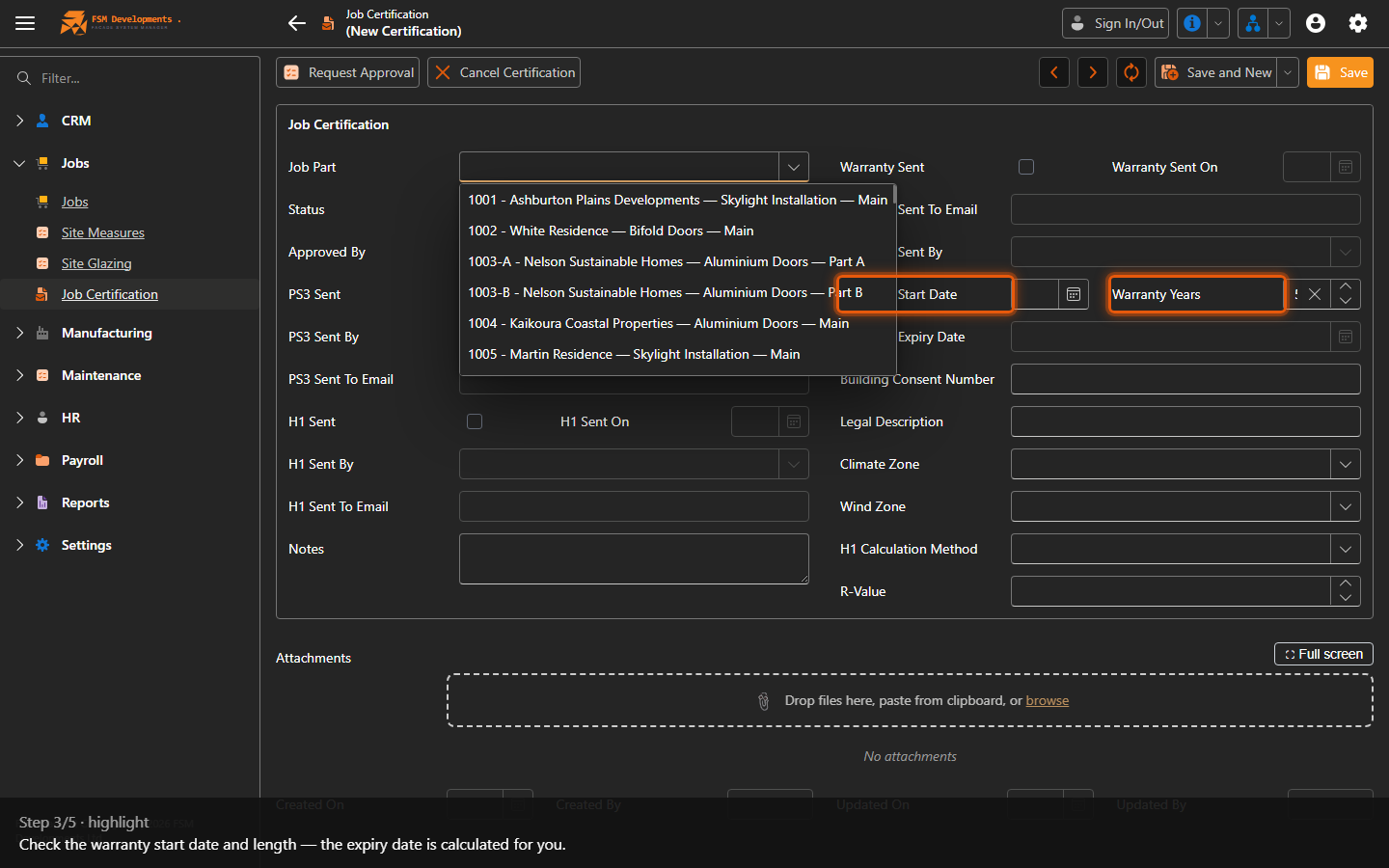
Warranty Start Date / Warranty Years
3. Check the warranty start date and length — the expiry date is calculated for you.
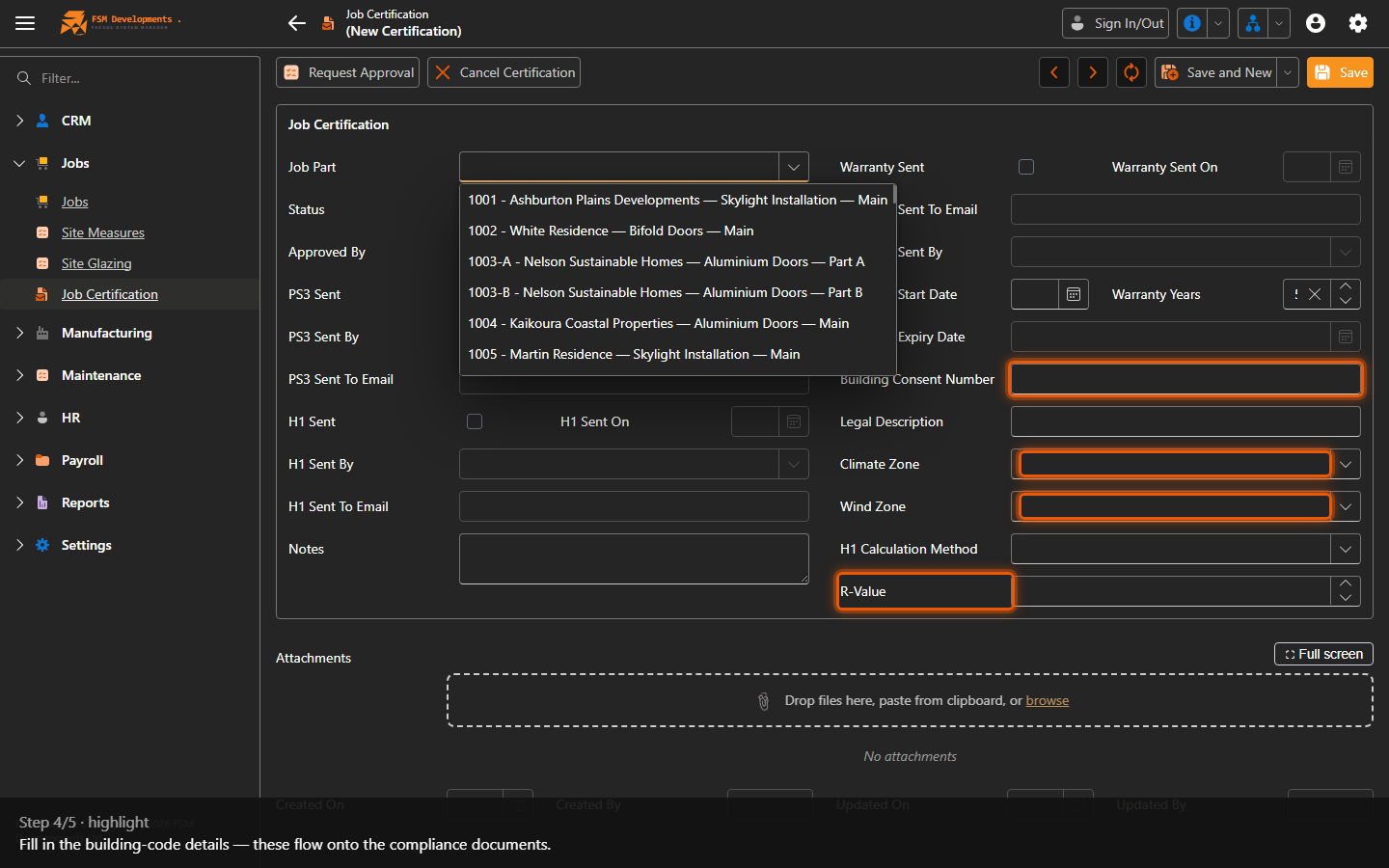
Building Consent Number / Climate Zone / Wind Zone / R-Value
4. Fill in the building-code details — these flow onto the compliance documents.
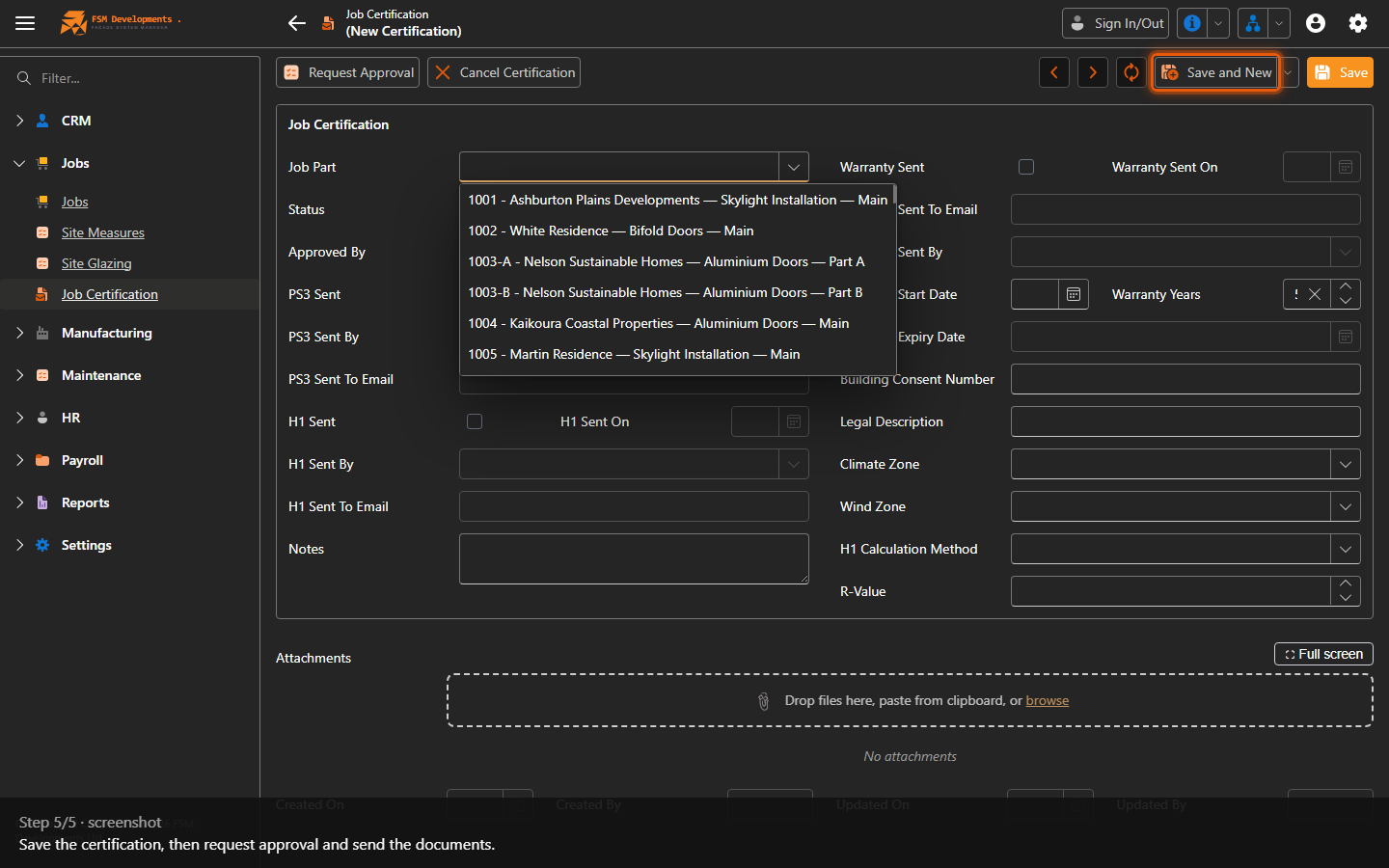
Save (toolbar button)
5. Save the certification, then request approval and send the documents.
Last updated on