Cost a request
Full+Building up what a maintenance job cost you, then setting what it’s charged at.
When to use
A request is being worked and you need to record its costs — labour, materials, a subcontractor — and price the work from them.
Costing is a Full-tier surface. On Lite the request’s Total Cost and the costing actions are hidden, and the lifecycle in Work a request runs without them.
Step by step
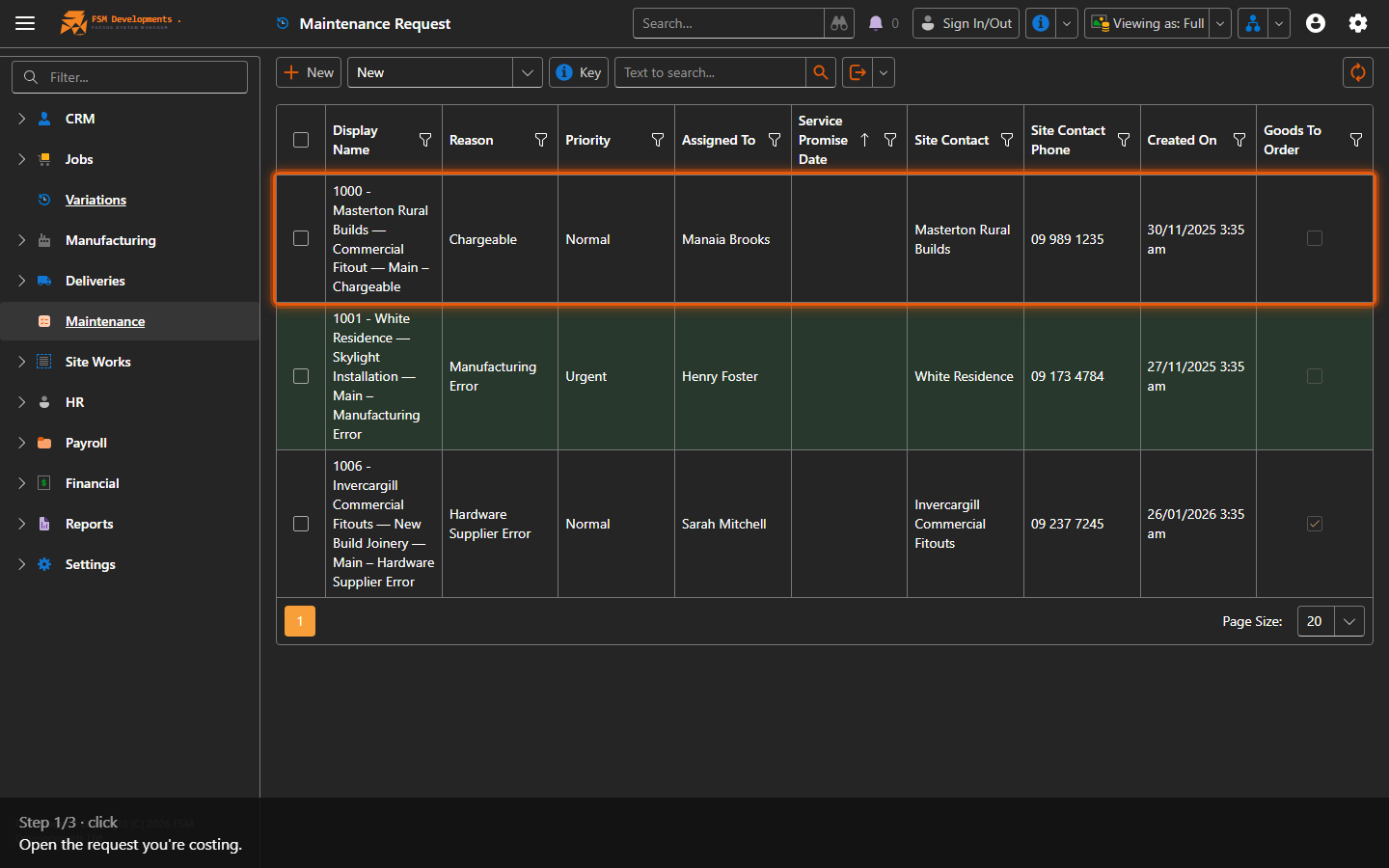
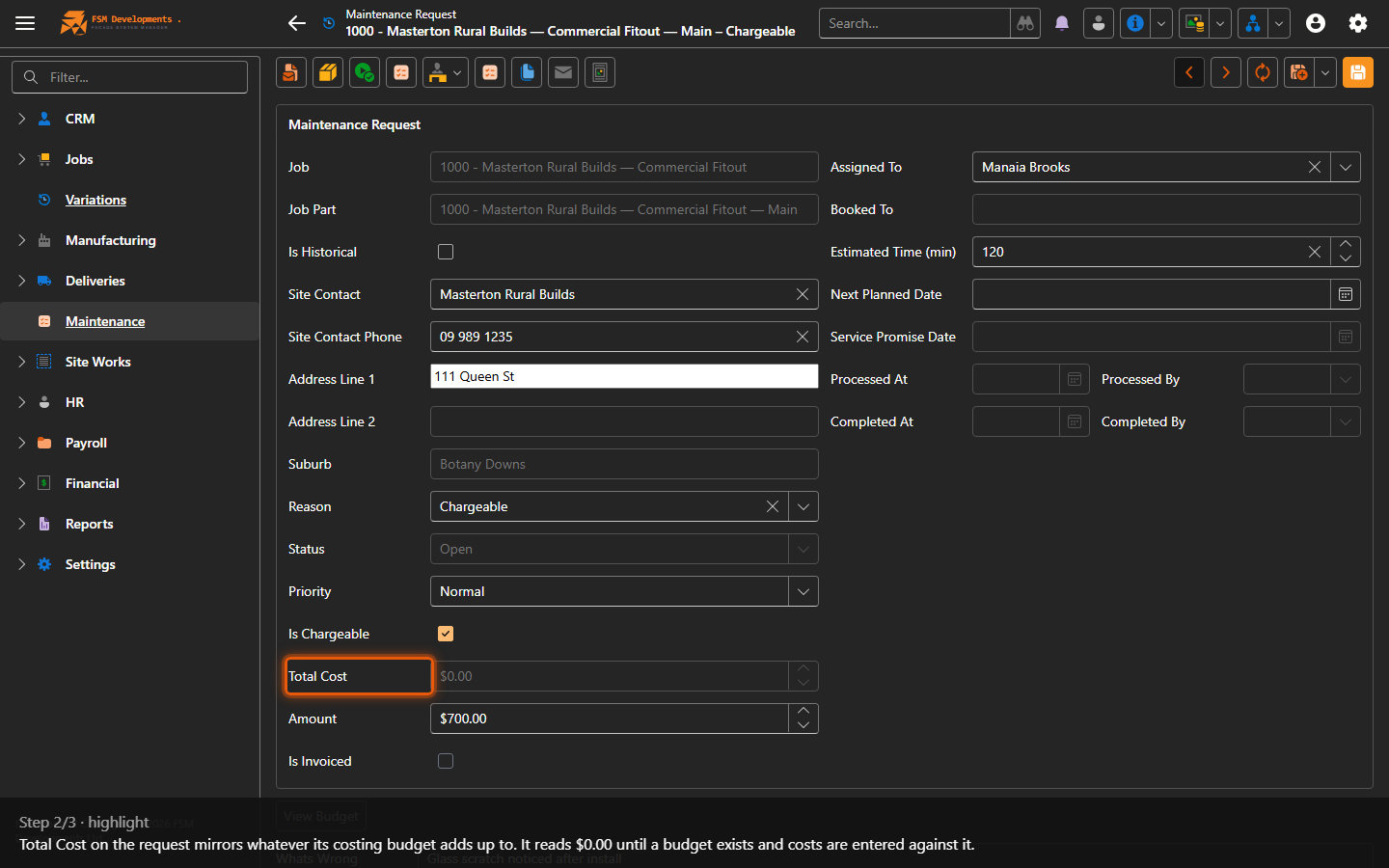
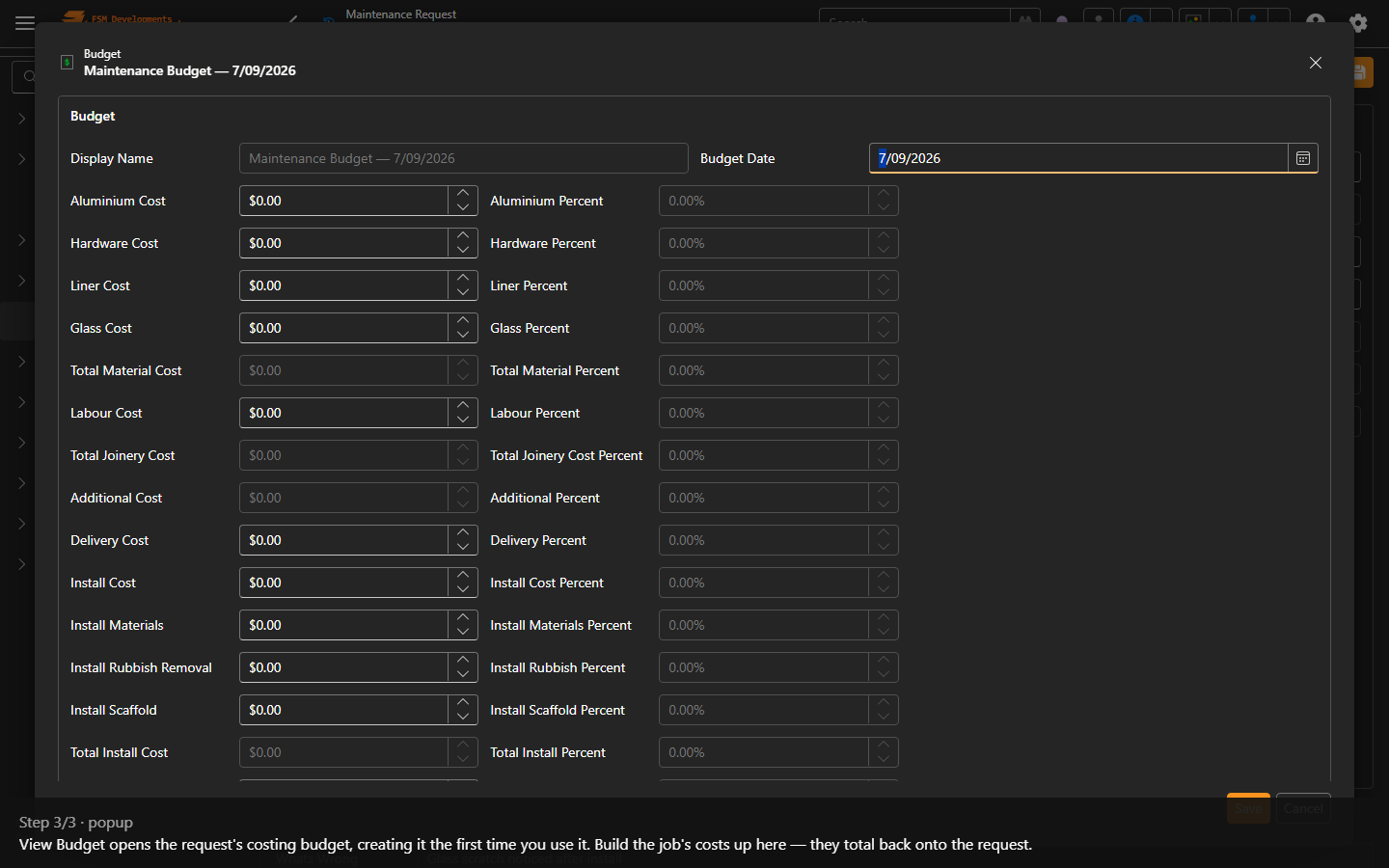
Reopening View Budget returns the same budget rather than starting a second one, so it’s safe to come back to as the job progresses.
Pricing the work
Once the budget carries a cost, Add Markup becomes available on the request. It asks for a percentage and applies it to the cost — the same action Opportunities, Quotes and Variations use.
Add Markup is markup on cost, not margin. 20% on a $100 cost gives $120; a 20% margin would give $125. If you’re working to a target margin, convert it before you enter the percentage.