Document Settings reference
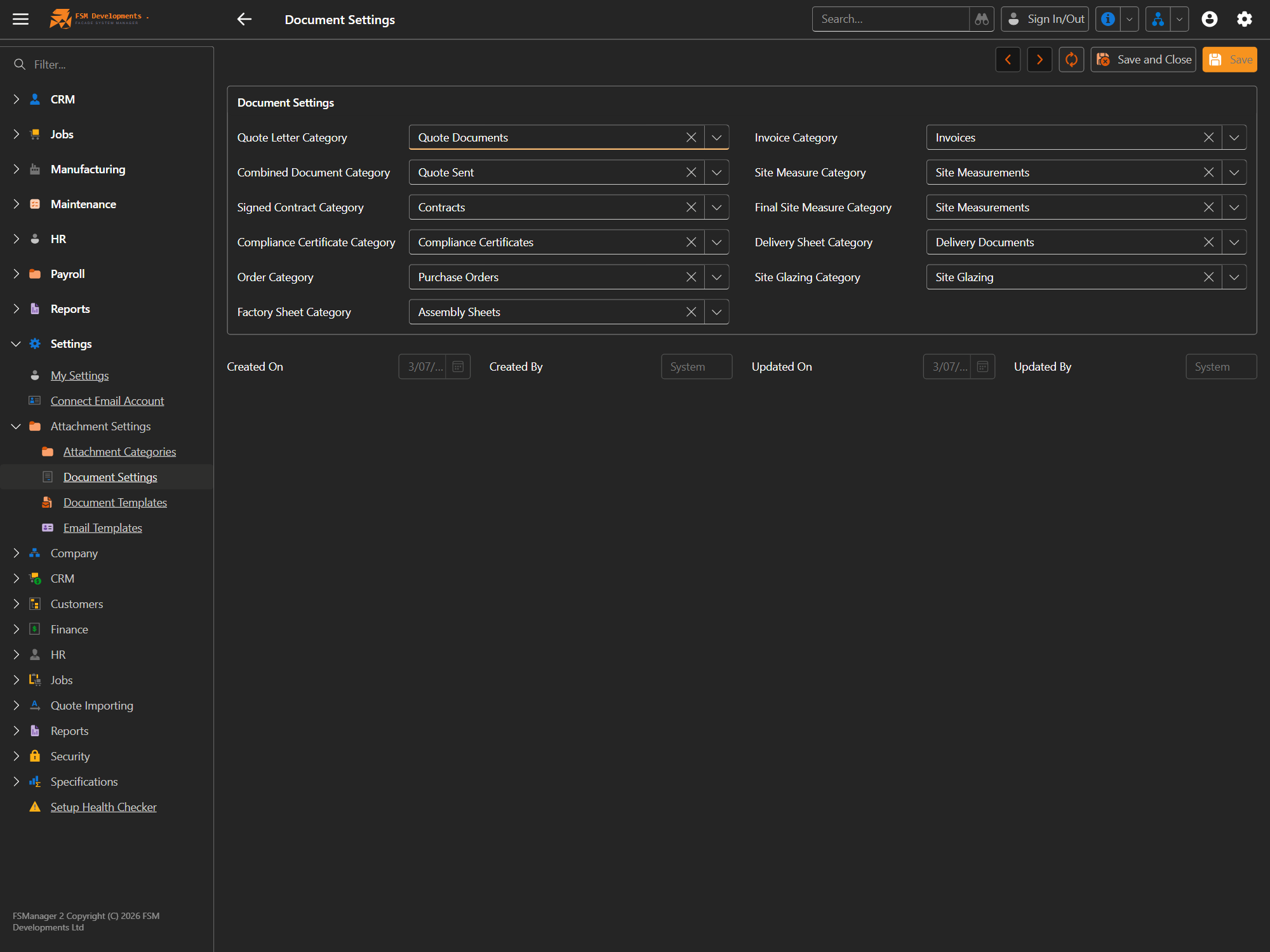
Lite+Settings → Attachment Settings → Document Settings. Maps each kind of document FSManager produces to the attachment category it’s filed under — so quote letters, contracts, certificates, orders and worksheets always land in the right place and are easy to find.
| Setting | The document it files | Filed under (example) |
|---|---|---|
| Quote Letter Category | A generated quote letter | Quote Documents |
| Combined Document Category | A combined/merged quote bundle | Quote Sent |
| Signed Contract Category | The customer’s signed contract | Contracts |
| Compliance Certificate Category | PS3 / compliance certificates | Compliance Certificates |
| Order Category | Purchase orders | Purchase Orders |
| Factory Sheet Category | Assembly / factory sheets | Assembly Sheets |
| Invoice Category | Invoices | Invoices |
| Site Measure Category | Site-measure paperwork | Site Measurements |
| Final Site Measure Category | The final, signed-off site measure | Site Measurements |
| Delivery Sheet Category | Delivery dockets/sheets | Delivery Documents |
| Site Glazing Category | Site-glazing request forms | Site Glazing |
| Maintenance Category | Maintenance site forms and approvals | Maintenance Documents |
| Variation Category | Variation forms | Variation Documents |
| Credit Application Category | Customer credit applications | Credit Applications |
The categories themselves are maintained under Settings → Attachment Settings → Attachment Categories, and the templates that produce these documents under Document & email templates.
Maintenance Documents, Variation Documents and Credit Applications are new in 1.1 — they are created for you on upgrade, and their pointers above are set to match. Documents of those kinds produced before 1.1 were filed without a category, so they sit ungrouped in the attachment panel; re-filing them is optional and only affects how they group.