Skip to Content

Run a pay week

Lite+

A pay week is one payroll run for a branch over a pay period. It pulls the approved timesheets together, calculates pay, and exports to your payroll provider (SmartPayroll or Xero).

When to use

Each pay cycle, to turn the week’s timesheets into a pay run.

Step by step
Pay Week list
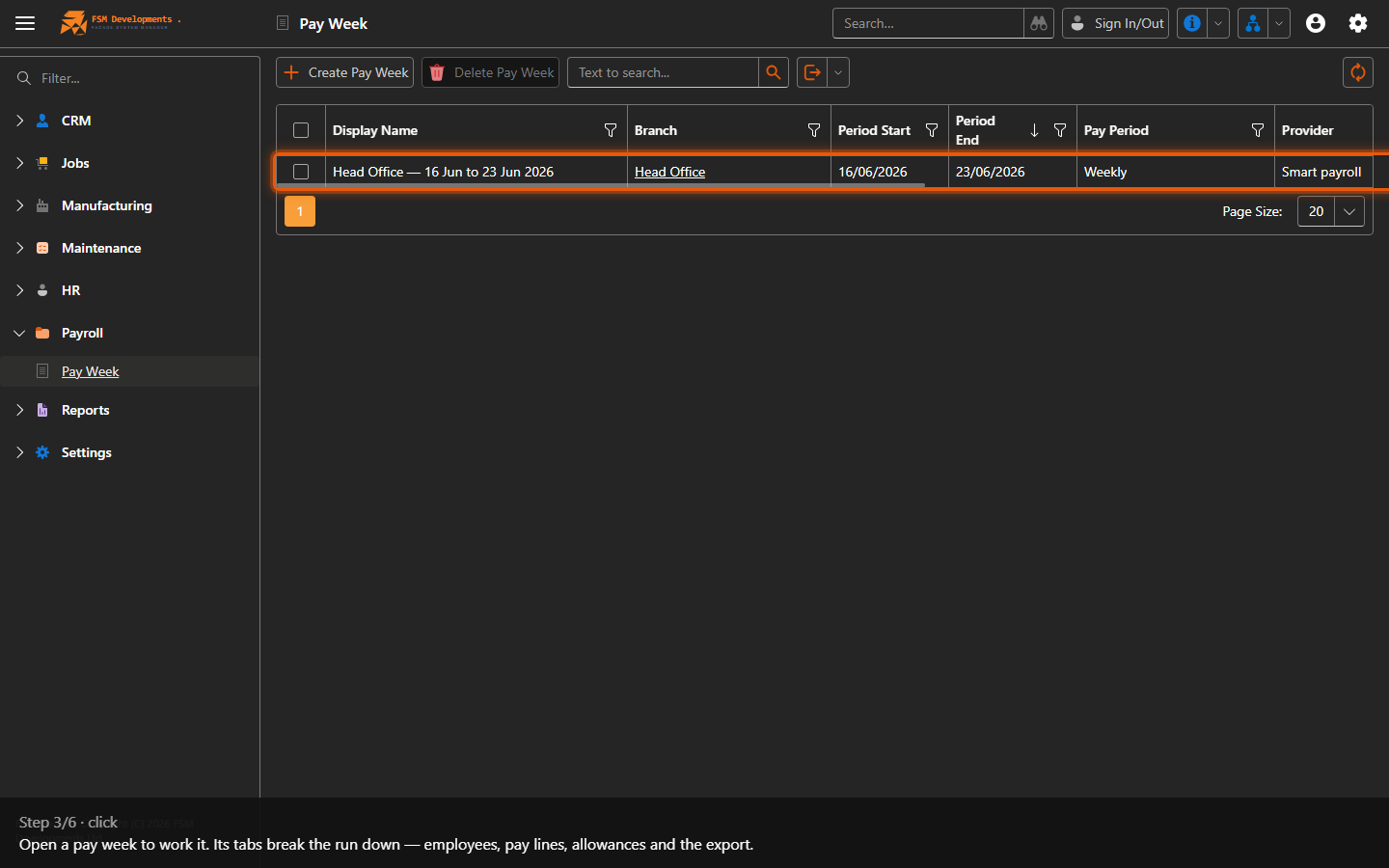
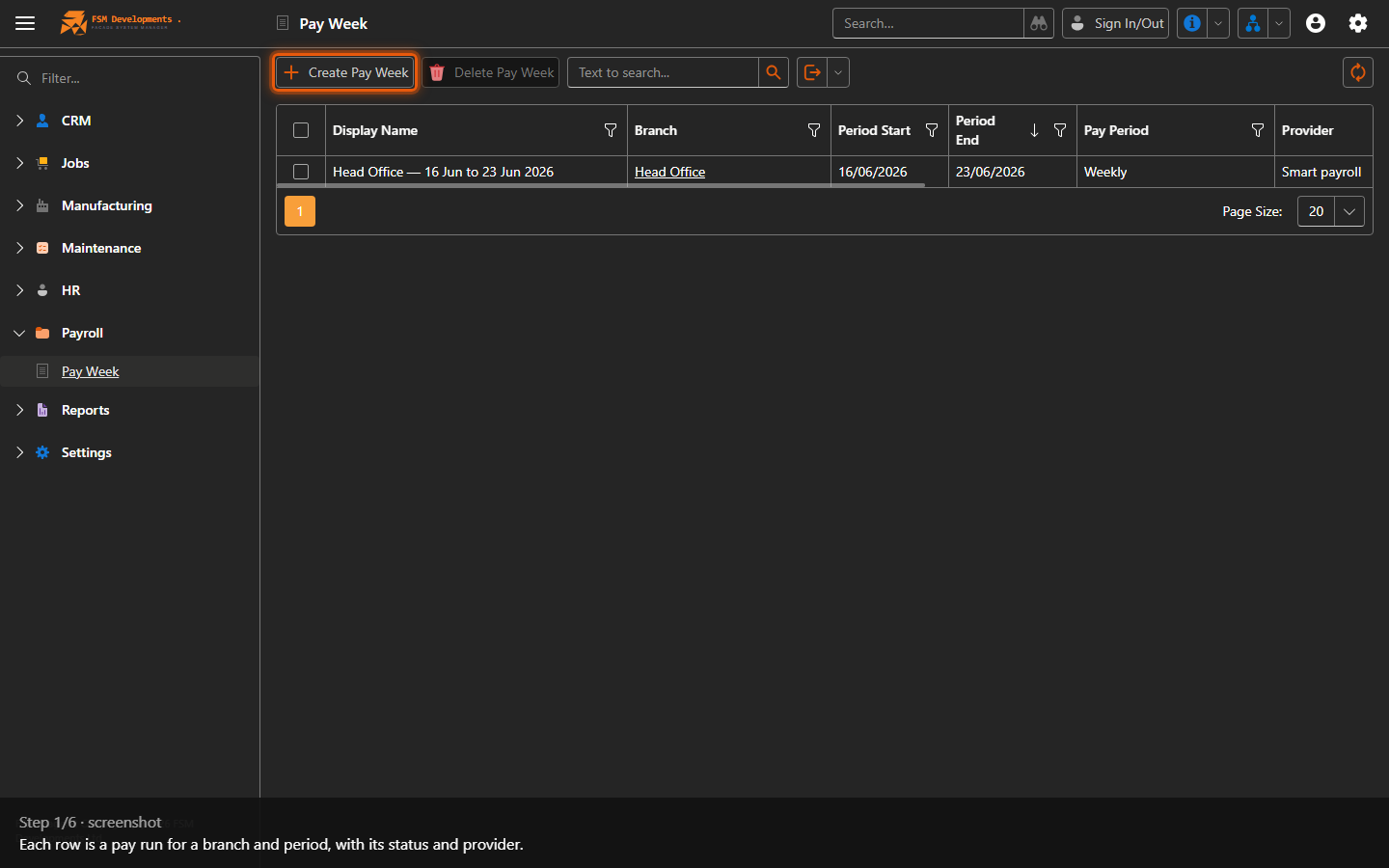
1. Each row is a pay run for a branch and period, with its status and provider.
Create Pay Week (toolbar button)
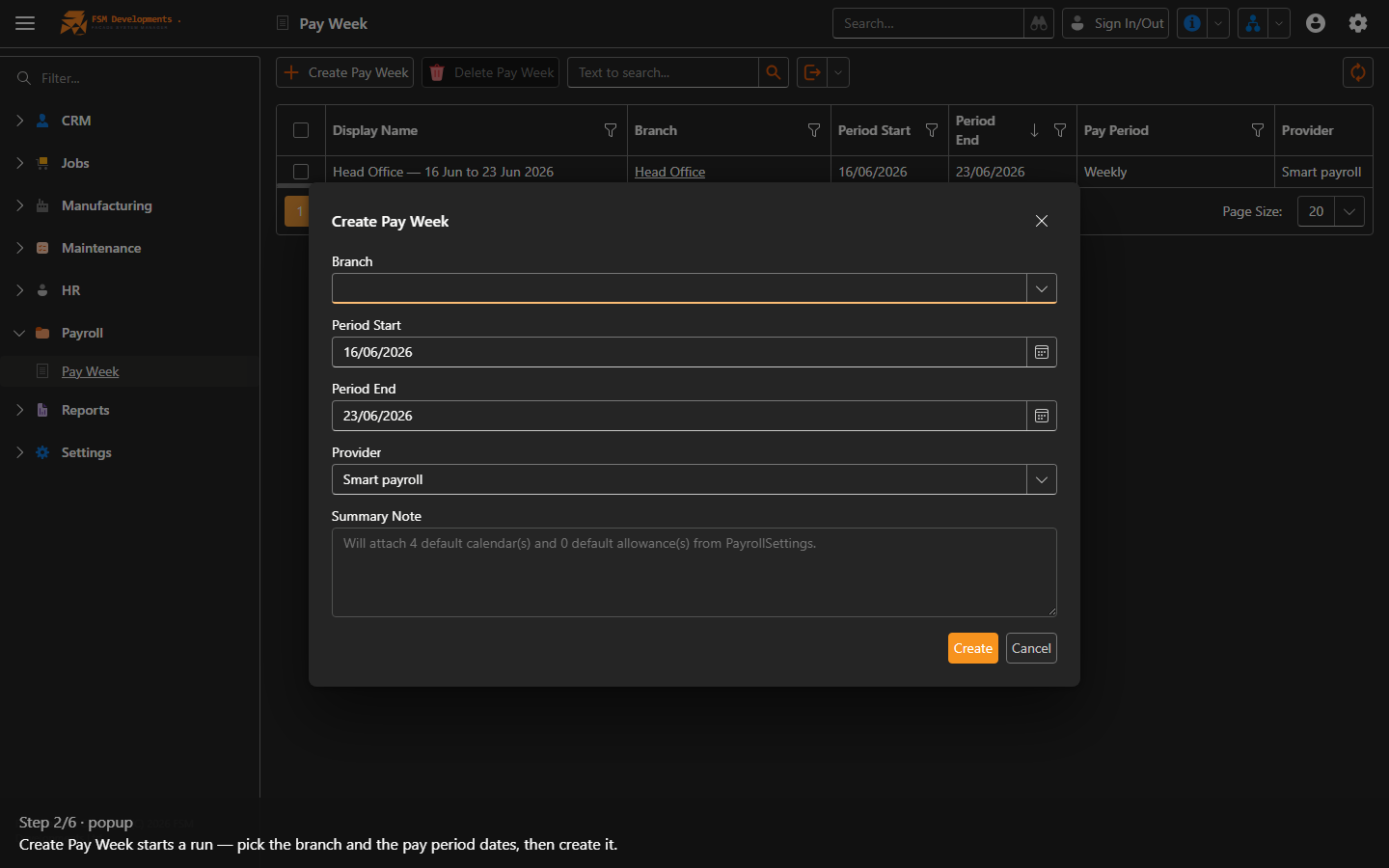
2. Create Pay Week starts a run — pick the branch and the pay period dates, then create it.
A pay week row (open it)
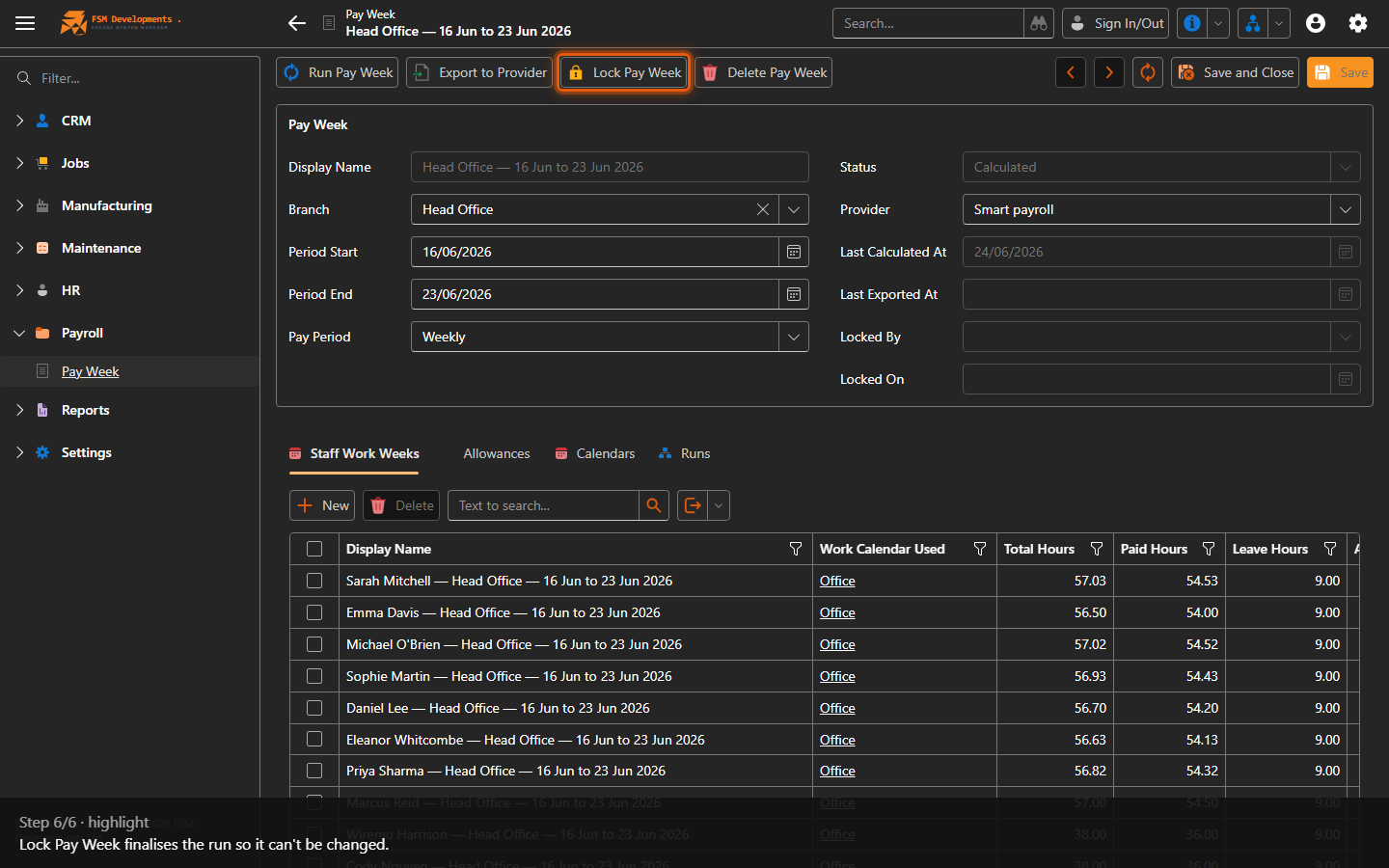
3. Open a pay week to work it. Its tabs break the run down — employees, pay lines, allowances and the export.
Run Pay Week (toolbar button)
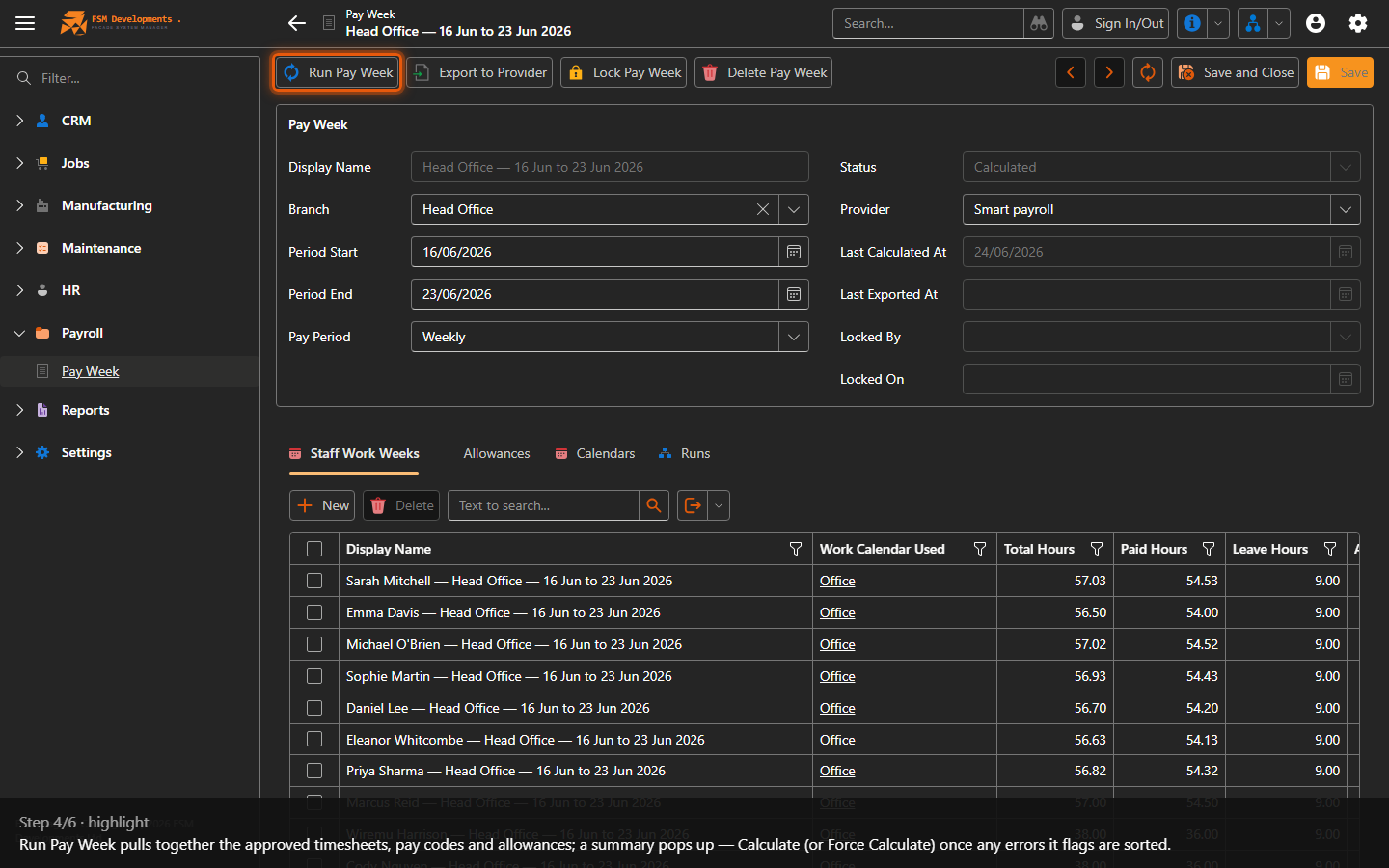
4. Run Pay Week pulls together the approved timesheets, pay codes and allowances; a summary pops up — Calculate (or Force Calculate) once any errors it flags are sorted.
Export to Provider (toolbar button)
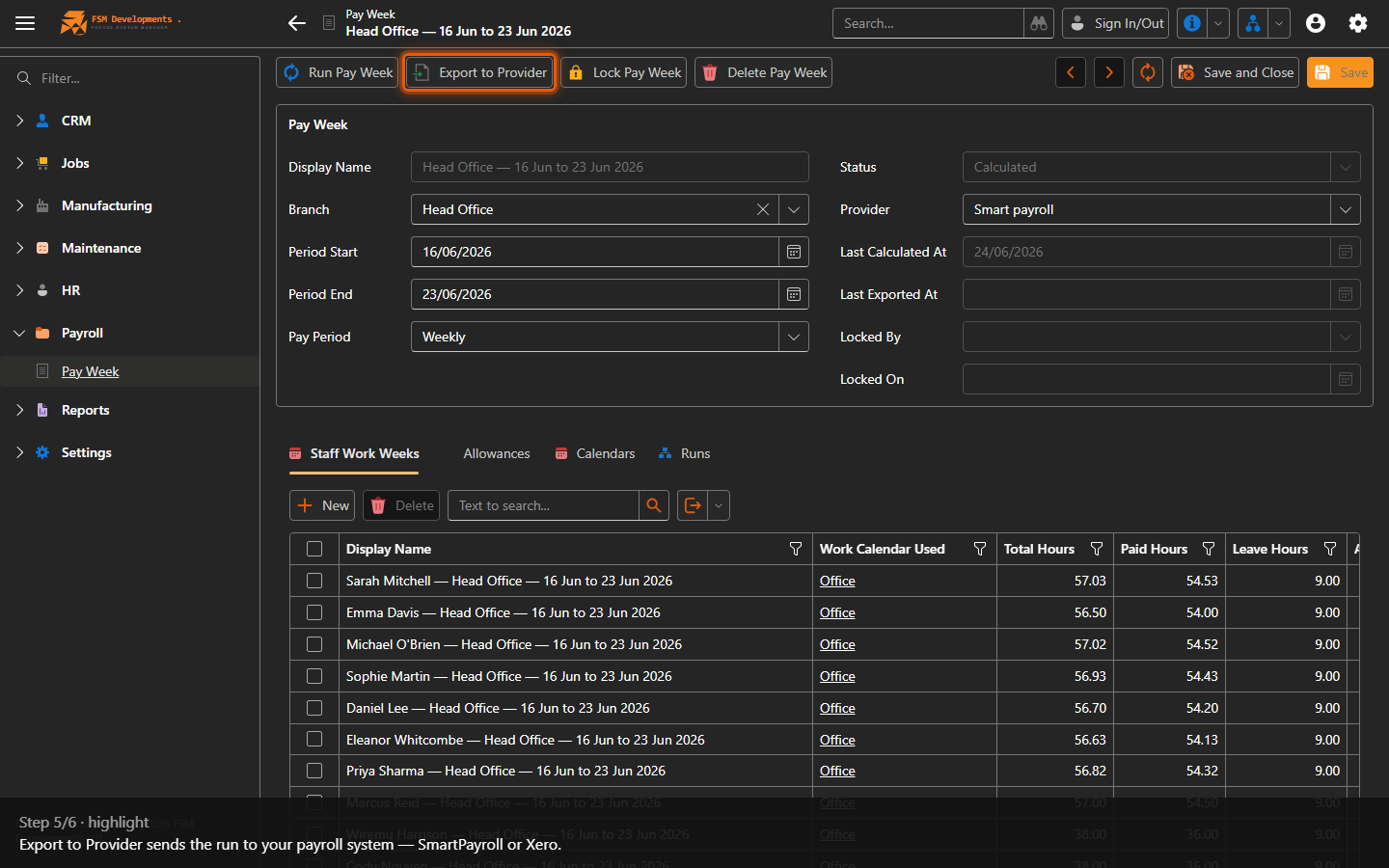
5. Export to Provider sends the run to your payroll system — SmartPayroll or Xero.
Lock Pay Week (toolbar button)
6. Lock Pay Week finalises the run so it can't be changed.
Last updated on