Skip to Content

Receive materials

Lite+

The receiving worksheet: everything that’s been ordered and is waiting to arrive, so you can tick it off as it comes in.

When to use

When a delivery arrives, to record what’s been received and release it to production.

Step by step
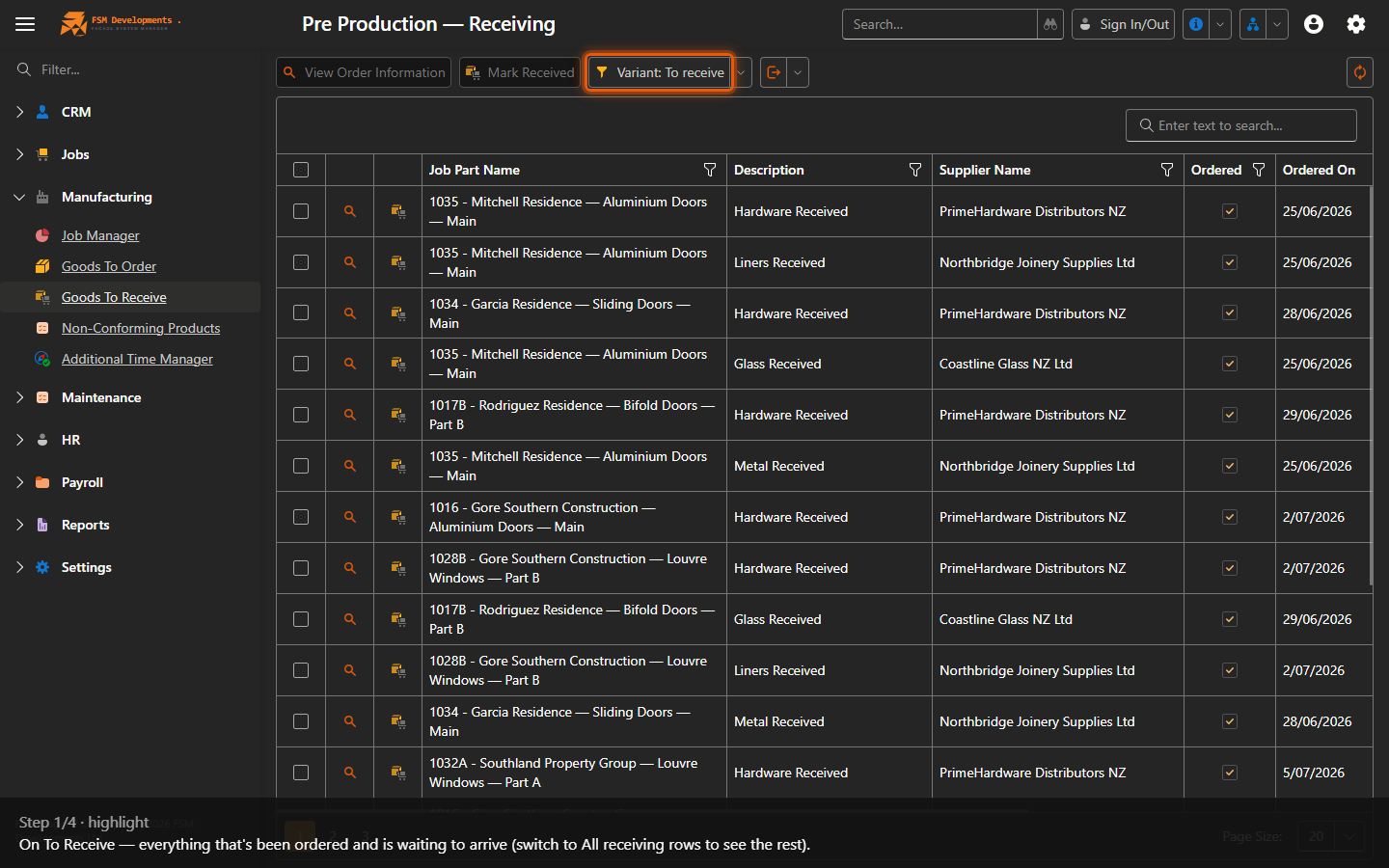
Variant: To receive (dropdown)
1. On To Receive — everything that's been ordered and is waiting to arrive (switch to All receiving rows to see the rest).
A worksheet row (tick it)
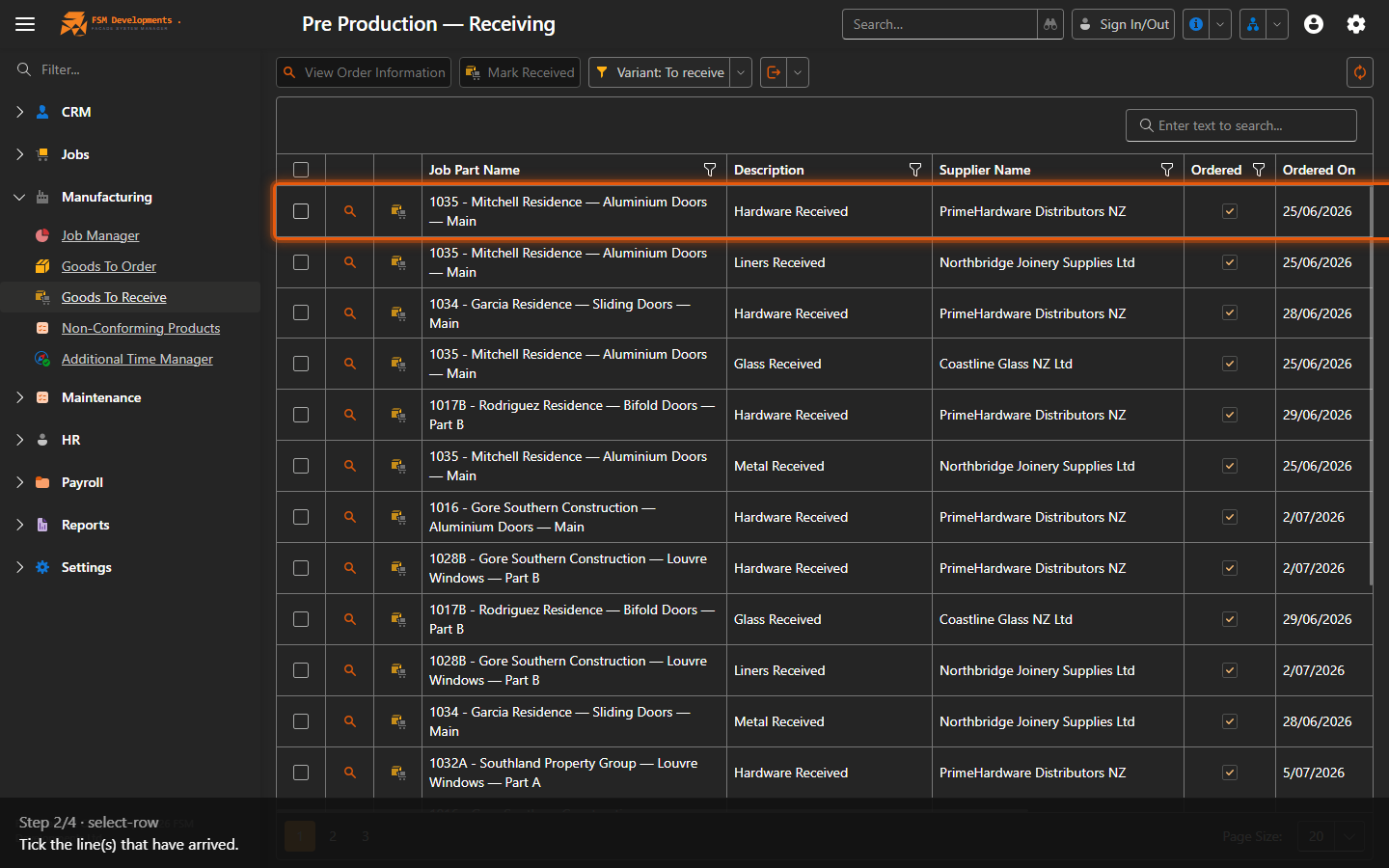
2. Tick the line(s) that have arrived.
Mark Received (toolbar button)
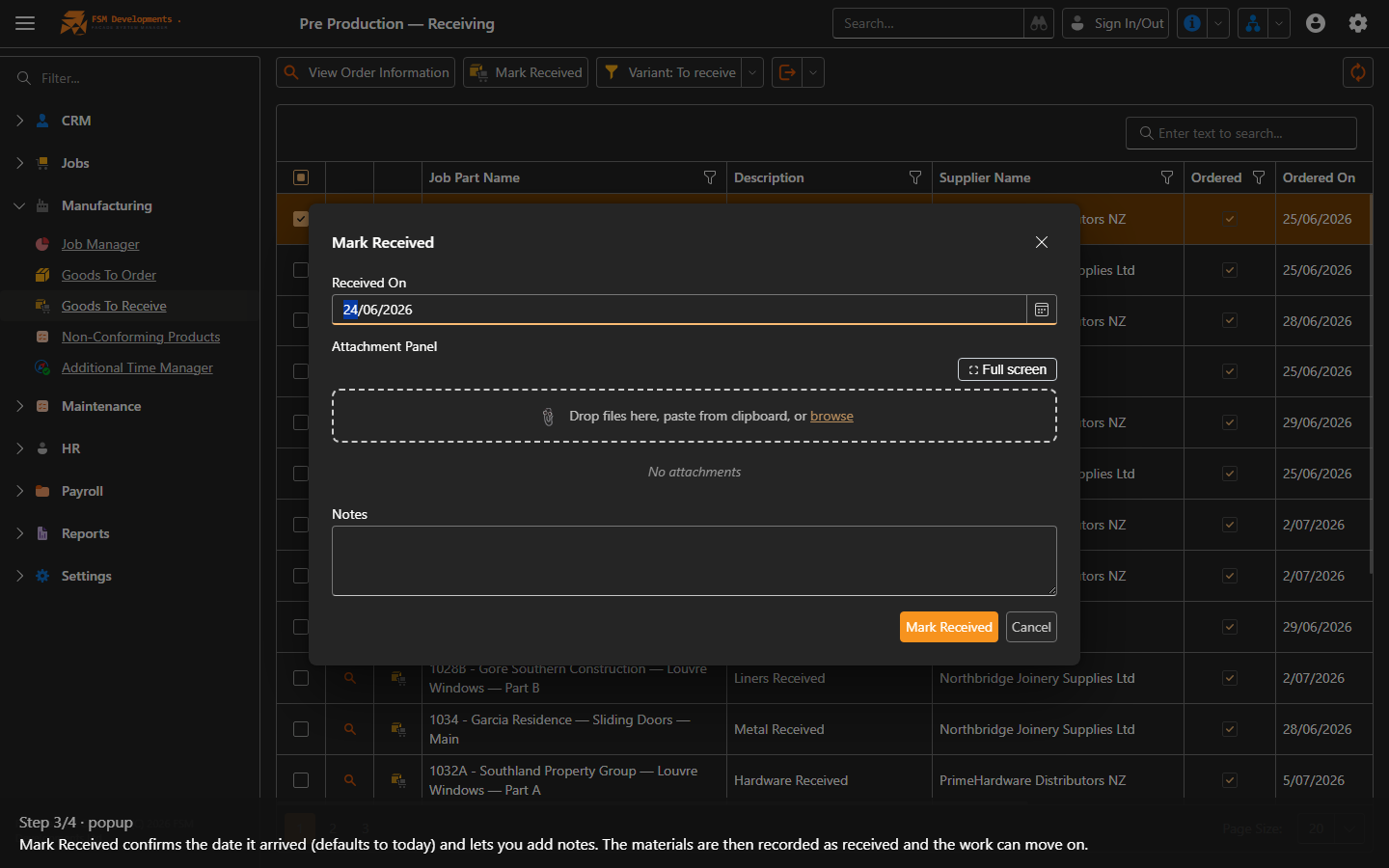
3. Mark Received confirms the date it arrived (defaults to today) and lets you add notes. The materials are then recorded as received and the work can move on.
View Order Information (toolbar button)
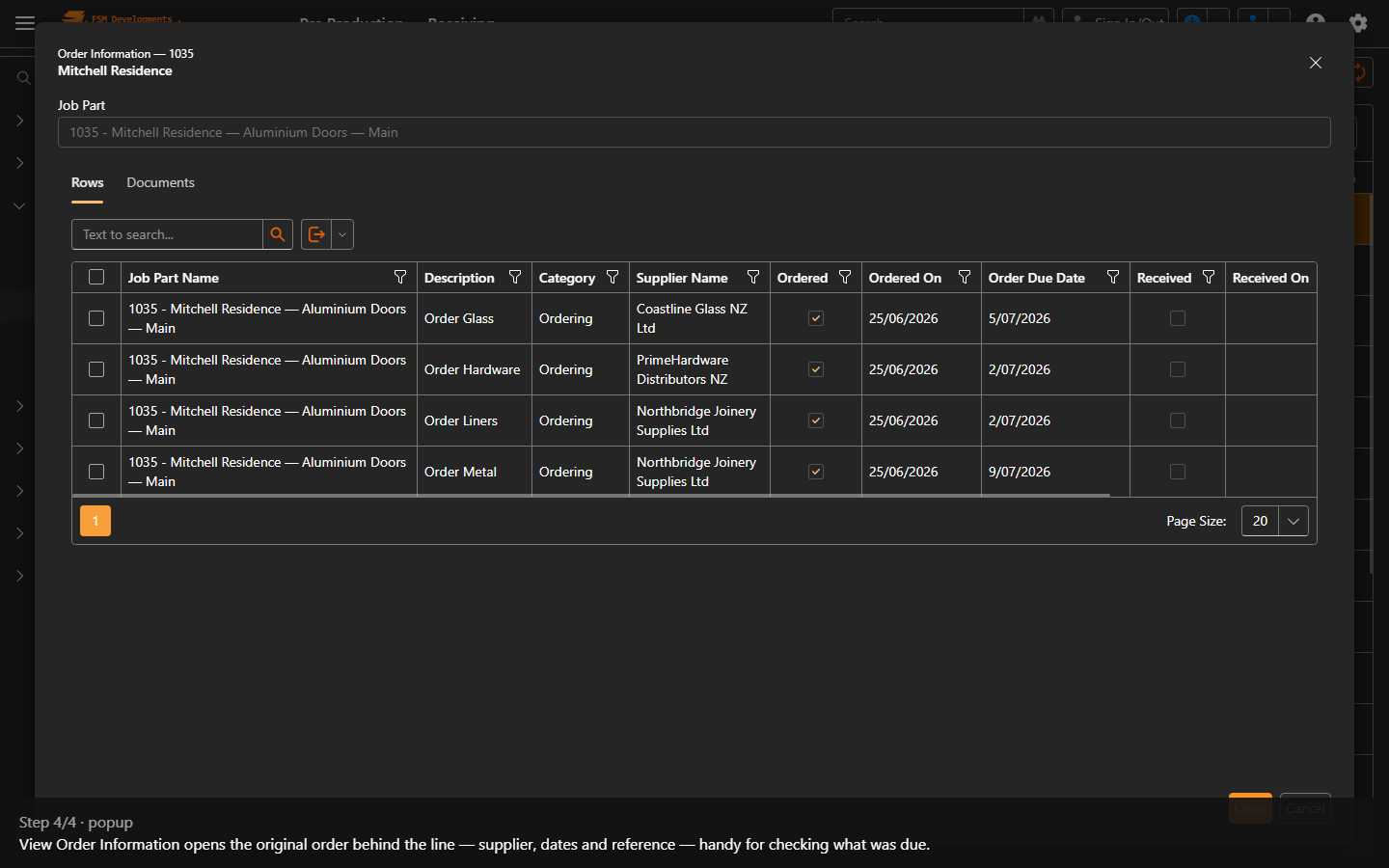
4. View Order Information opens the original order behind the line — supplier, dates and reference — handy for checking what was due.
Last updated on