Skip to Content

Login & kiosk PIN

Lite+

Gives a staff member the two ways they sign in: an app login (email + password) and a shop-floor PIN for the Job Manager kiosk.

When to use

Right after adding someone, or when they need access changed.

Step by step
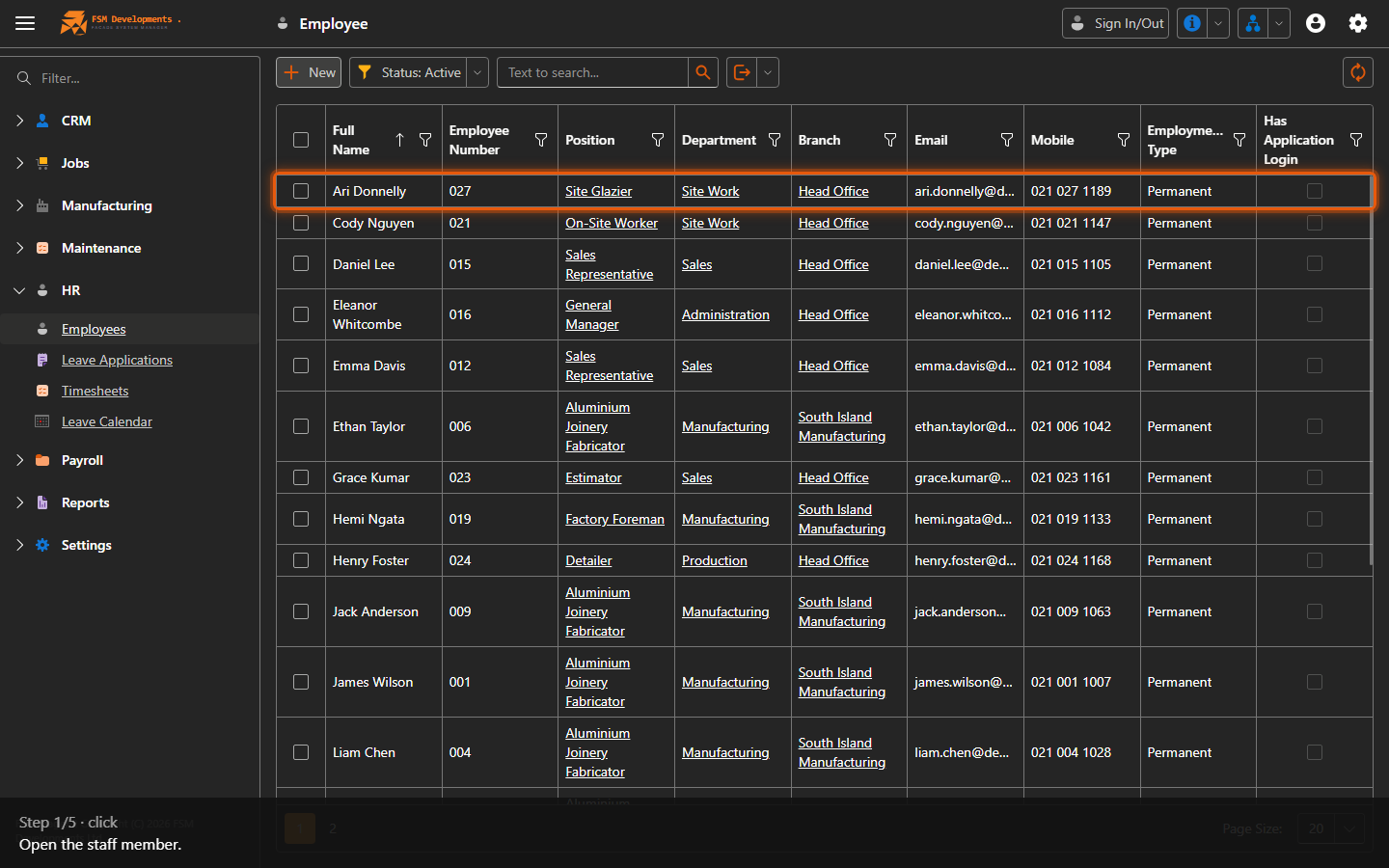
An employee row (open it)
1. Open the staff member.
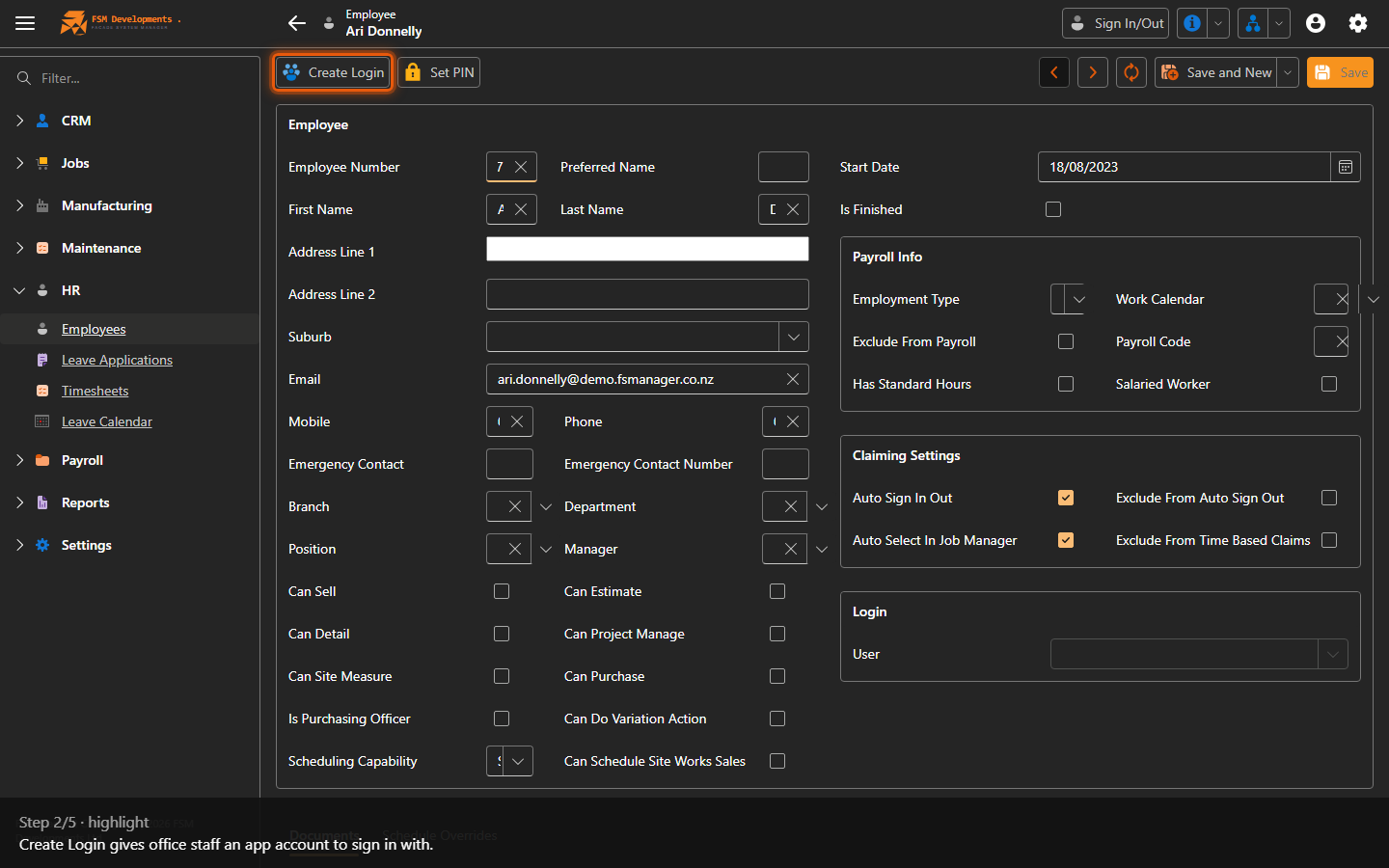
Create Login (toolbar button)
2. Create Login gives office staff an app account to sign in with.
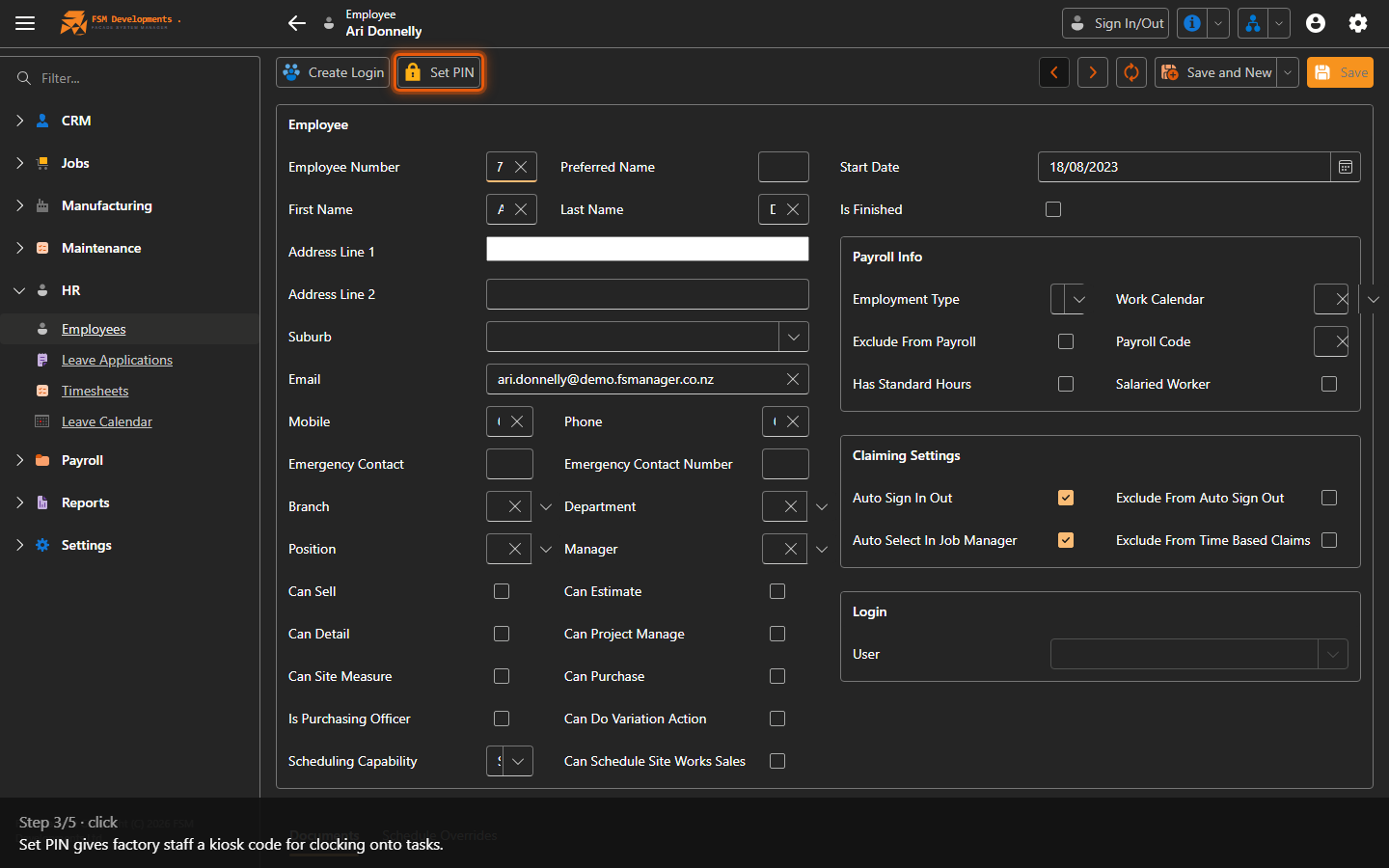
Set PIN (toolbar button)
3. Set PIN gives factory staff a kiosk code for clocking onto tasks.
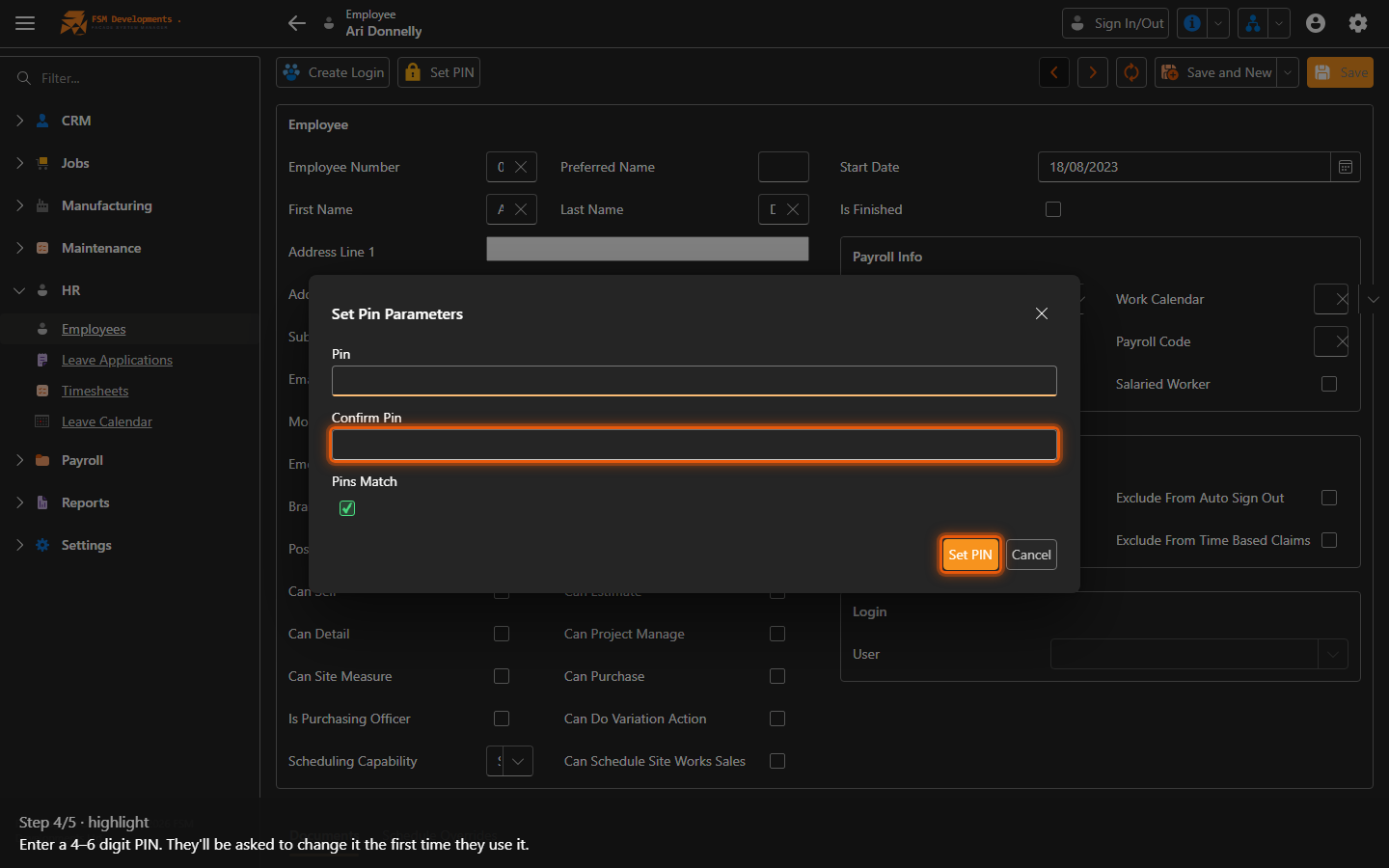
PIN / Confirm PIN (popup)
4. Enter a 4–6 digit PIN. They'll be asked to change it the first time they use it.
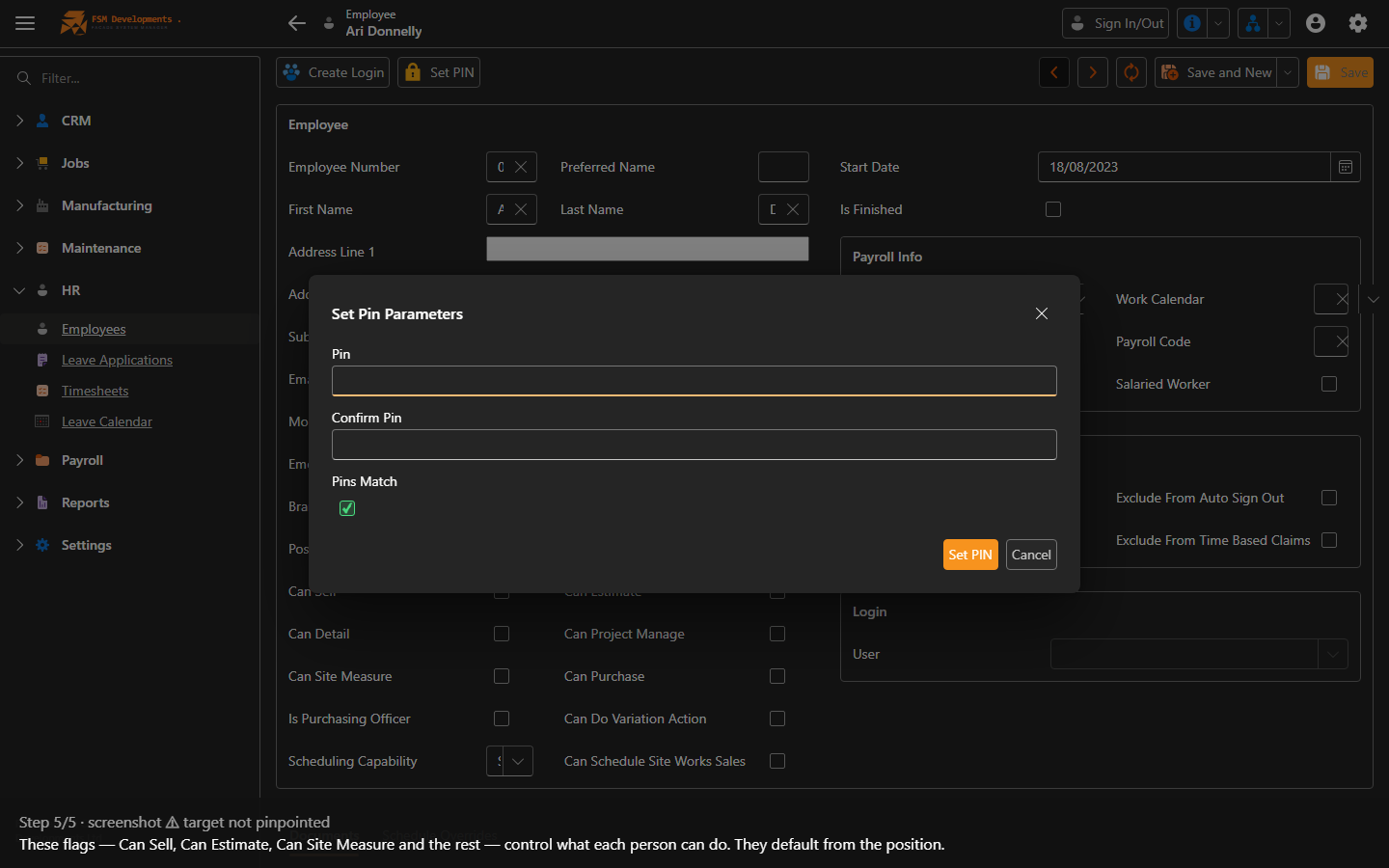
Capability flags on the form
5. These flags — Can Sell, Can Estimate, Can Site Measure and the rest — control what each person can do. They default from the position.
Last updated on