Skip to Content

Import an estimate

Lite+

Brings an estimate in from external estimation software (QuoteLinker V6 or X1) instead of entering the budget by hand — parsing the file into budget line items and optional extras.

Completing a quote by importing from your estimation software.

When to use

When your estimate was built in the external tool and you want it in FSManager without re-keying.

Shortcut: for the common single-quote path, Complete from Import is also available directly on the Opportunity page — it acts on the primary quote’s active revision, so you don’t need to drill into the revision first. The steps below are identical from either entry point.

Step by step
Estimating Status
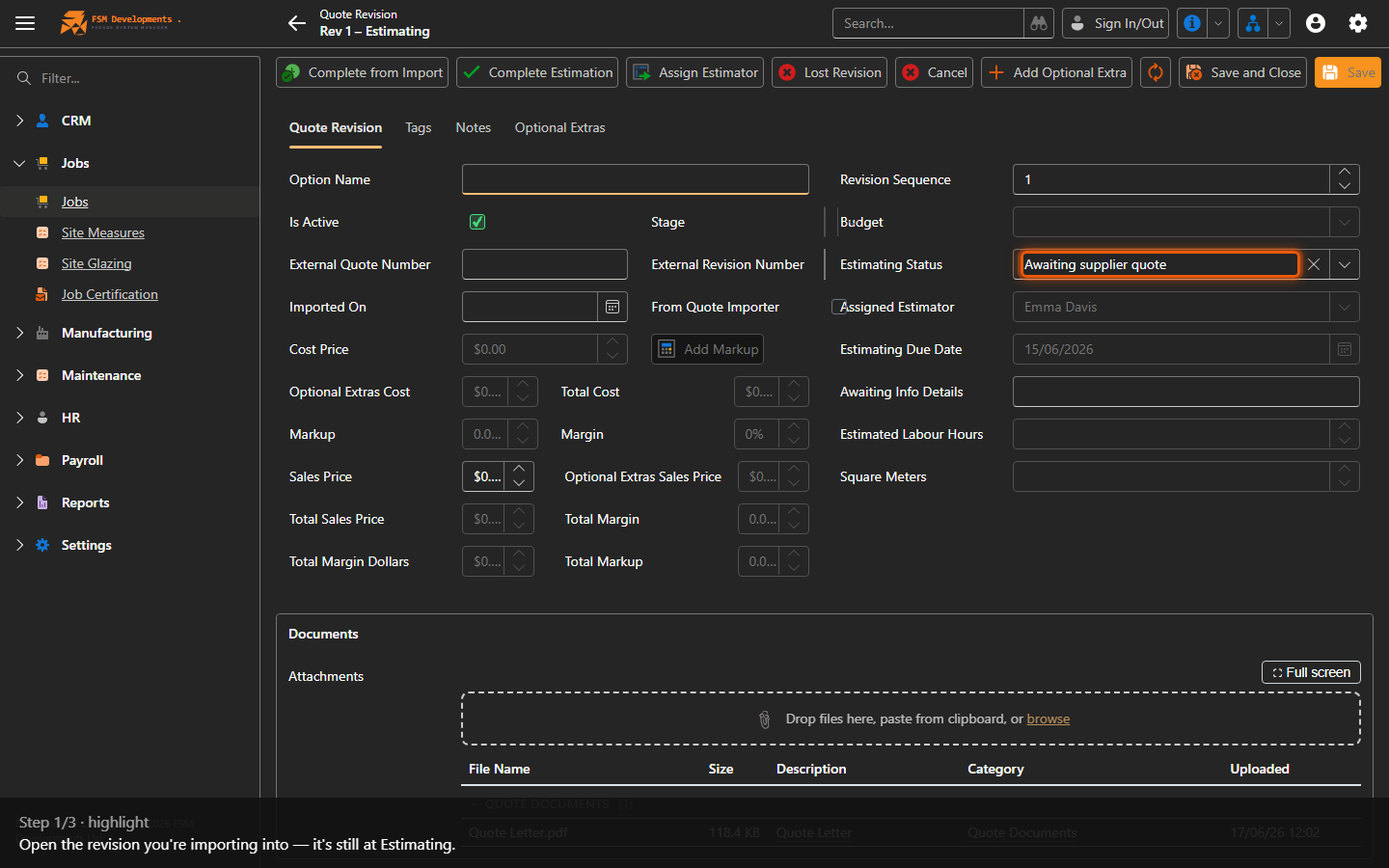
1. Open the revision you're importing into — it's still at Estimating.
Complete from Import (toolbar button)
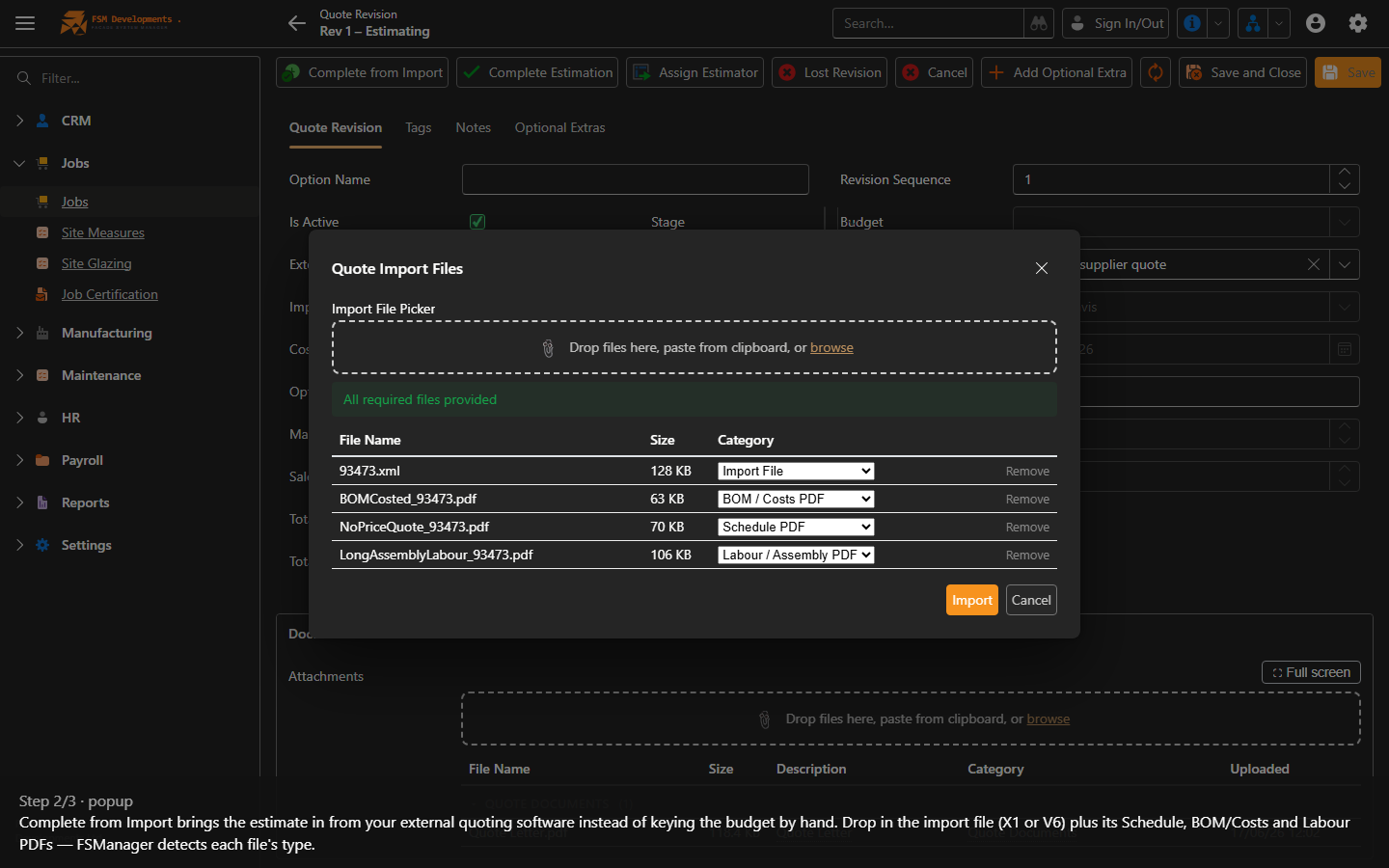
2. Complete from Import brings the estimate in from your external quoting software instead of keying the budget by hand. Drop in the import file (X1 or V6) plus its Schedule, BOM/Costs and Labour PDFs — FSManager detects each file's type.
Complete from Import (toolbar button)
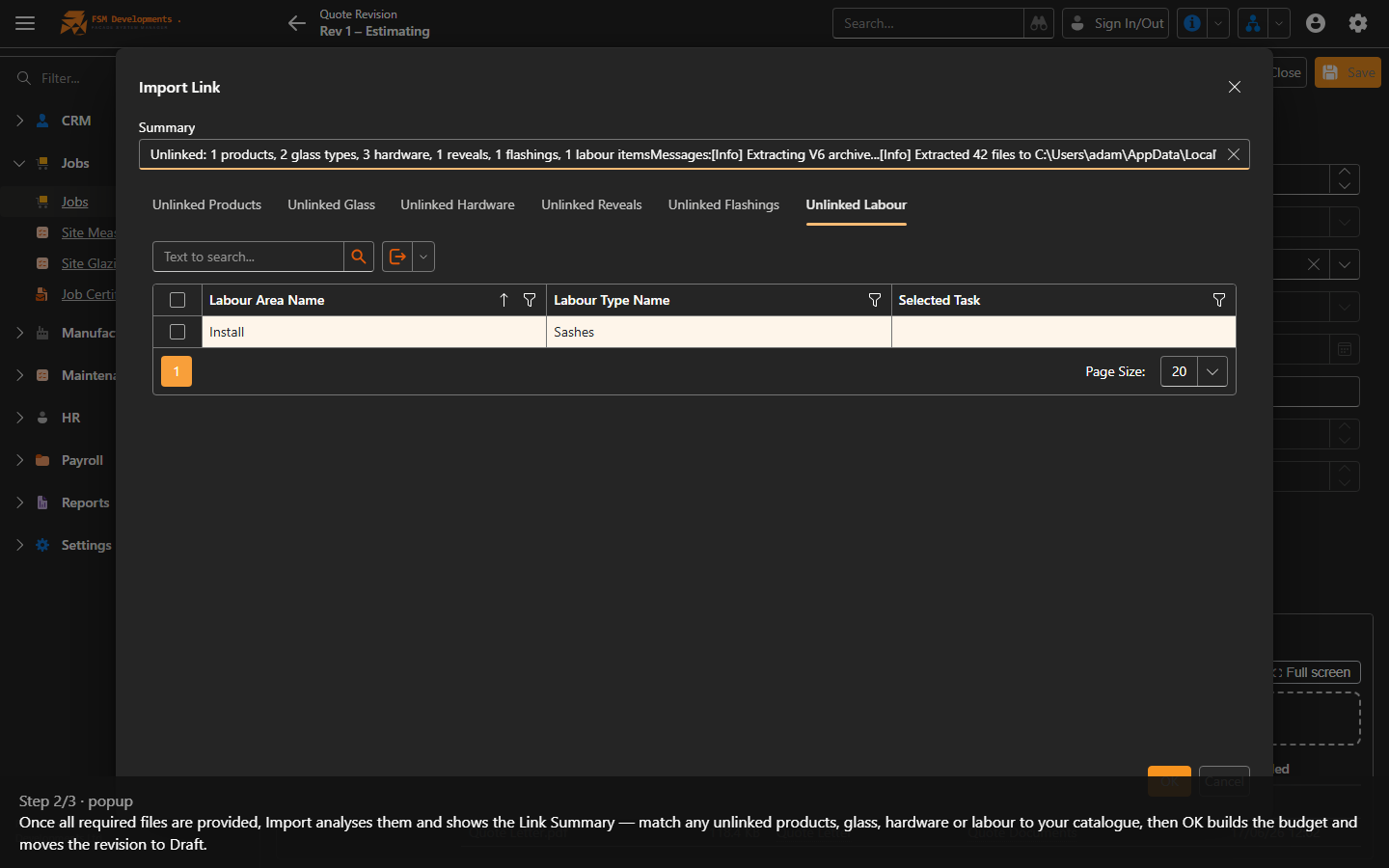
3. Once all required files are provided, Import analyses them and shows the Link Summary — match any unlinked products, glass, hardware or labour to your catalogue, then OK builds the budget and moves the revision to Draft.
Complete Estimation (toolbar button)
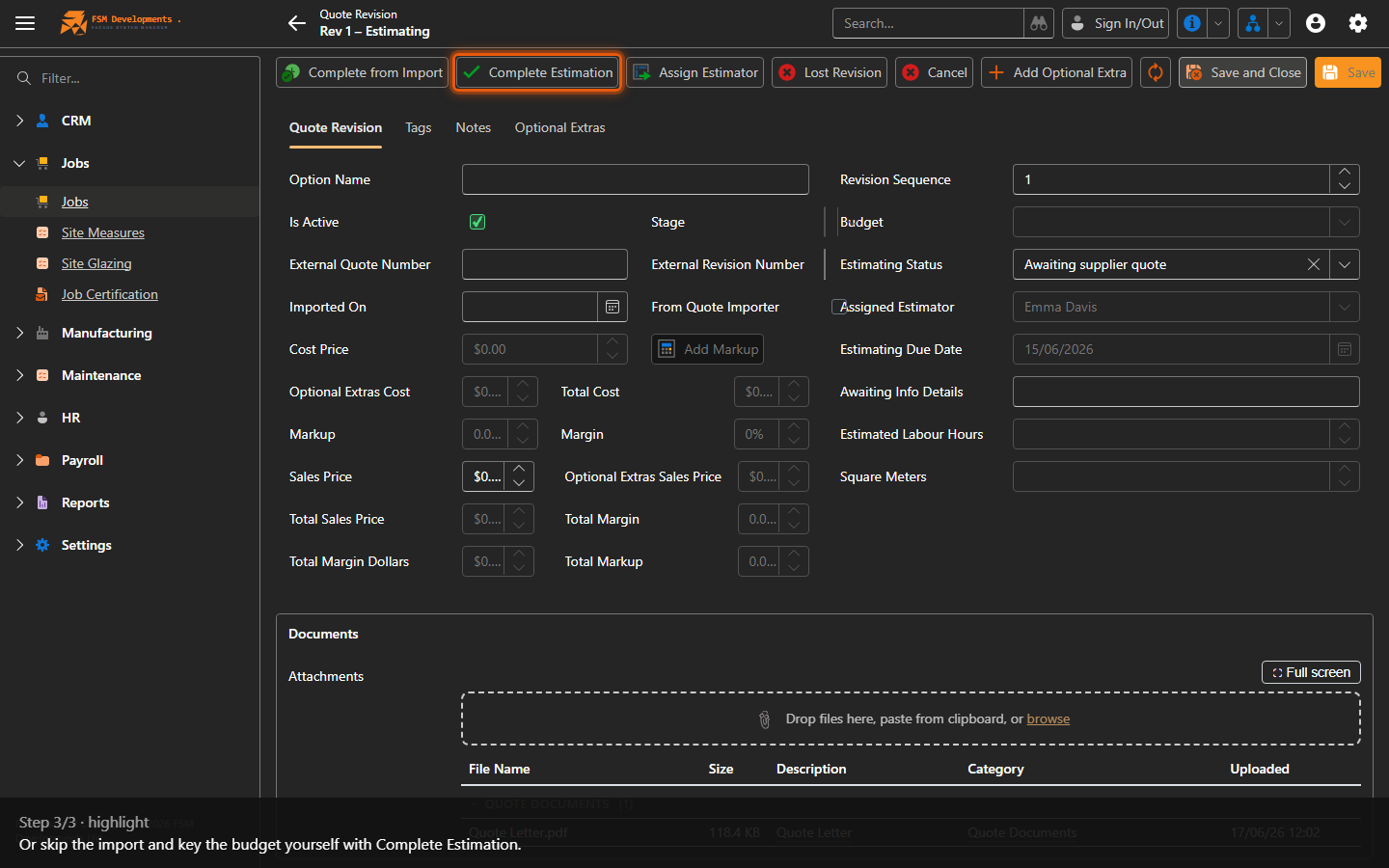
4. Or skip the import and key the budget yourself with Complete Estimation.
Last updated on