Skip to Content

Order materials

Lite+

The purchasing worksheet: every part item and special-order line that needs a supplier order before manufacturing can start.

When to use

To work through what’s waiting to be ordered and record each order as you place it.

Step by step
Variant: Ready to order (dropdown)
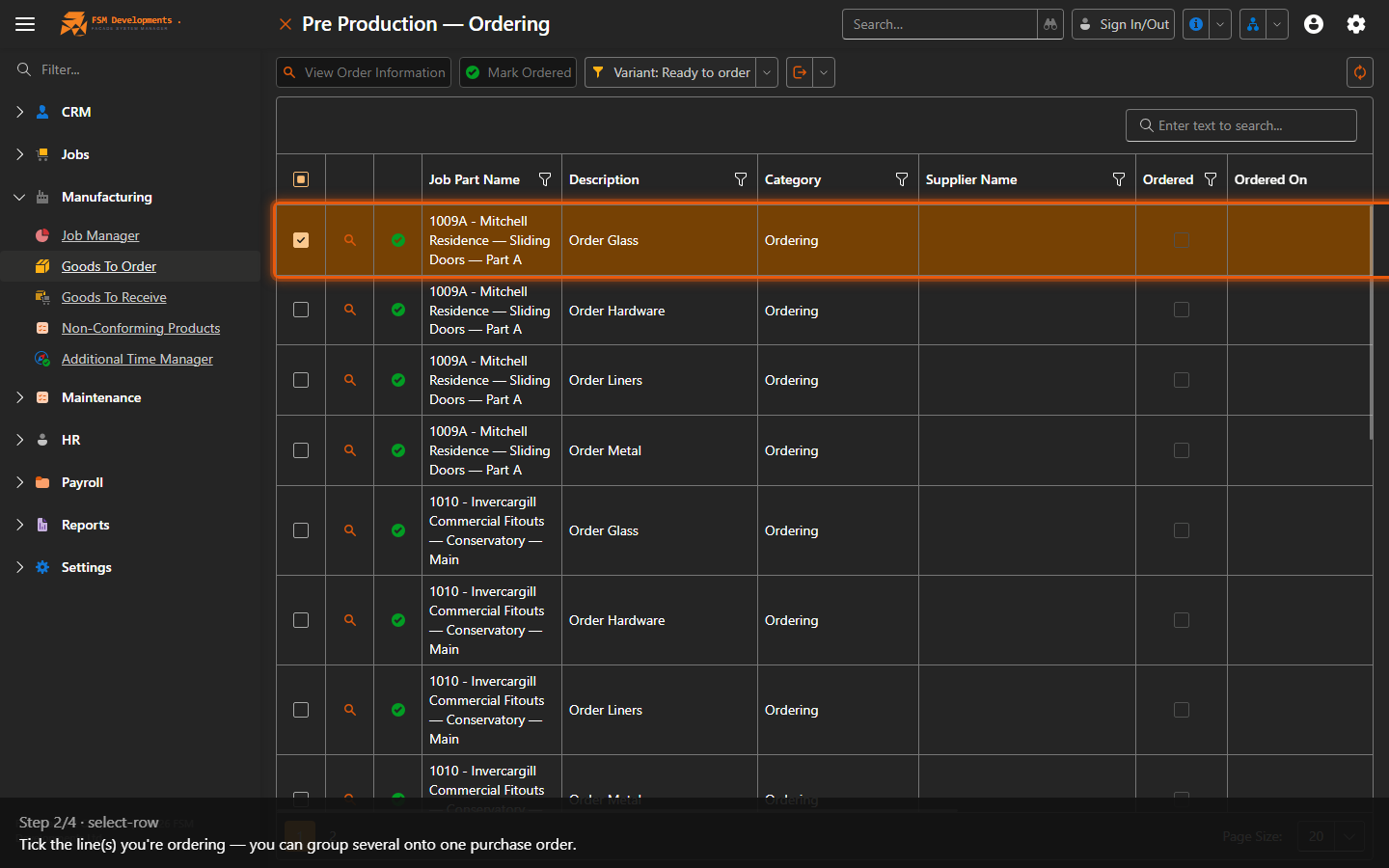
1. Start on Ready to Order — items that are measured and waiting to be ordered (the variant also offers Ordered (not received) and All ordering rows).
A worksheet row (tick it)
2. Tick the line(s) you're ordering — you can group several onto one purchase order.
Mark Ordered (toolbar button)
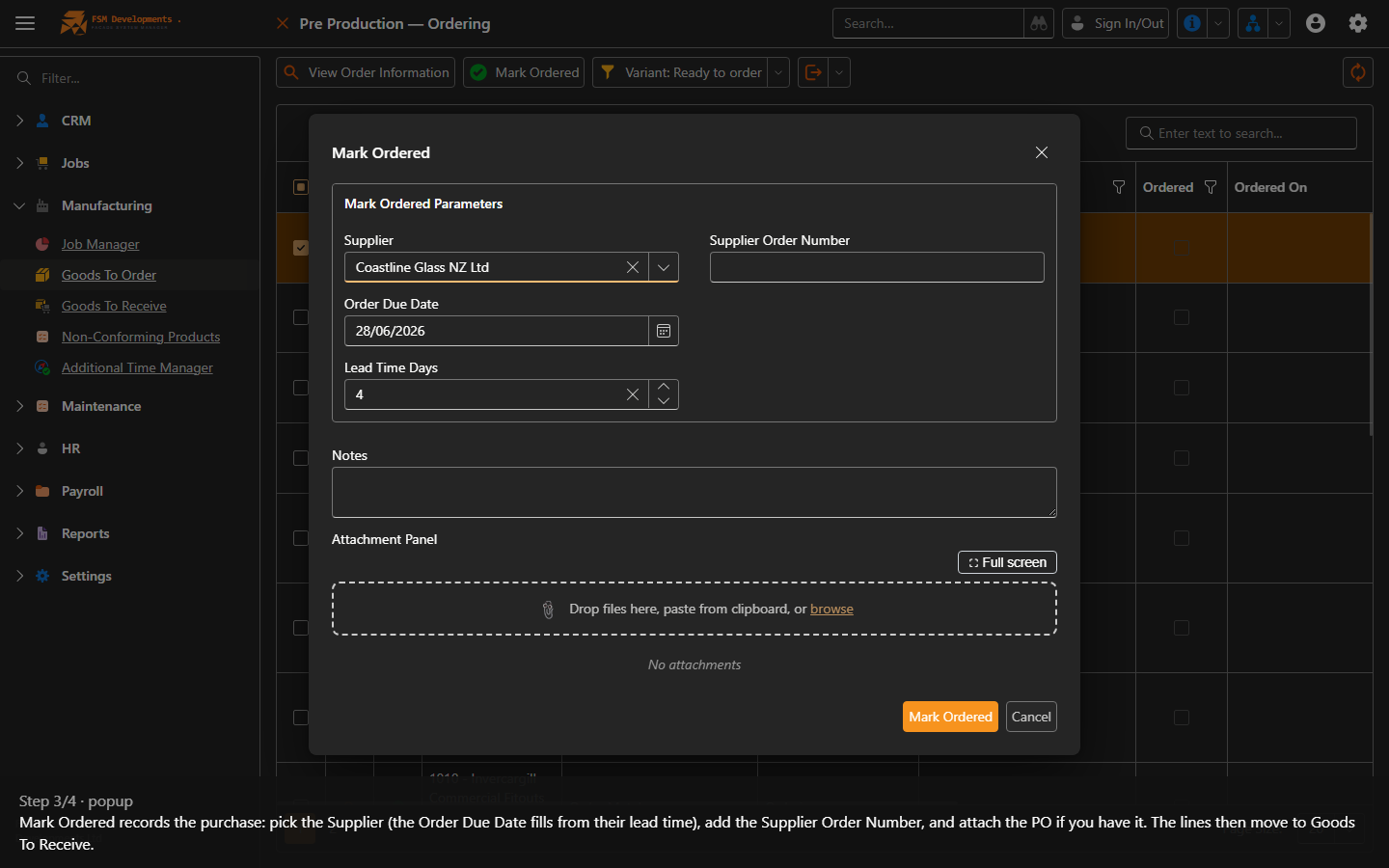
3. Mark Ordered records the purchase: pick the Supplier (the Order Due Date fills from their lead time), add the Supplier Order Number, and attach the PO if you have it. The lines then move to Goods To Receive.
View Order Information (toolbar button)
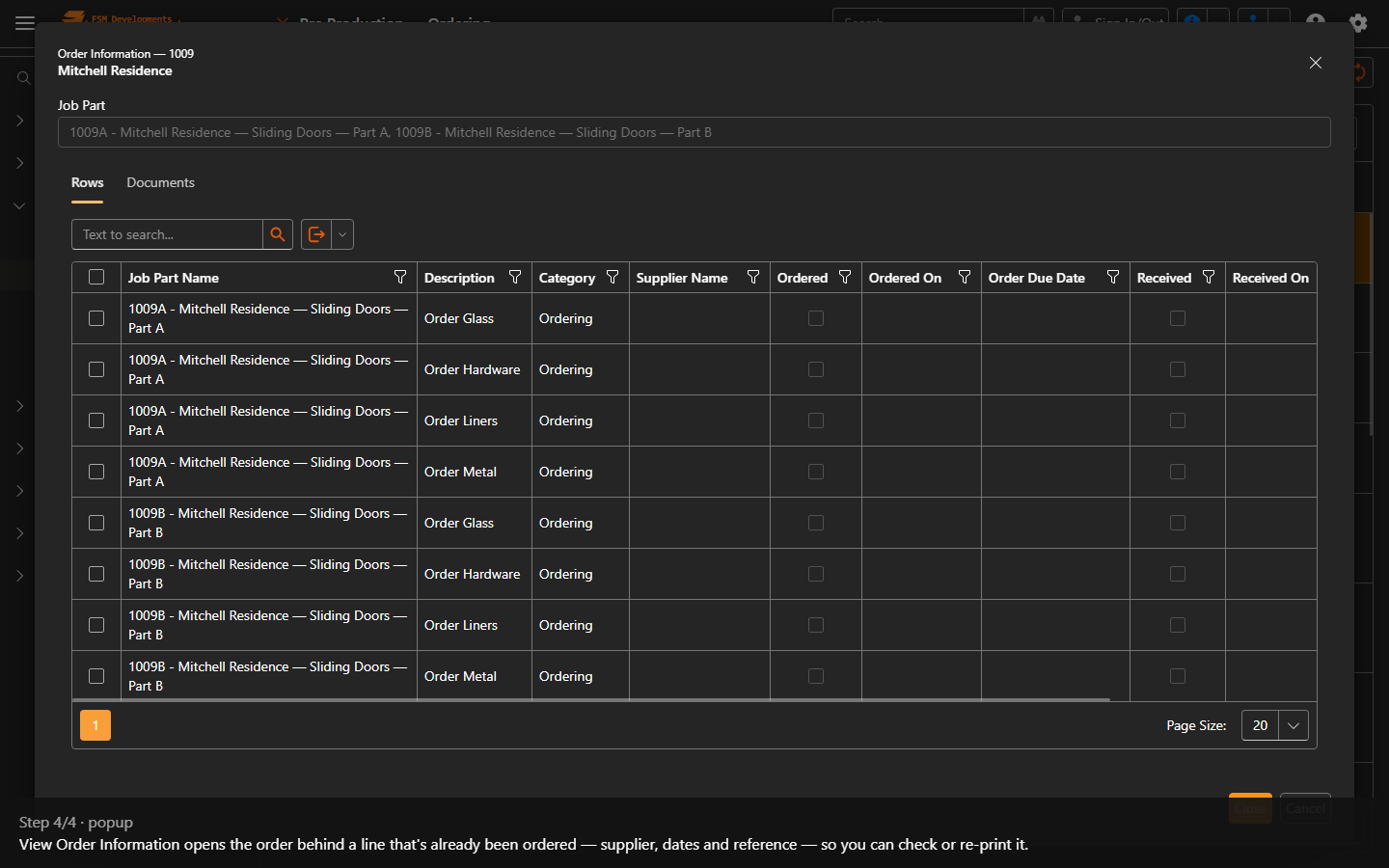
4. View Order Information opens the order behind a line that's already been ordered — supplier, dates and reference — so you can check or re-print it.
Last updated on