Branches, Departments & Positions
Lite+Settings → Company. The three-level structure the rest of the system hangs off: Branches are your physical sites, Departments group staff within a branch, and Positions decide what an employee is allowed to do. Set these up before adding employees, because new staff inherit their branch, department and capabilities from here.
Branches
A branch is a physical location. Jobs, quotes, pay weeks and reporting can all be filtered and defaulted by branch.
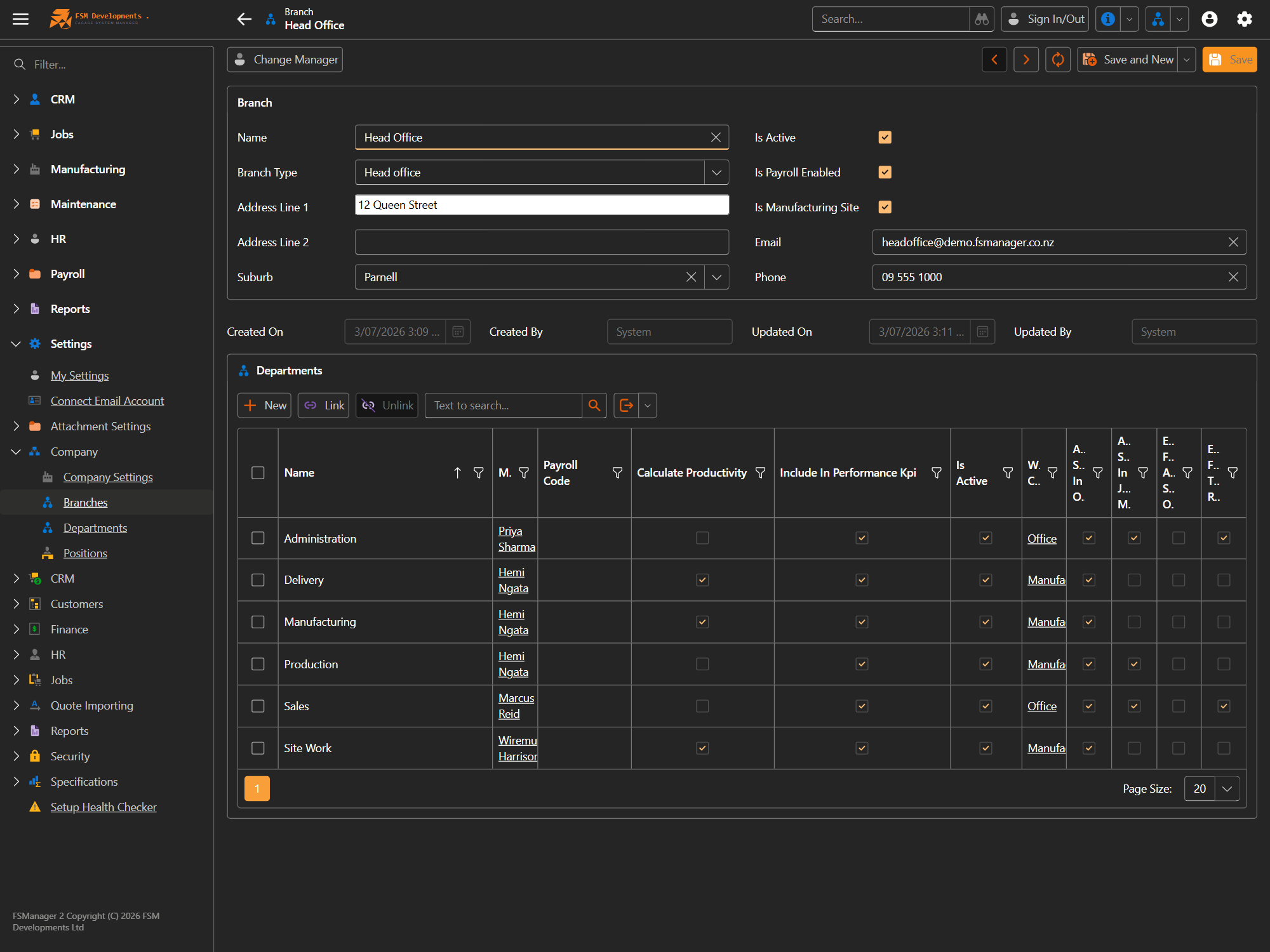
| Setting | What it does / affects |
|---|---|
| Name / Branch Type | Identifies the site (e.g. Head Office) and its type (head office, factory…). |
| Address / Suburb / Email / Phone | The branch’s contact details — used on documents and correspondence for jobs at that branch. |
| Is Active | Inactive branches drop out of the pickers when creating new records. |
| Is Payroll Enabled | Whether pay weeks can be run for this branch. |
| Is Manufacturing Site | Marks the branch as a factory — it counts toward manufacturing capacity and scheduling. |
| Change Manager (toolbar) | Reassign the branch’s manager. |
Departments
A department groups staff within a branch, and carries the settings that drive attendance and reporting for its people.
| Setting | What it does / affects |
|---|---|
| Name / Branch / Manager | The department, the branch it belongs to, and who runs it. |
| Payroll Code | The code its hours export under to your payroll provider. |
| Can Claim For Departments | The other departments whose job tasks this department’s staff may claim on the Job Manager. Its own work is always claimable and never listed. See Who can claim which tasks. |
| Work Calendar | The working-day calendar that applies to the department’s staff (drives rostered times and auto sign-out). |
| Calculate Productivity | Include this department’s work in productivity calculations. |
| Include In Performance KPI | Include it in the performance KPI reporting. |
| Auto Sign In / Out | Automatically sign the department’s staff in/out to their rostered times. |
| Auto Select In Job Manager | The department is pre-selected on the Job Manager for its staff. |
| Exclude From Auto Sign Out | Skip this department when auto sign-out runs. |
| Exclude From Time Reports | Leave the department out of time reporting. |
| Is Active | Inactive departments drop out of the pickers. |
Positions
A position is a role with capabilities — the tick-boxes here decide what an employee in that position is allowed to do across the system. This is how you keep estimating, purchasing, site measuring and management to the right people.
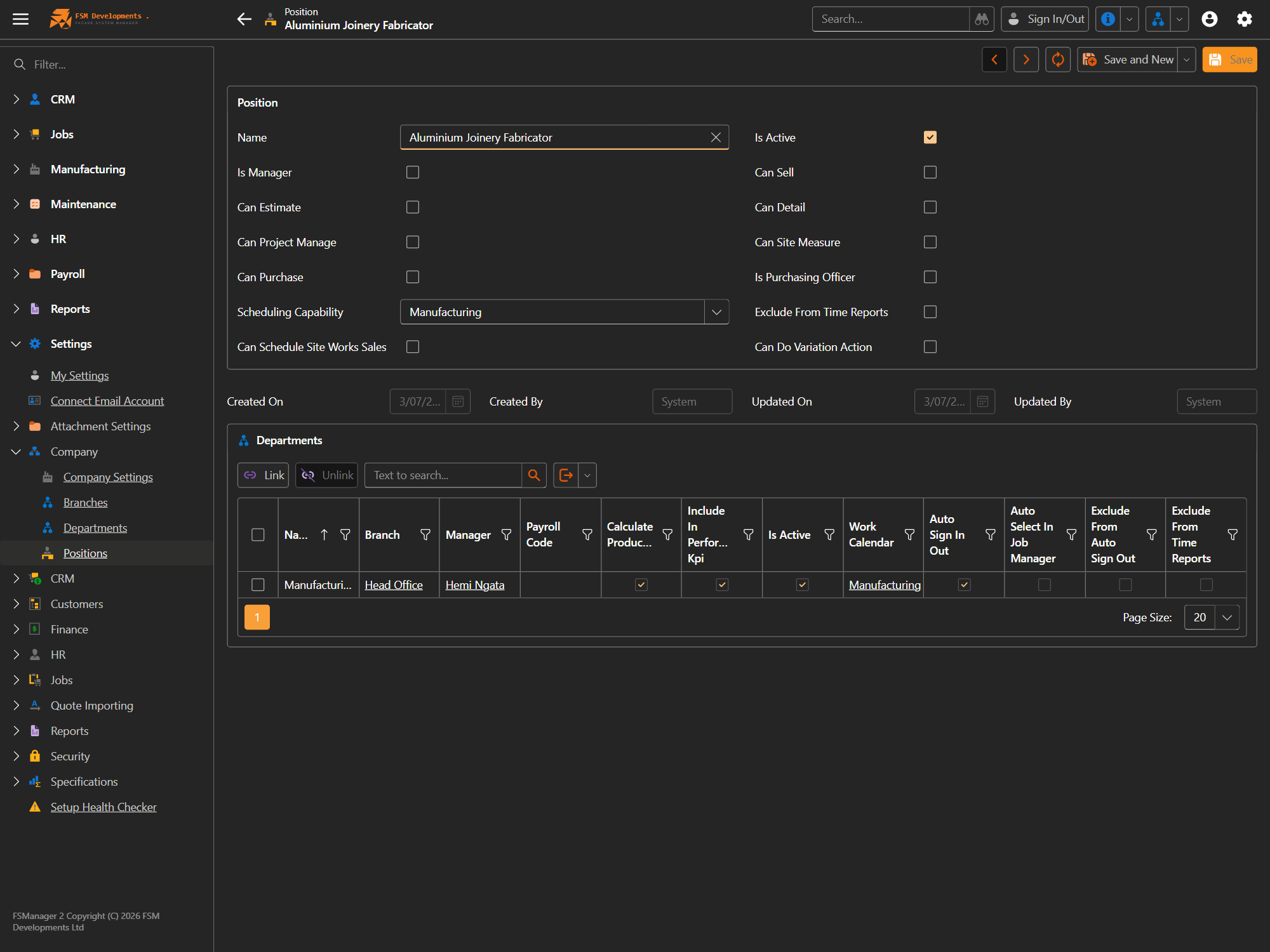
| Capability | What it lets the employee do |
|---|---|
| Is Manager | Access manager-level views and approvals. |
| Can Sell | Own opportunities and win quotes. |
| Can Estimate | Build and price estimates. |
| Can Detail | Do detailing/paperwork work. |
| Can Site Measure | Be assigned and carry out site measures. |
| Can Project Manage | Run jobs as project manager. |
| Can Purchase / Is Purchasing Officer | Raise and manage purchase orders. |
| Can Schedule Site Works Sales | Schedule site-works sales visits. |
| Can Do Variation Action | Make variations on a job. |
| Scheduling Capability | Which scheduling area (e.g. Manufacturing) the role can schedule. |
| Can Claim Any Task | Lets staff in this role claim any job task on the Job Manager, overriding the department grants and even Positions-only tasks. Off for every seeded position, managers included — it’s an escape hatch, not a management perk. See Who can claim which tasks. |
| Exclude From Time Reports | Leave staff in this role out of time reporting. |
| Is Active | Inactive positions can’t be assigned to new staff. |
Because positions carry the capability flags, giving a new employee the right position is what grants their day-one access — you rarely need to touch individual users and roles for everyday staff.