Admin edit a job
Lite+Once a quote is won it becomes a job, and most of its details are locked to keep the record honest. Admin Edit is the supervisor override for fixing the things that can still change after the sale — who the job is for, who sold it, the account terms, the contract value, and how each part is invoiced.
When to use
The customer was set up under the wrong entity, the sale needs reassigning to a different rep, a contract value needs correcting, or you’re recording invoice numbers against the job’s parts.
Step by step
- Open the job and click Admin Edit on the toolbar.
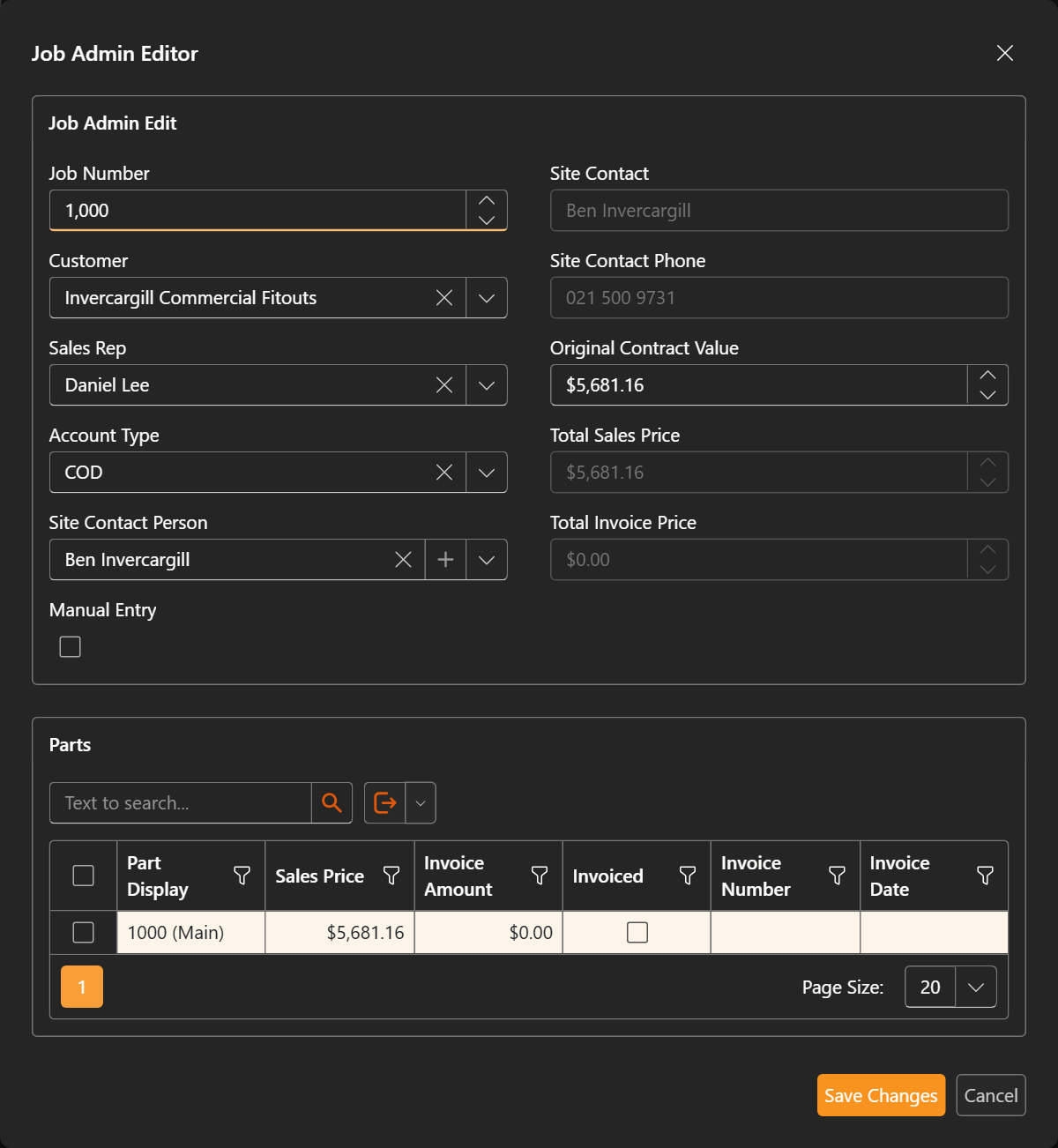
- In the Job Admin Editor, change what needs fixing:
- Customer, Sales Rep, Account Type and Site Contact Person — reassign the job or correct its commercial details.
- Original Contract Value — correct the agreed price. Manual Entry lets you override the calculated totals.
- The Parts grid records each part’s Sales Price, Invoice Amount, Invoice Number and Invoice Date, and whether it’s been Invoiced.
- Save Changes.
Admin Edit is a deliberate override, so it’s kept to supervisors. For everyday changes use the job’s own fields; to stop a job entirely see Cancel (or un-cancel) a job.
Last updated on