Skip to Content

Raise a request

Lite+

Logs an after-sales service or repair against a completed job — what’s wrong, who’s doing it, and whether it’s chargeable.

When to use

A customer reports a fault or asks for remedial work on a finished job.

Step by step
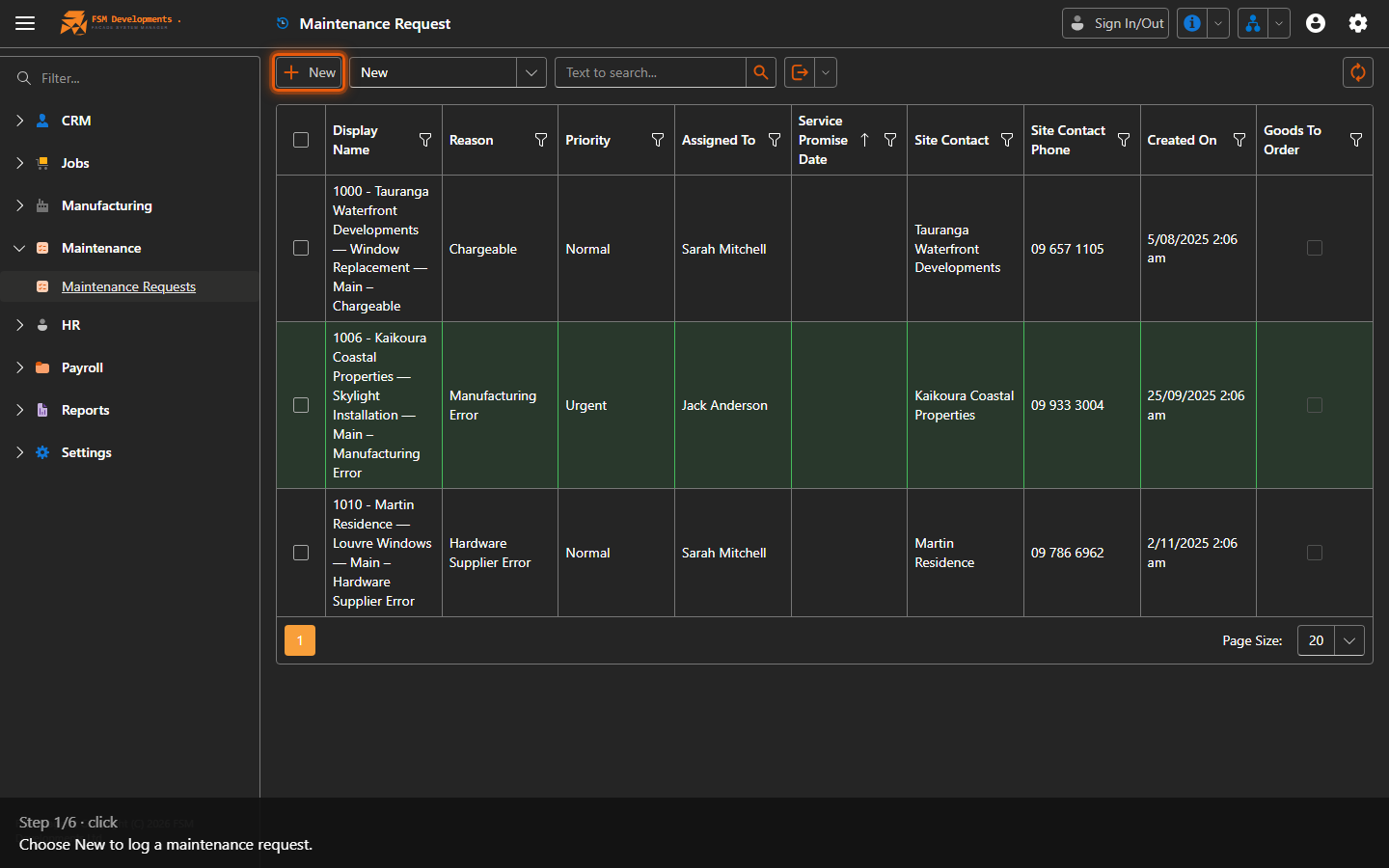
New (toolbar button)
1. Choose New to log a maintenance request.
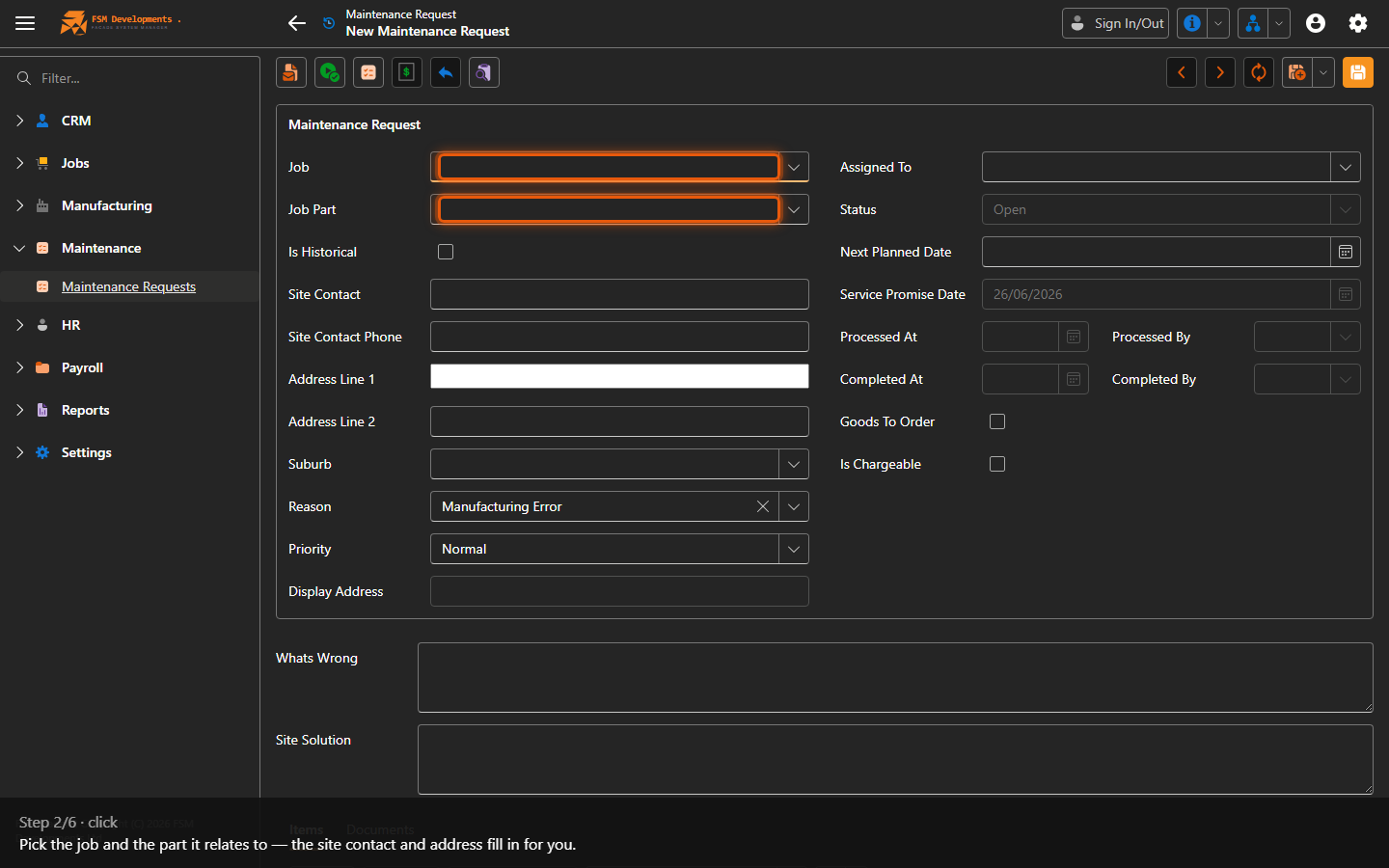
Job / Job Part (lookups)
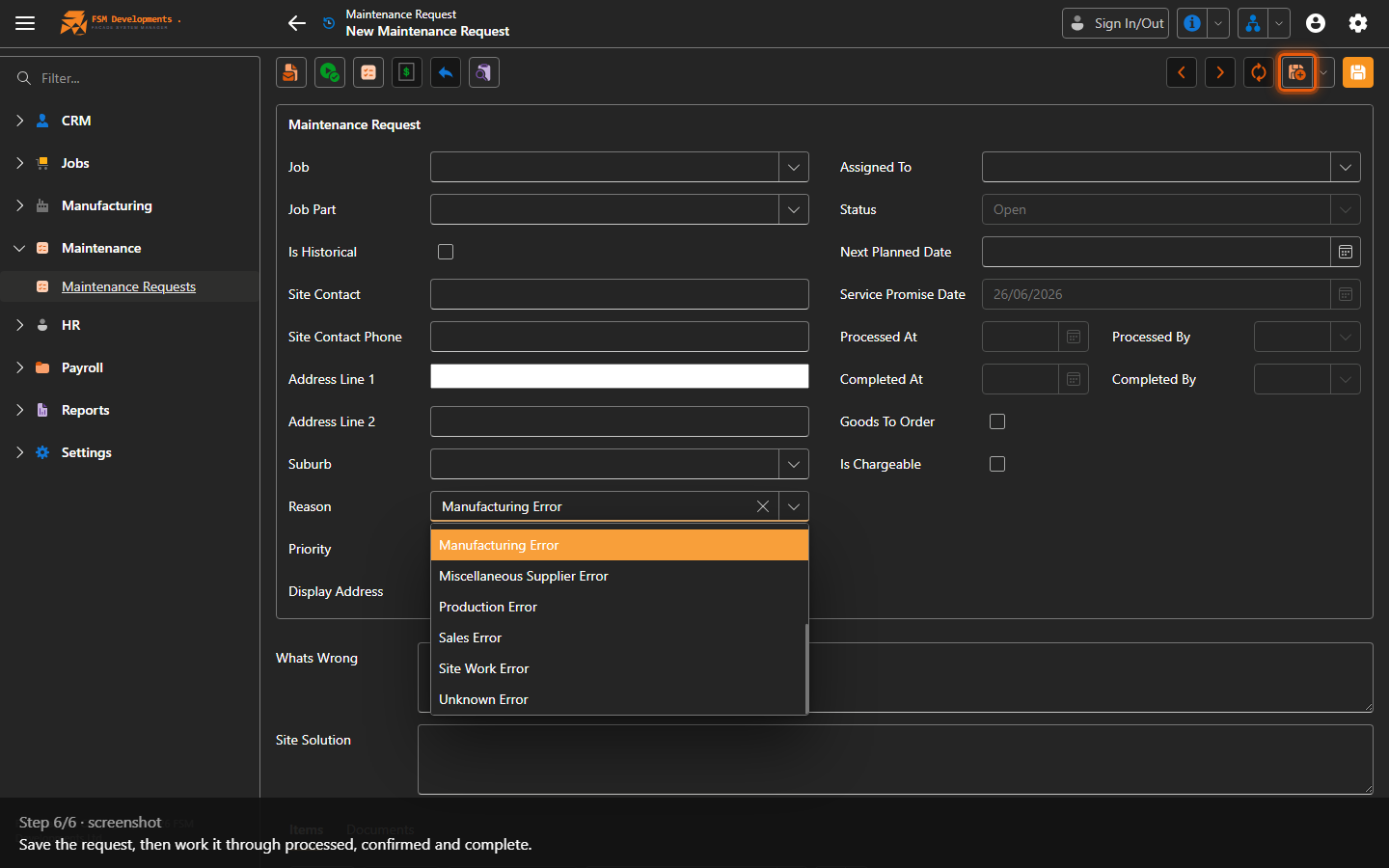
2. Pick the job and the part it relates to — the site contact and address fill in for you.
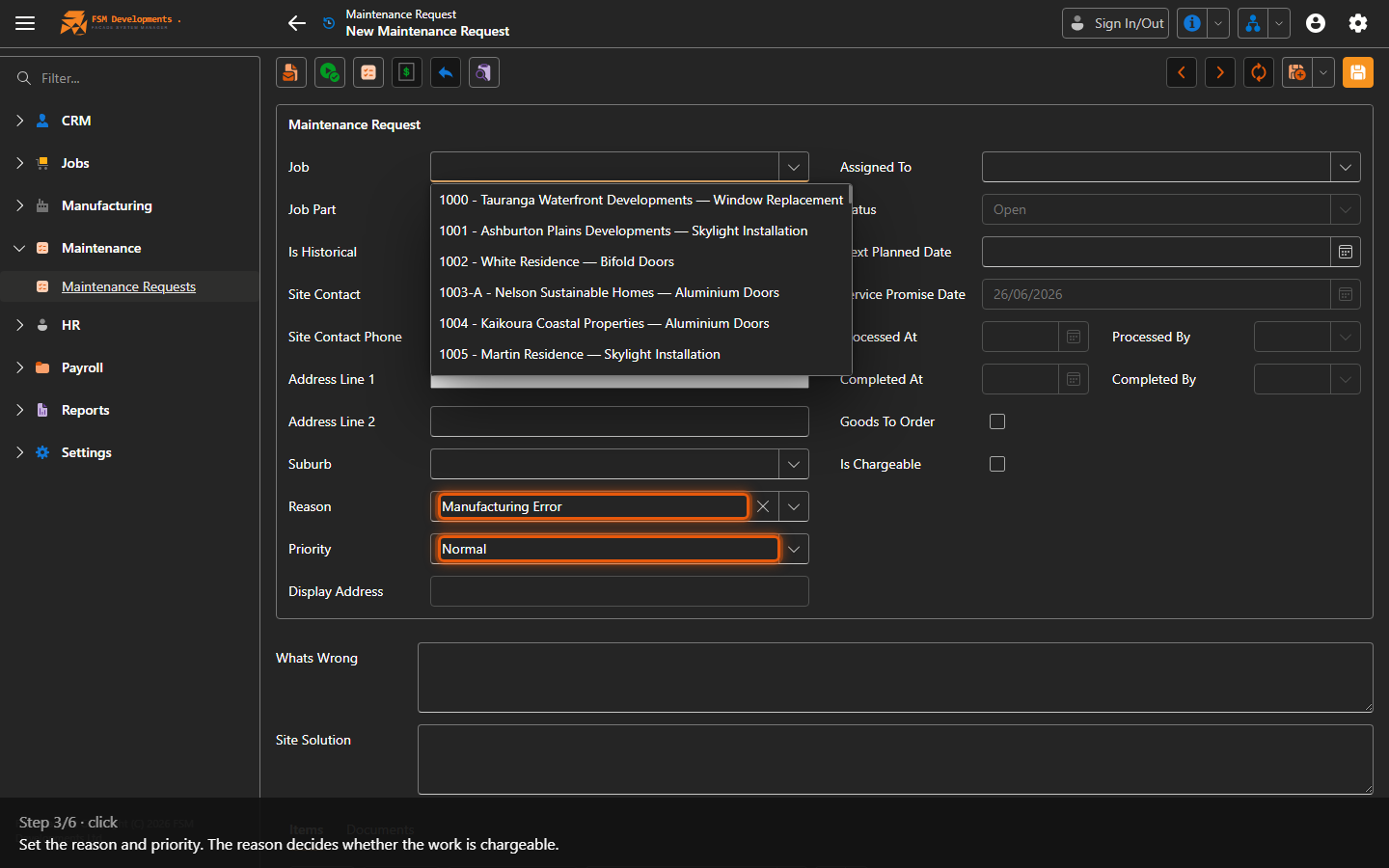
Reason (lookup) / Priority
3. Set the reason and priority. The reason decides whether the work is chargeable.
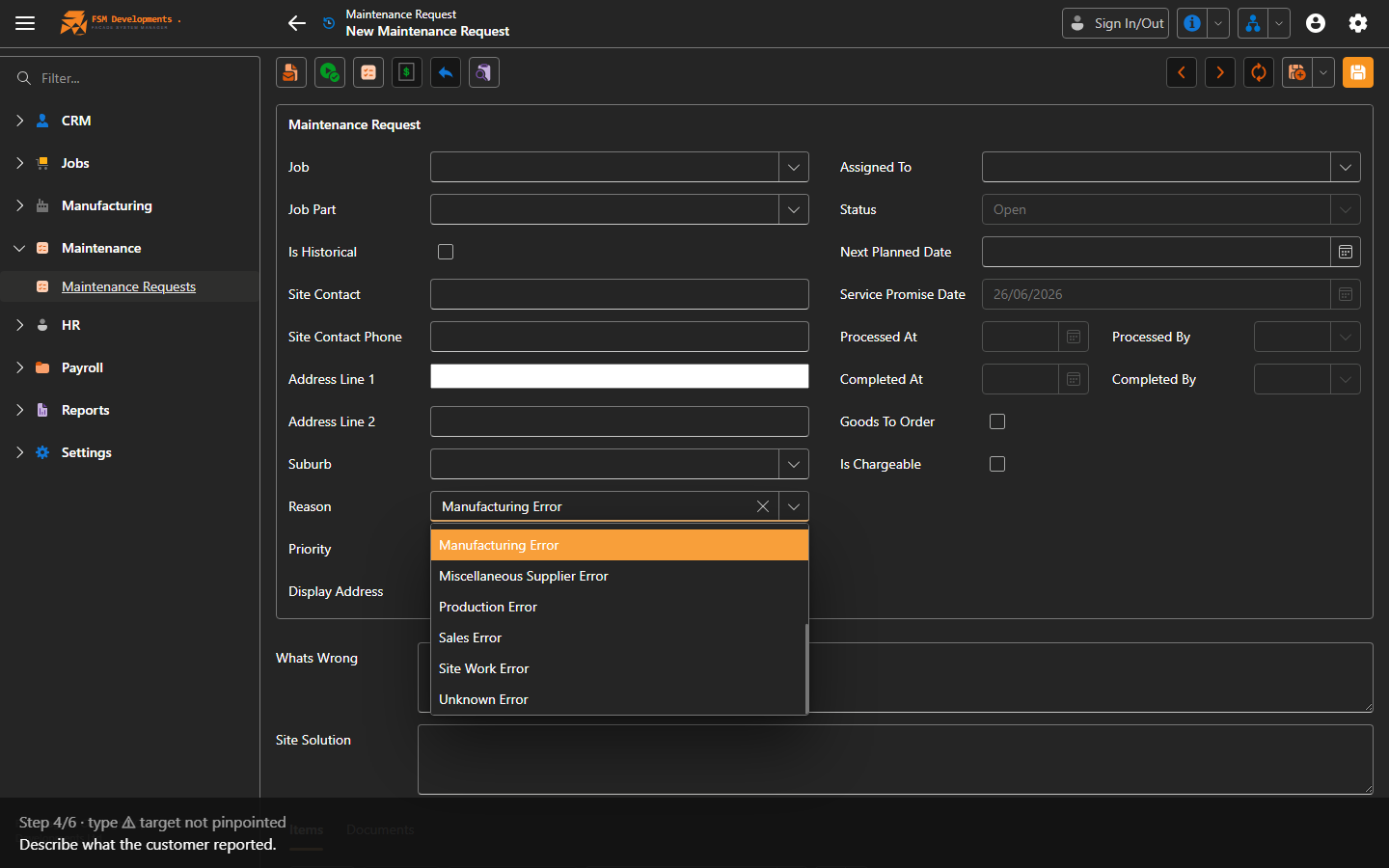
What's Wrong (memo)
4. Describe what the customer reported.
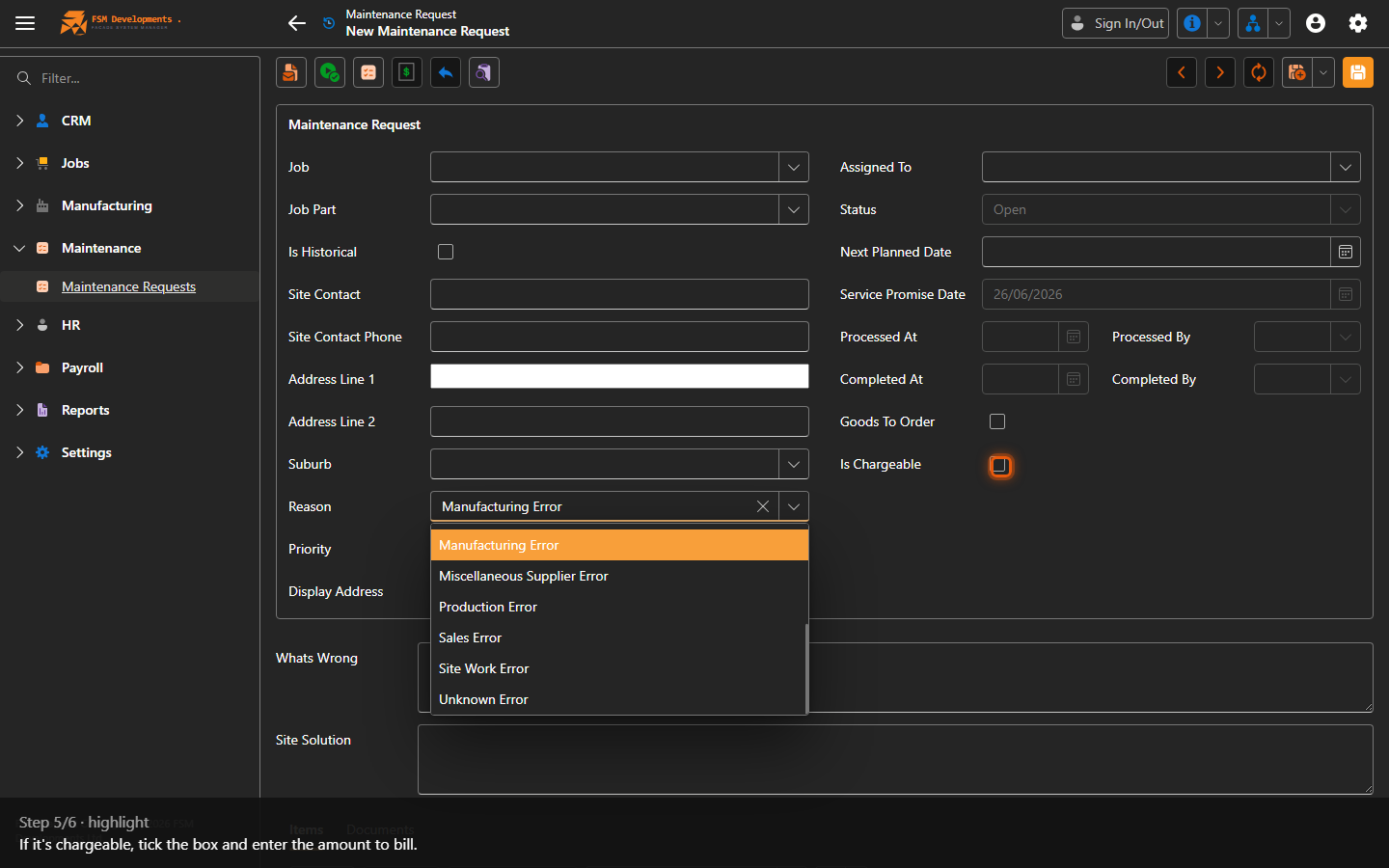
Is Chargeable / Amount
5. If it's chargeable, tick the box and enter the amount to bill.
Save (toolbar button)
6. Save the request, then work it through processed, confirmed and complete.
Last updated on