Skip to Content

Win, lose or reopen

Lite+

The decision point: win the quote (which creates the job), mark it lost, or reopen one that was closed by mistake.

Winning a quote — turning the accepted revision into a job.

When to use

The customer has come back with a yes or a no.

Step by step
Win Quote (toolbar button)
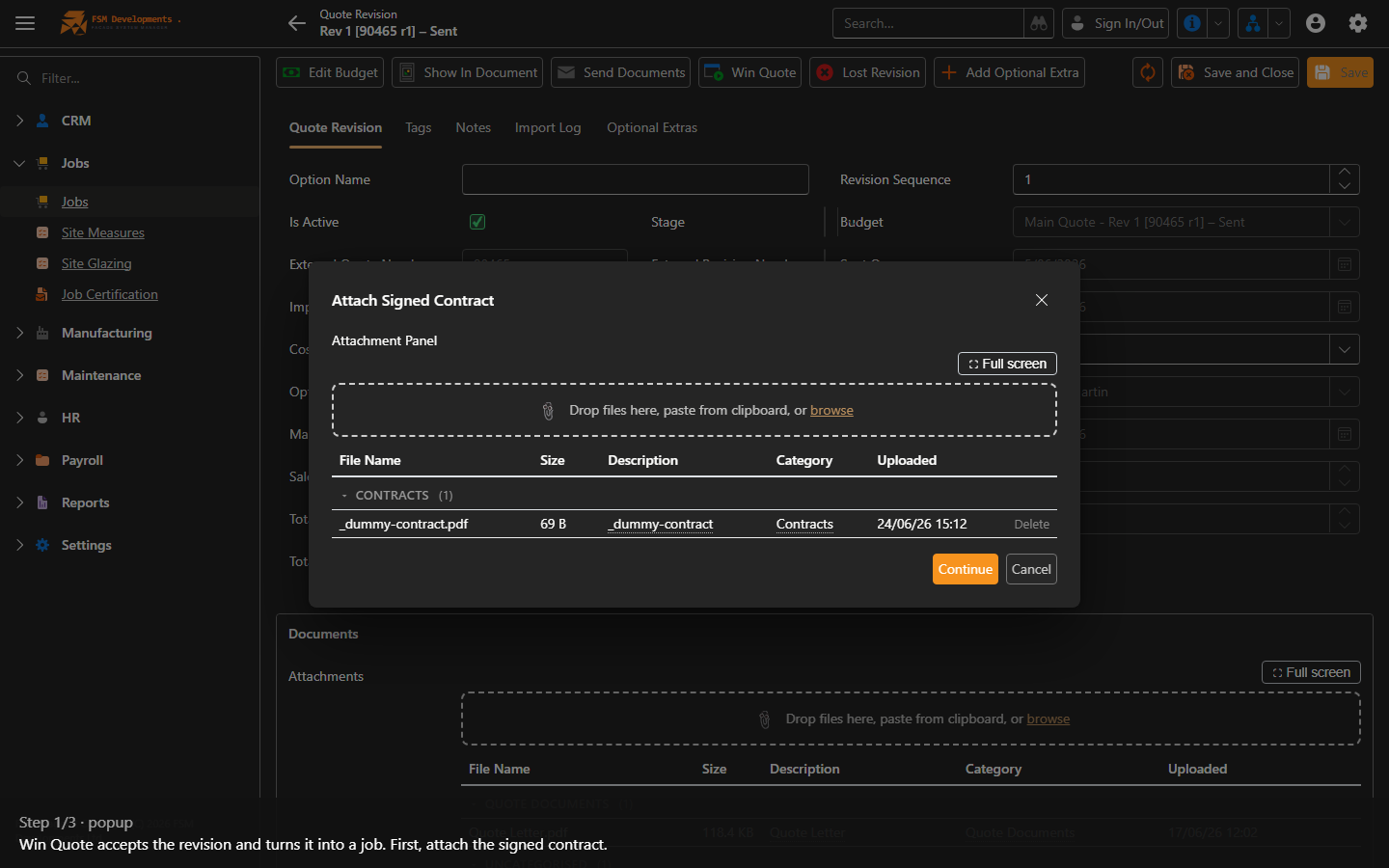
1. Win Quote accepts the revision and turns it into a job. First, attach the signed contract.
Win Quote (toolbar button)
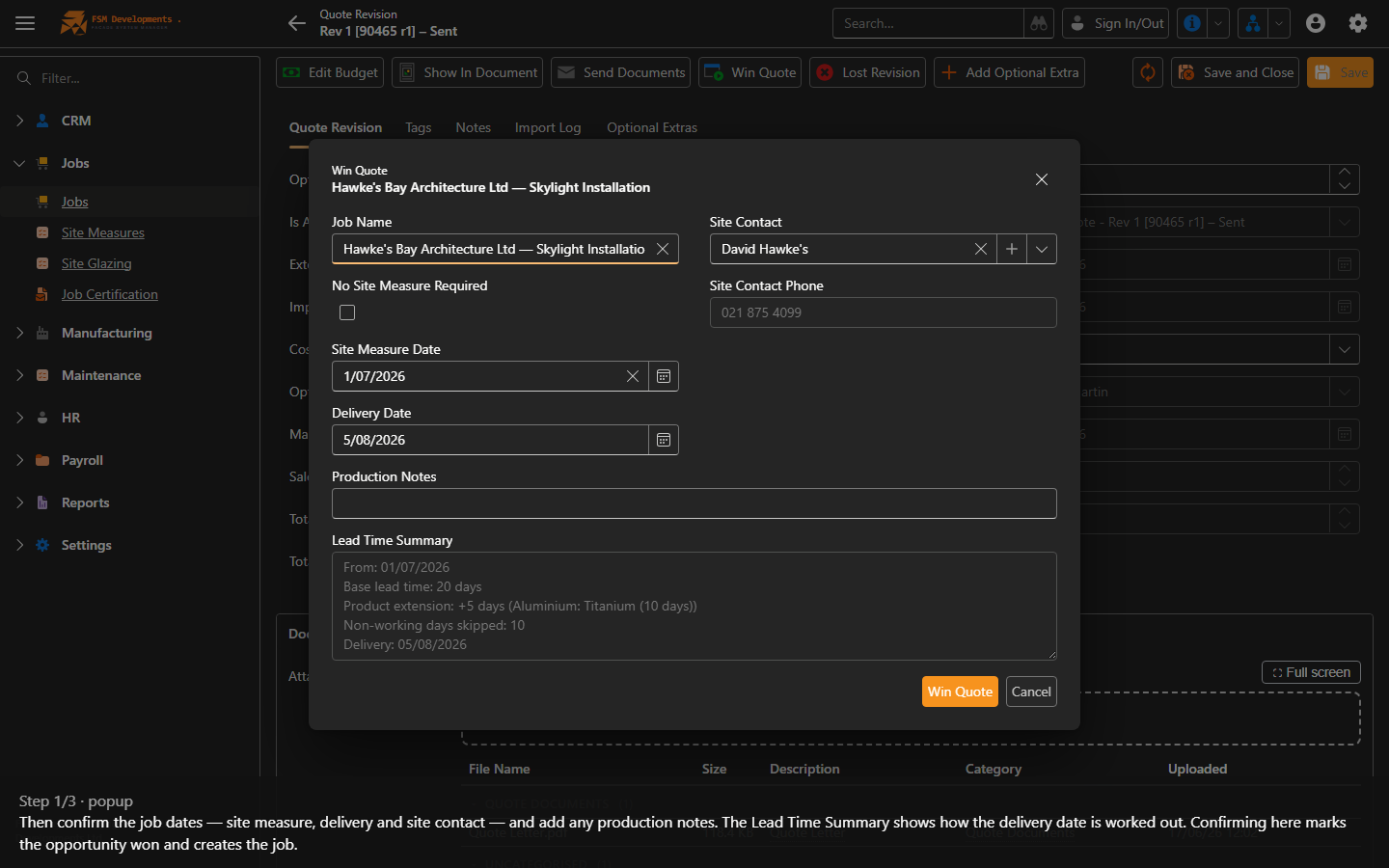
2. Then confirm the job dates — site measure, delivery and site contact — and add any production notes. The Lead Time Summary shows how the delivery date is worked out. Confirming here marks the opportunity won and creates the job.
Lost Revision (toolbar button)
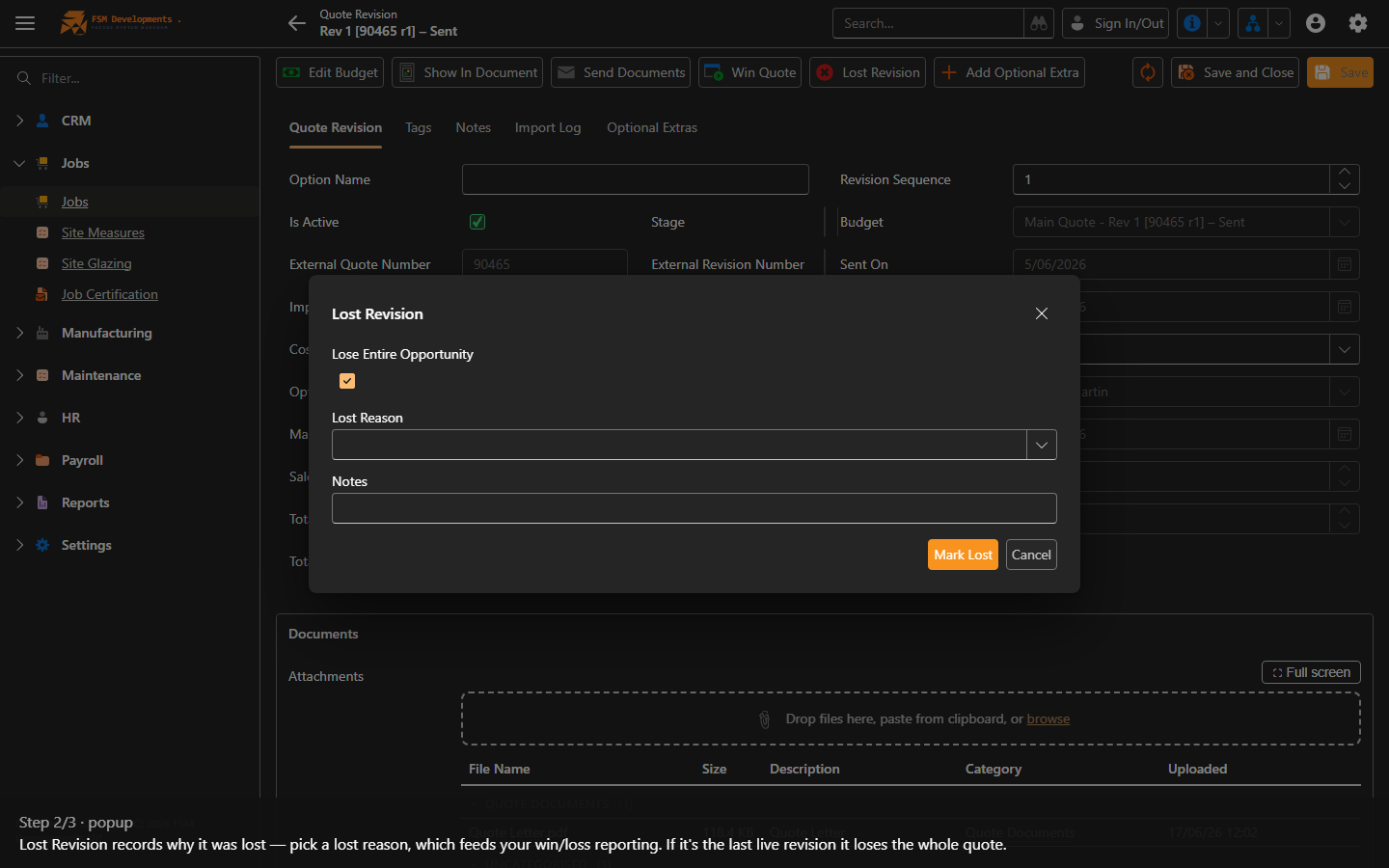
3. Lost Revision records why it was lost — pick a lost reason, which feeds your win/loss reporting. If it's the last live revision it loses the whole quote.
Edit Budget (toolbar button)
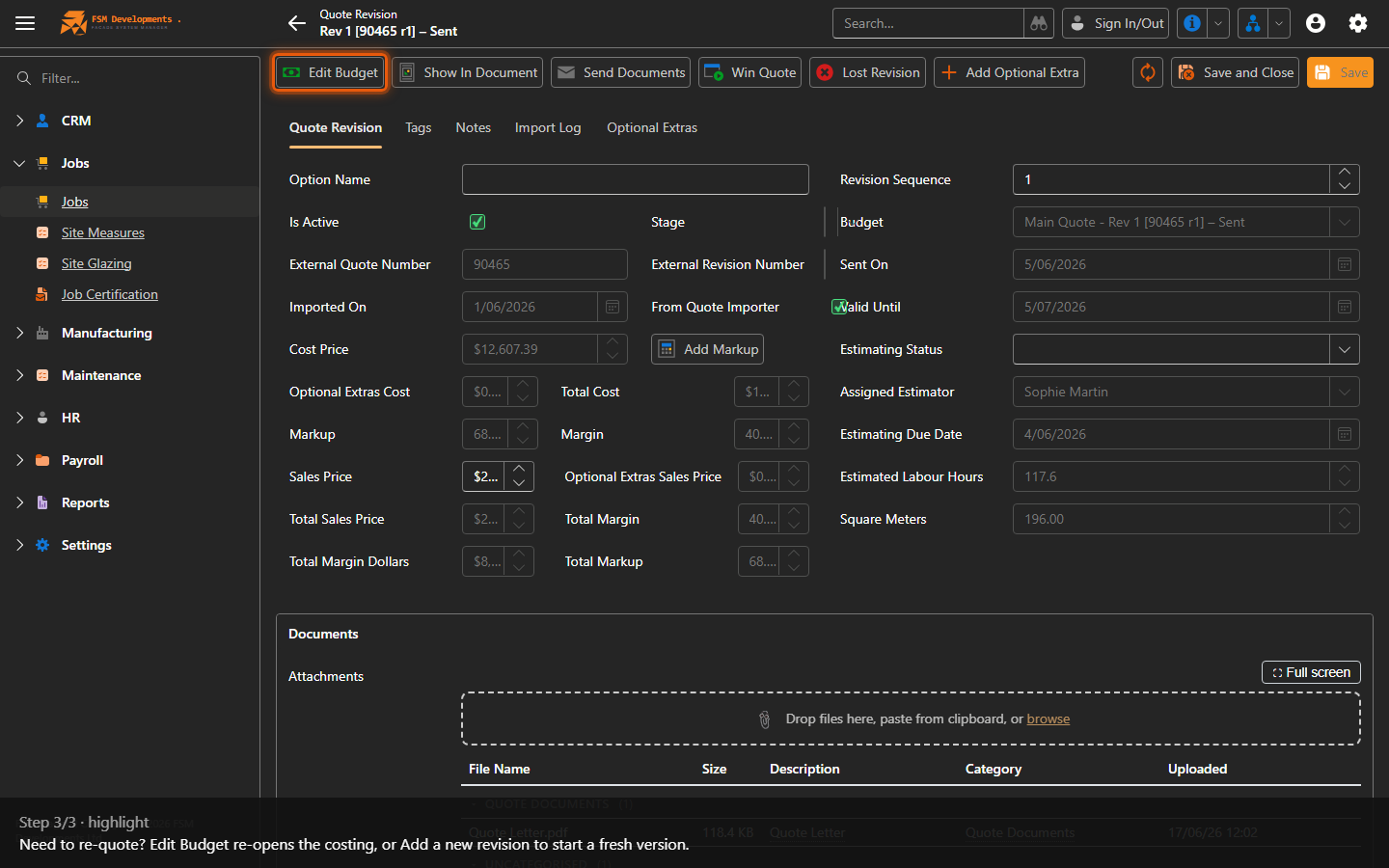
4. Need to re-quote? Edit Budget re-opens the costing, or Add a new revision to start a fresh version.

Requoting a won opportunity: use Add Revision to revise any quote — even one that’s already been sent or won. On a won opportunity the Win Quote button becomes Requote, and the recorded sales date stays put — later activity never overwrites the date the deal actually closed.

Last updated on