Mark as lost
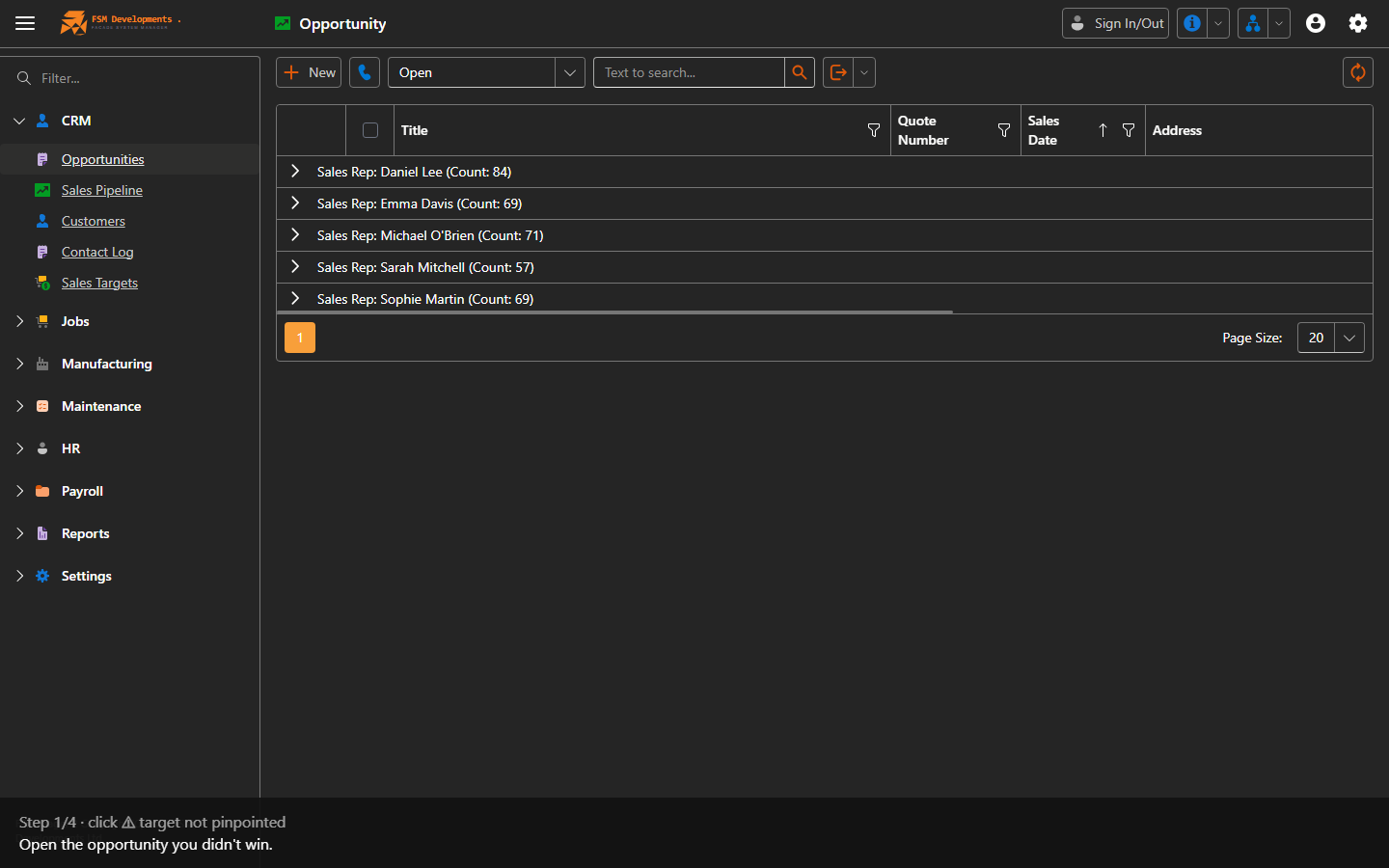
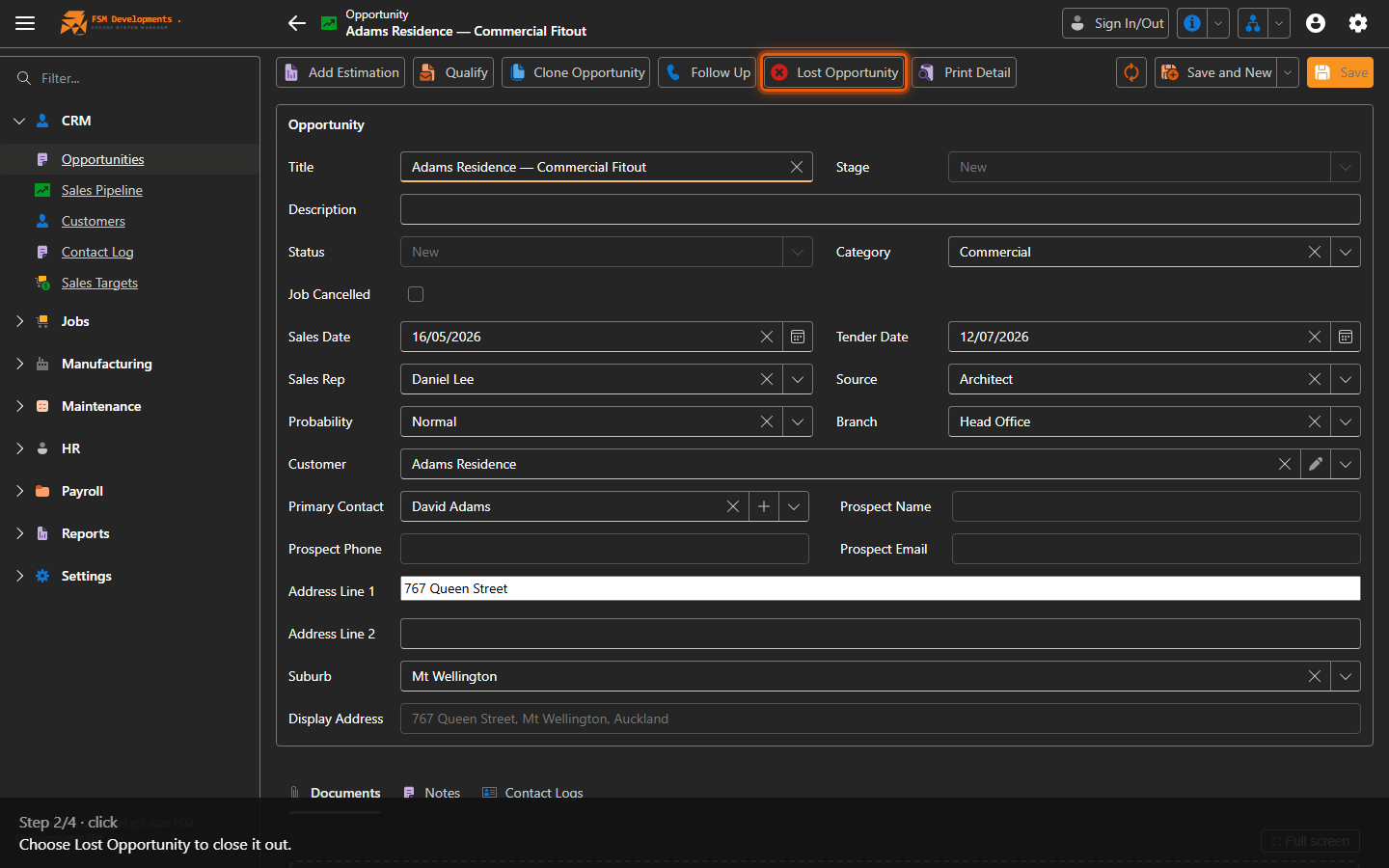
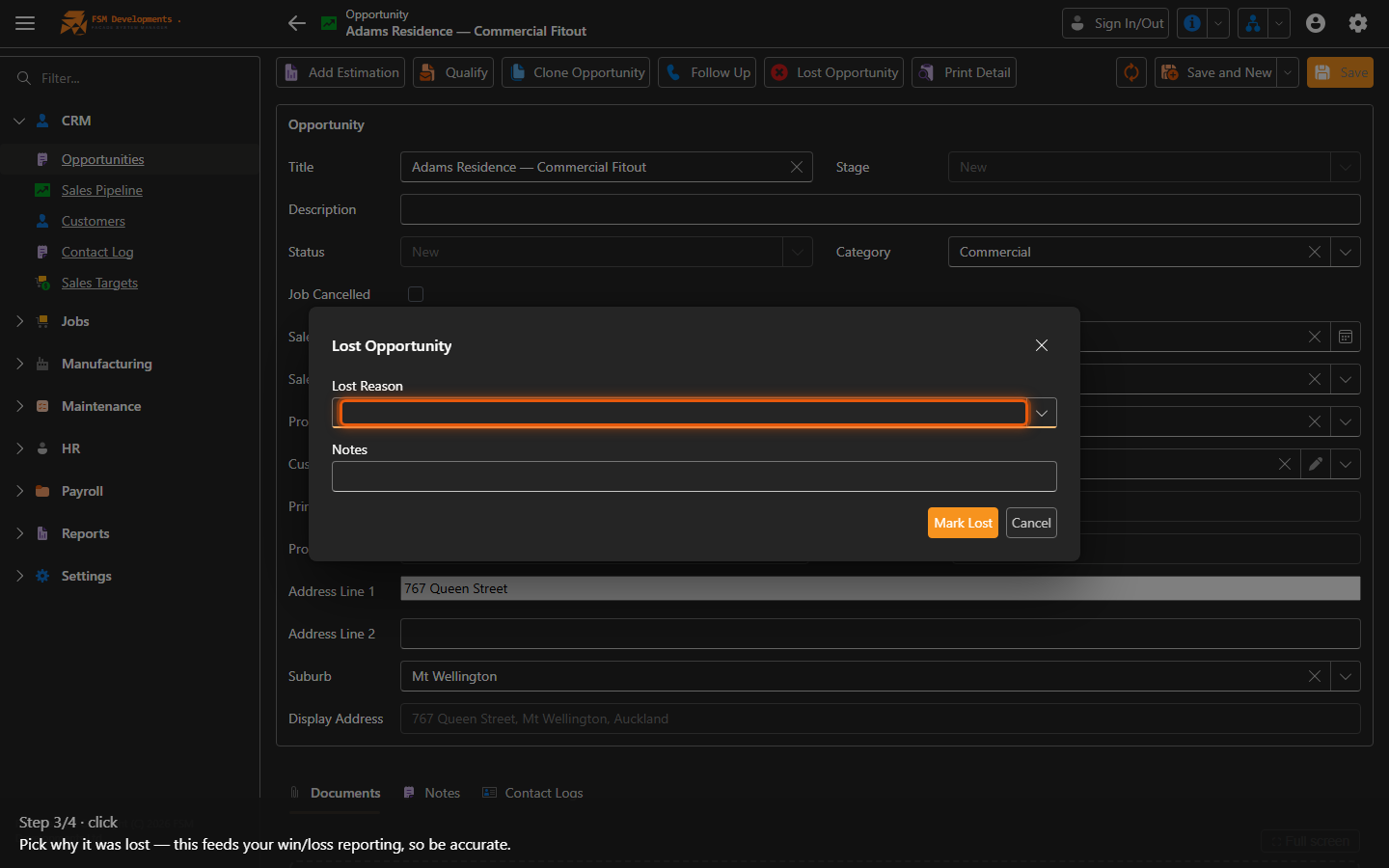
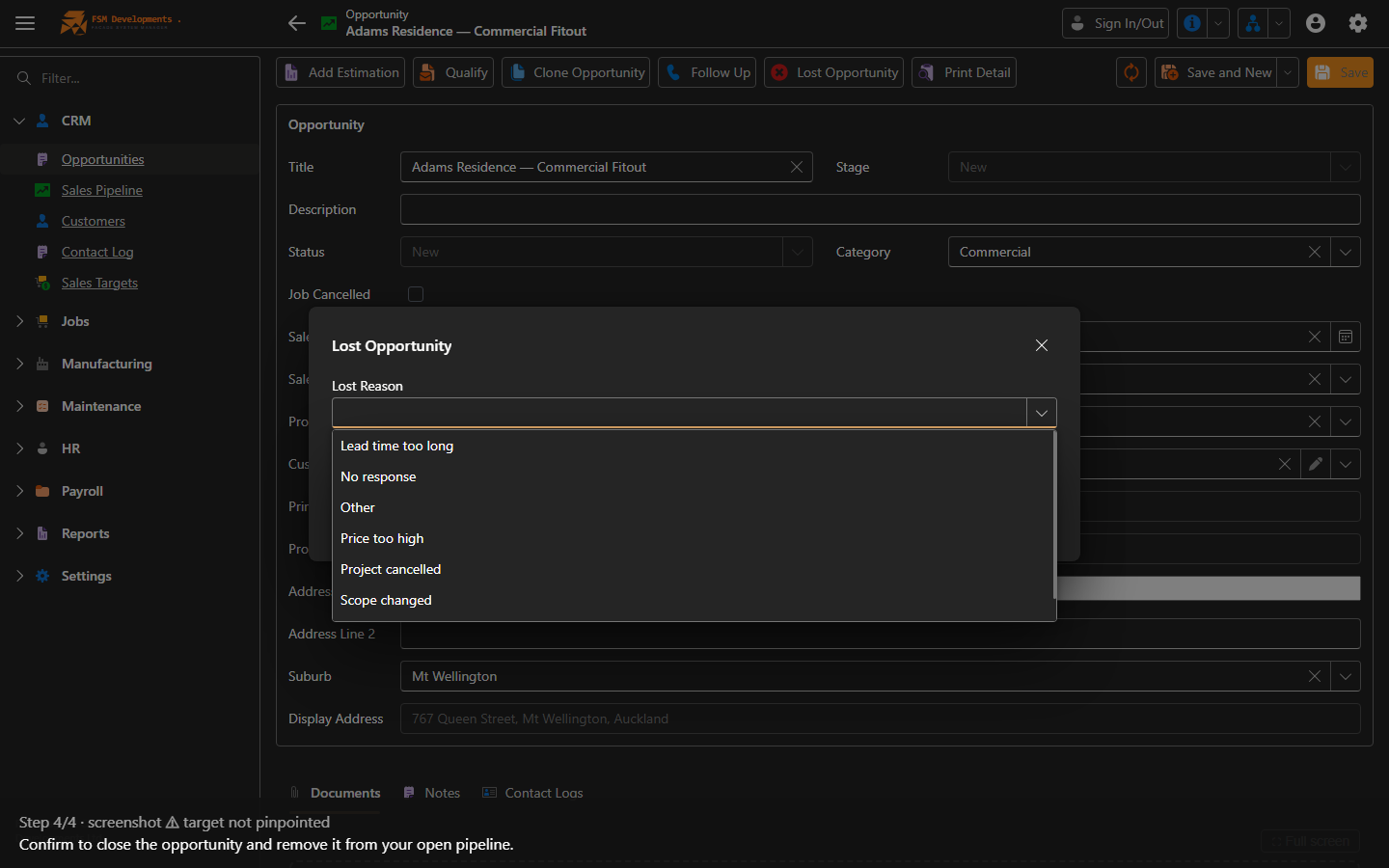
Lite+Closes out an opportunity you didn’t win, with a reason, so your pipeline and win/loss reporting stay honest.
When to use
The customer went elsewhere, the project was cancelled, or the quote lapsed.
Step by step
Last updated on
Closes out an opportunity you didn’t win, with a reason, so your pipeline and win/loss reporting stay honest.
The customer went elsewhere, the project was cancelled, or the quote lapsed.