Skip to Content
How-to (step by step)JobsCancel (or un-cancel) a job

Cancel (or un-cancel) a job

Lite+

Cancels a job with a reason, cascading the cancellation to all its parts and reversing the sale — or reinstates one cancelled by mistake.

When to use

A customer pulls out, or a job was cancelled in error and needs reinstating.

Step by step
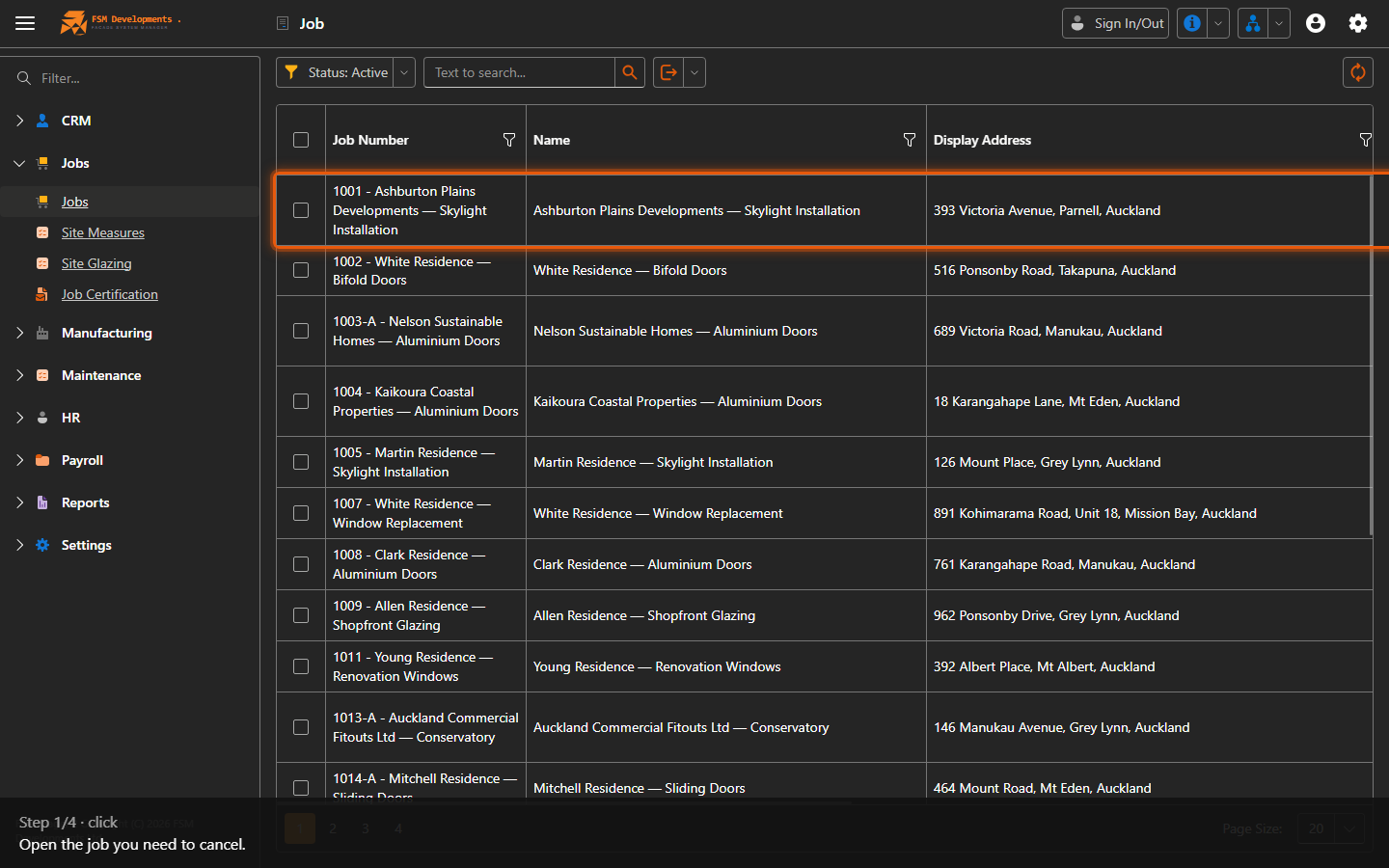
A job row
1. Open the job you need to cancel.
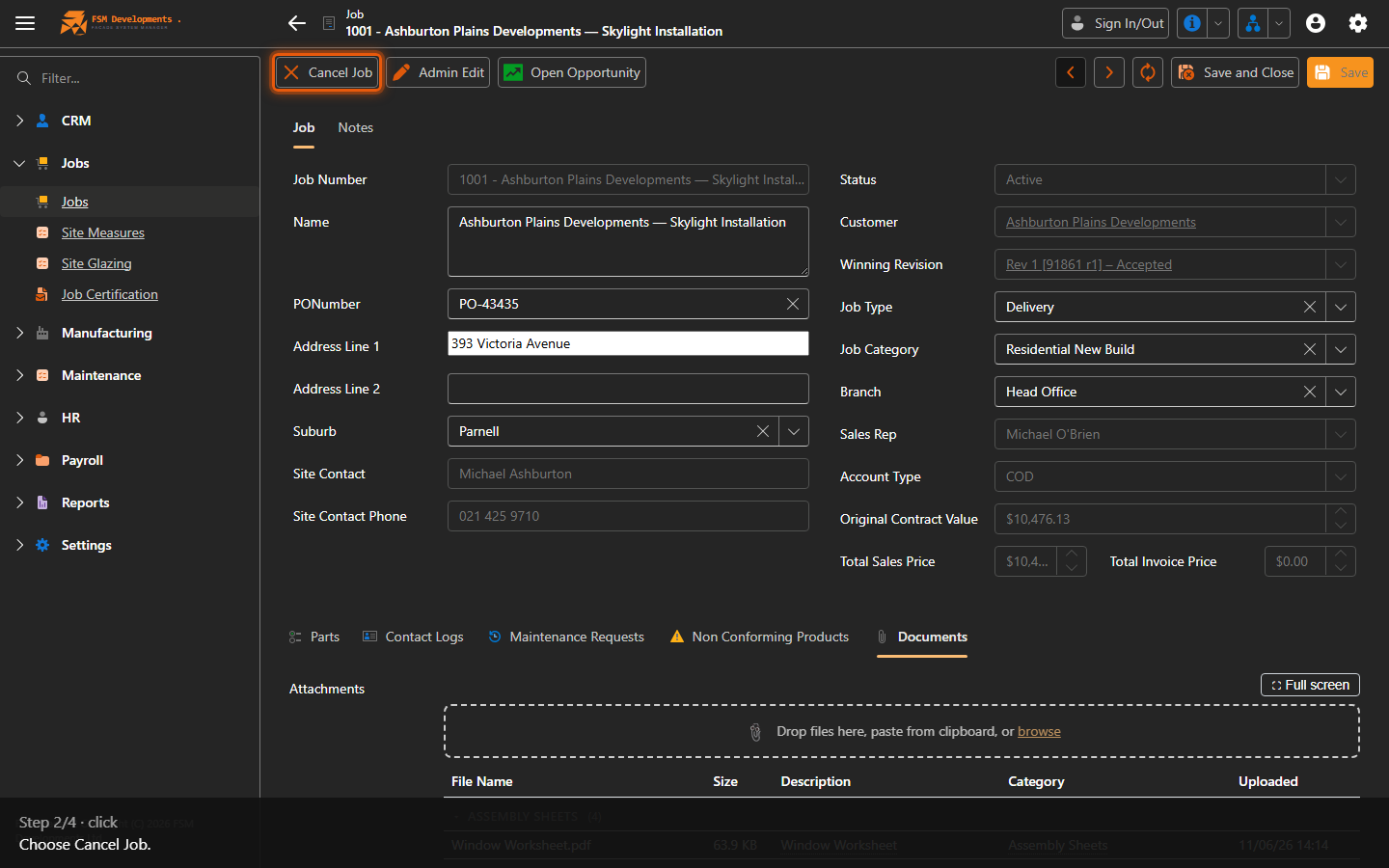
Cancel Job (toolbar button)
2. Choose Cancel Job.
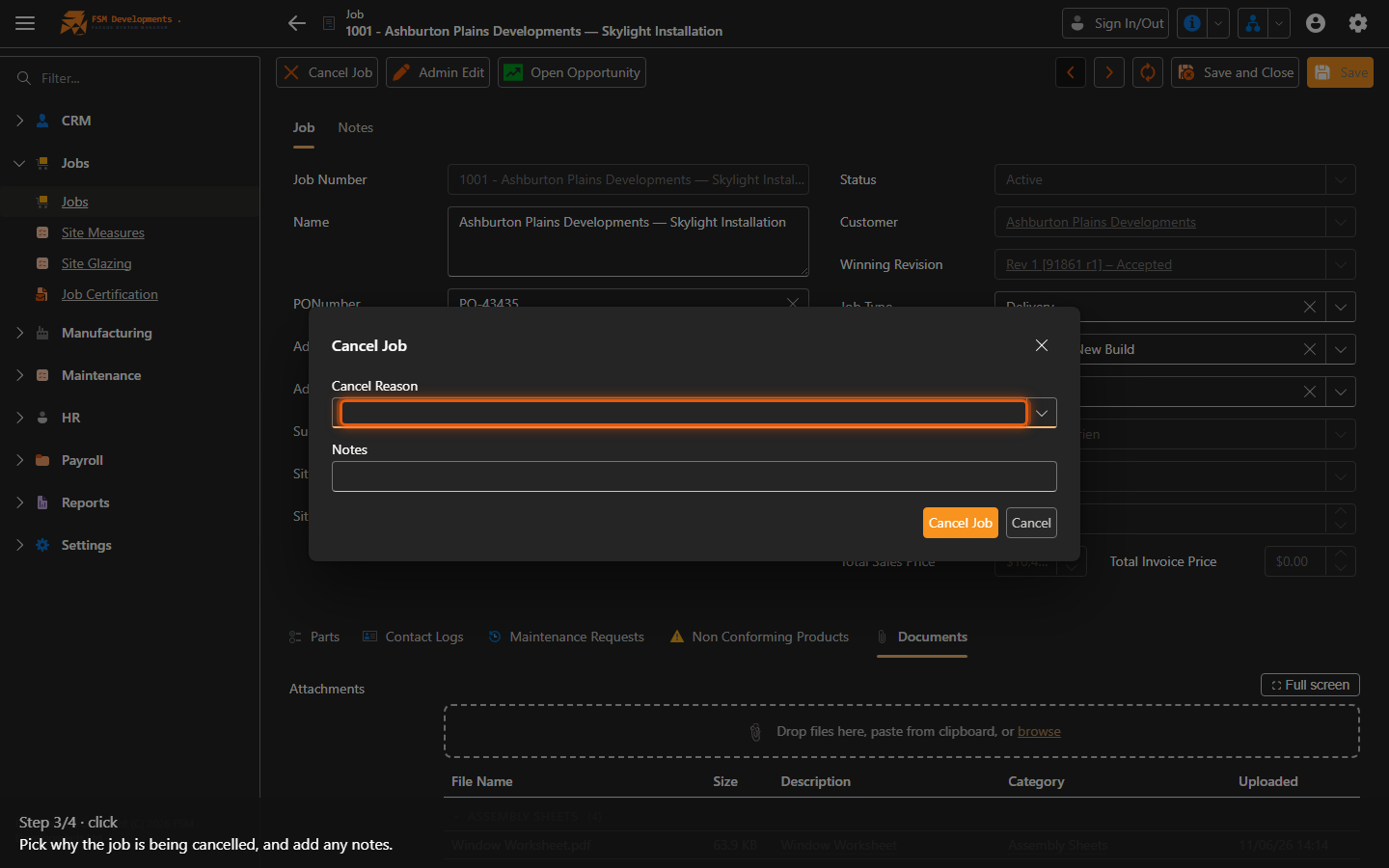
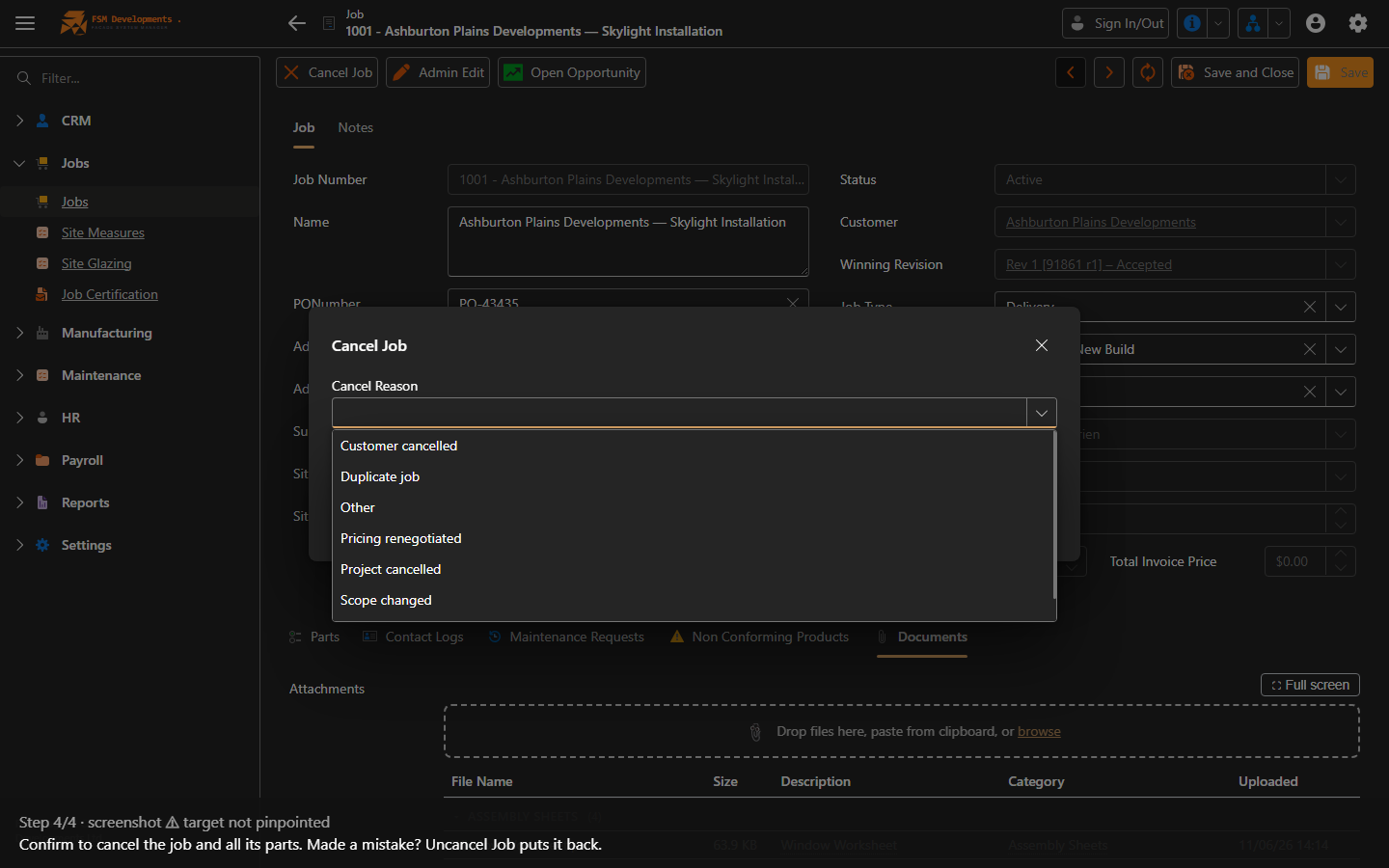
Cancel Reason (combobox, popup)
3. Pick why the job is being cancelled, and add any notes.
OK (popup button)
4. Confirm to cancel the job and all its parts. Made a mistake? Uncancel Job puts it back.
Last updated on